Build, deploy, and manage agents on the world’s most flexible AI-powered platform for work.
Organizations are investing heavily in AI, yet adoption often stalls because agents live in isolated browser tabs, disconnected from where teams work. When an agent is siloed from work, it lacks the shared context of your team’s conversations. That leads to generic results, limited ROI, and employees bouncing between fragmented tools just to get a simple answer.
The Slack platform powers the most flexible, agent-first workspace. We amplify your software investment by bringing every app and automation into a single interface. While other platforms offer isolated utilities, Slack grounds your agents in the real-time conversational context of your company’s history and decisions. This ensures every deployment is more relevant, actionable, and secure—maximizing the value of your AI investment without leaving the flow of work.
Today, we’re announcing new capabilities that make it easier than ever to build and manage all your agents in Slack—so agents aren’t just siloed tools, but integrated teammates that work where your team already collaborates.
- Orchestrate work with Slackbot: Connect your apps and agents via the new Slackbot MCP Client. Simply describe what you need, and Slackbot routes requests and manages multi-step workflows across your entire stack.
- Build and deploy agents in minutes: Create agents with our developer toolkit or deploy from external platforms like Vercel and Lovable in a few clicks.
- Manage your entire agent ecosystem in one place: Centralize discovery and maintain enterprise-grade governance with Salesforce’s AgentExchange and Slack’s consolidated agent browser.
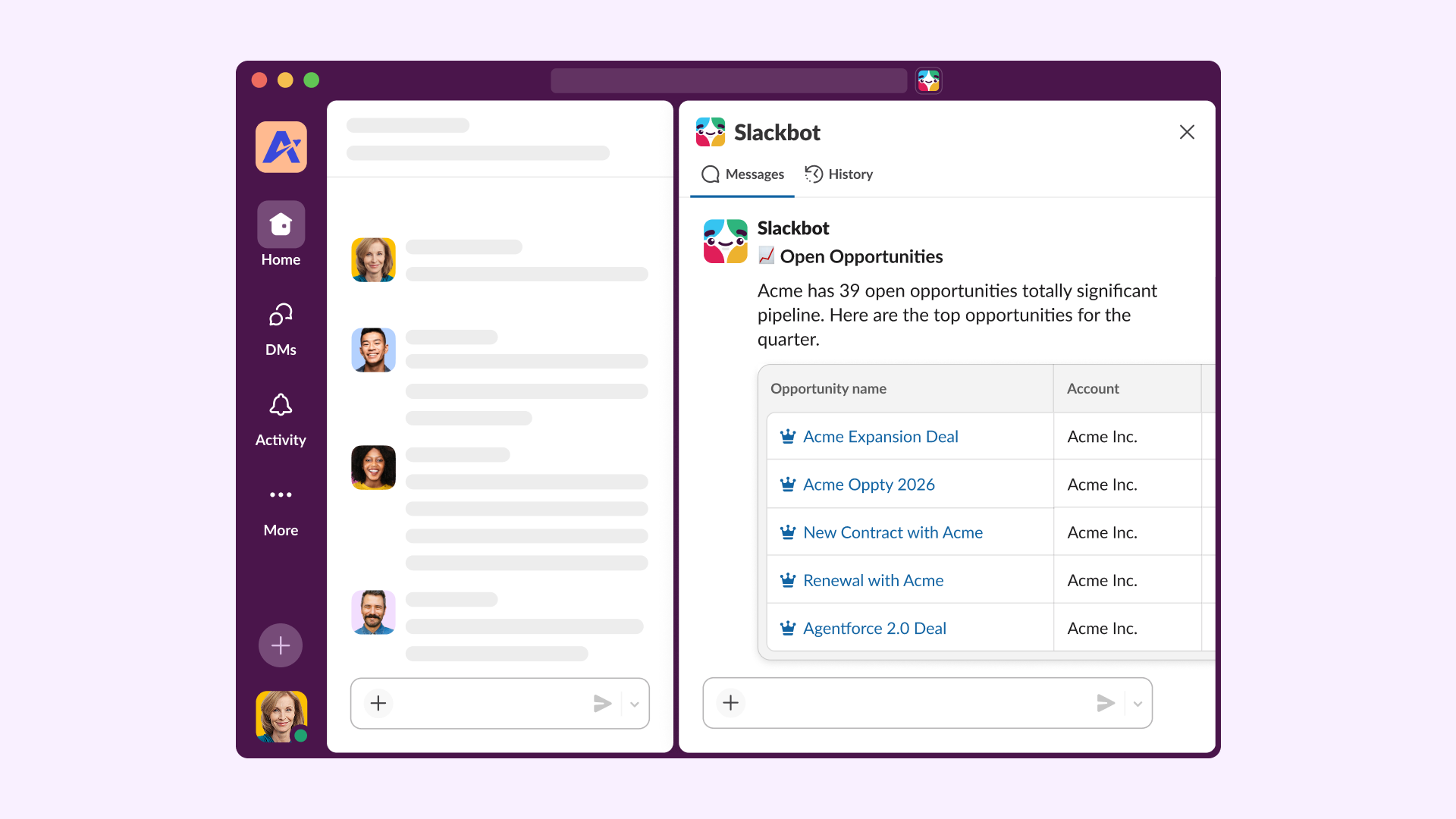
- Build rich agent experiences with Block Kit: Move beyond walls of text. Transform AI responses into structured, interactive UIs including cards, data tables and more to drive action natively in Slack.
Orchestrate work with Slackbot
The true power of an agentic workspace isn’t just having agents—it’s having them work together. By orchestrating work across your data, apps, and workflows, humans and digital teammates can move faster. You shouldn’t have to remember which agent handles IT tickets or which one tracks customer success; you should just be able to ask.
In March, we announced that Slackbot is evolving into the conversational interface for your enterprise, capable of orchestrating work across your entire stack. With the upcoming Slackbot MCP Client and AgentExchange, you can integrate 6,000+ Salesforce apps directly into Slackbot. This allows Slackbot to route requests to the right specialized agent, coordinate multi-step workflows, and handle the final handoff back to you.
Slackbot also renders MCP Apps to provide rich, app-specific experiences within the chat. By including an MCP server in their manifest, these apps enable interactive UI and tool integrations directly within Slackbot conversations. Instead of navigating a dozen dashboards, you get a single conversational interface that actually finishes the work.
Imagine asking Slackbot, “Prepare my briefing for the Acme expansion meeting.” Behind the scenes, Slackbot coordinates the response in real-time: it pings an Analytics Agent to visualize adoption data and a Sales Agent to pull relevant success stories. When you ask for an expansion plan, Slackbot automatically drafts an account strategy canvas. It can even retrieve a sales deck from Box and find a time on Google Calendar for a team review. You get a single, organized thread with everything you need—moving from a raw question to a shared strategy in seconds.
Build and deploy agents in minutes, not days
Deployment friction is often the bottleneck for AI adoption. Whether you’re building in a no-code environment or a professional IDE, we’ve removed the hurdles between building an agent and putting it in front of your users with our updated developer toolkit and the “Add to Slack” options from external platforms like Vercel and Lovable.
Add agents to Slack in a few clicks
It’s now easier than ever for anyone — developers and non-developers alike — to build an agent using vibe-coding platforms or point-and-click builders. The real barrier has been getting those agents into the place where work happens.
The add to Slack option establishes a new deployment standard, enabling anyone to ship agents to Slack without platform migration from services like Vercel and Loveable. We’ve automated OAuth, manifest configuration, and environment setup — clearing the path from a simple prompt to a live Slack agent in seconds.
Imagine building a policy Q&A agent in Vercel to help your team navigate the company handbook. By clicking the “Add to Slack” button, the agent is installed in your workspace, no complex code or configuration required. You build where you’re comfortable, and your agent appears exactly where your team works.
Slack’s developer toolkit for building agents
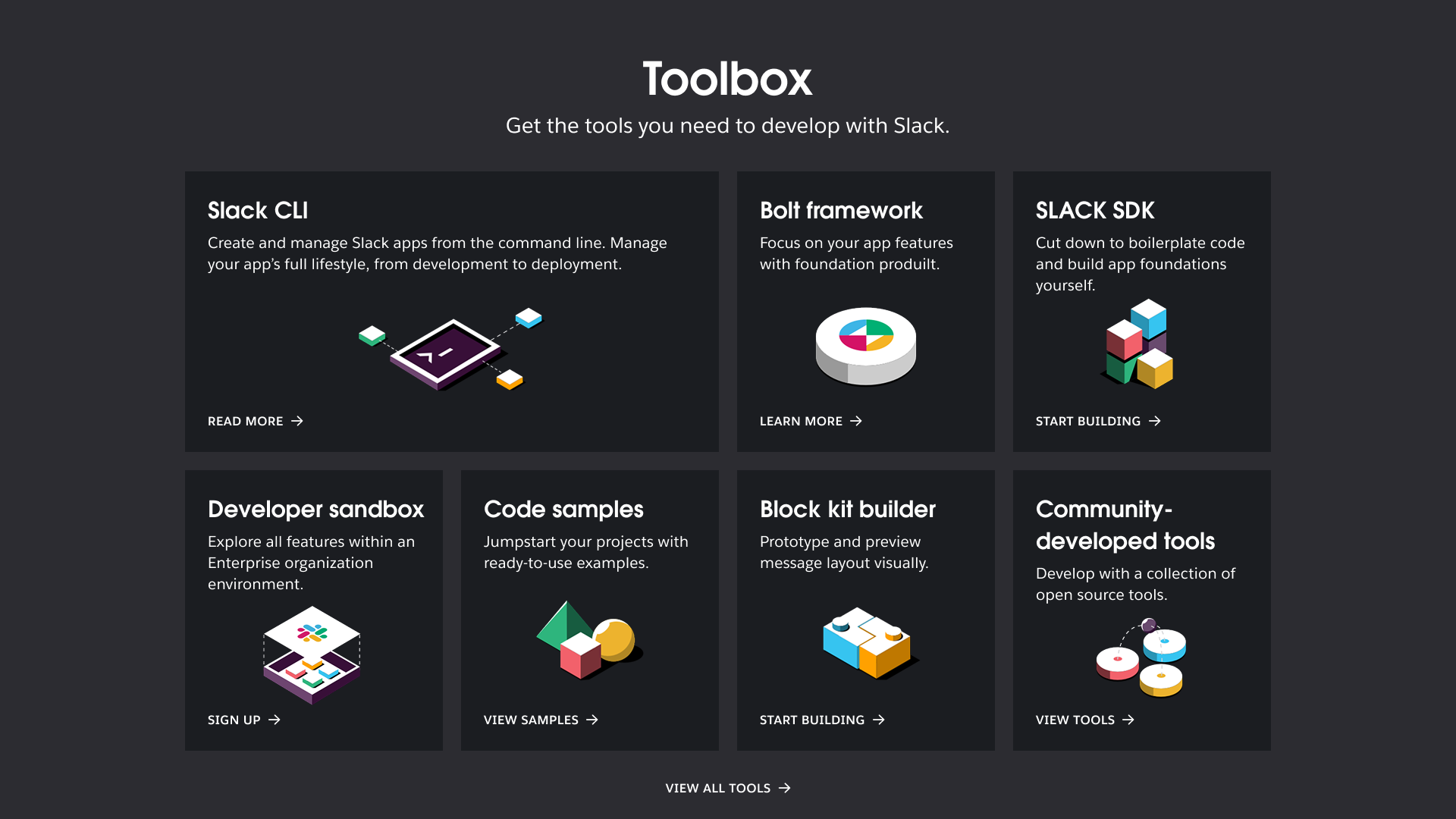
For developers building sophisticated agents in code, we’re introducing the Slack Agent Kit. This is a collection of tools, including enhanced Bolt frameworks and new CLI commands—designed to help you bring agents built using any platform and any framework into Slack with a series of best practices. It also helps developers launch agents much faster by letting them focus on the specific tasks their AI should perform, while Slack automatically takes care of the complex chat setup and background code.
Say you’re building a custom IT helpdesk agent. Run slack create agent from the CLI, pick a Python template, and within 10 minutes the agent is live in Slack — with streaming text and “thinking" statuses built in. Add a custom tool to search Confluence using a simple decorator, no Slack-specific tool registration required. You write zero boilerplate; you focus entirely on the logic that solves your team’s specific challenges.
Manage your entire agent ecosystem in one place
If employees can’t find an agent in their workflow, they’ll default to manual processes. And if IT leaders can’t govern what’s deployed, shadow AI becomes a real risk. The solution isn’t adding more restrictive layers, it’s providing a unified, vetted directory that gets the right AI to the right person without friction.
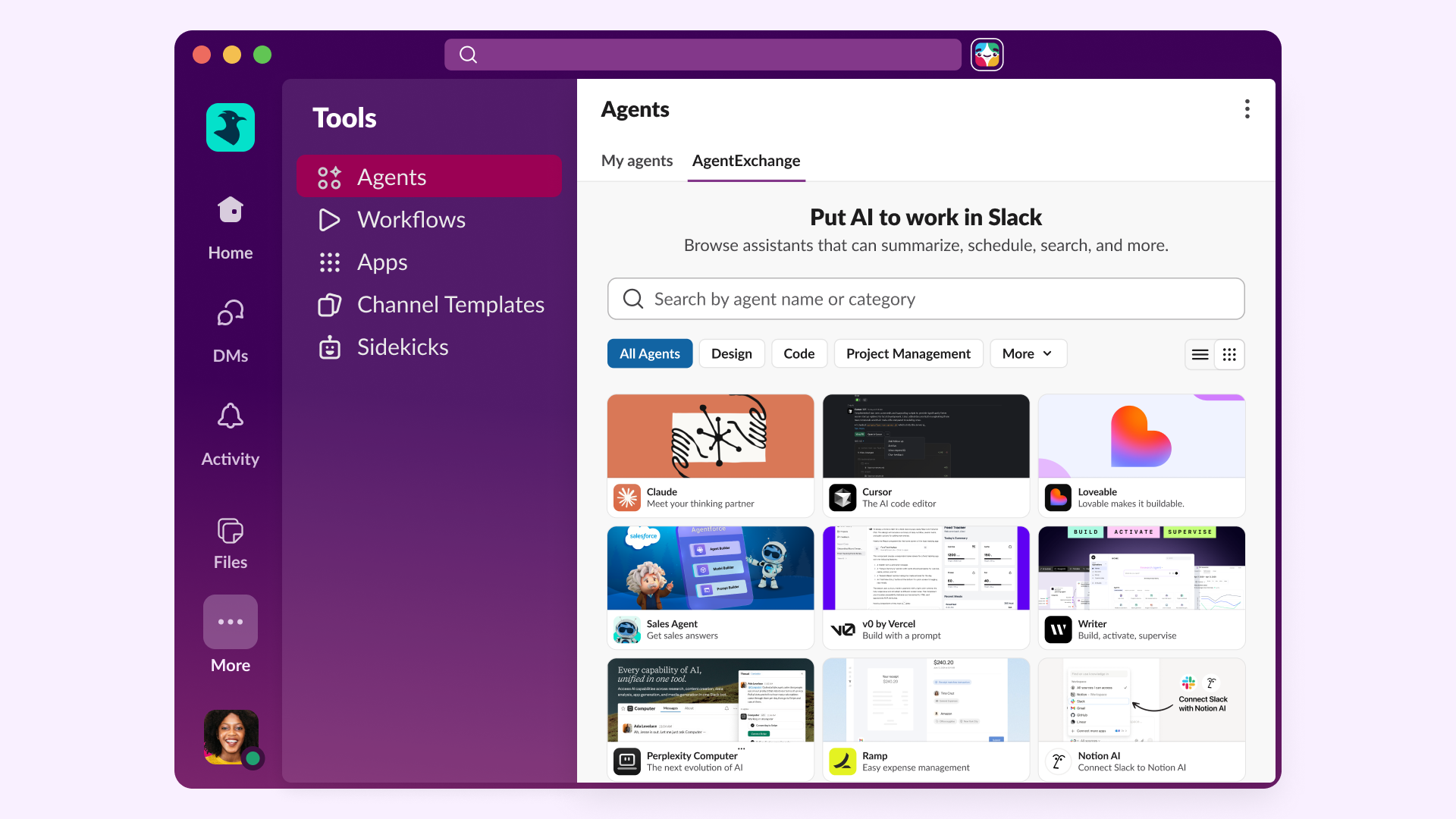
AgentExchange is that solution. It provides a unified marketplace that brings together the rich ecosystems of AppExchange, Slack, and Agentforce into a single experience. Built on an ecosystem refined over twenty years with enterprise-grade security at its core, AgentExchange is now the central place to discover, buy, and manage trusted agents from partners like Google, Anthropic, and Box.
With the agent browser in Slack, this entire ecosystem comes to life in the flow of work. By navigating to Tools > Agents, you can browse AgentExchange for AI-powered apps, manage active agents in one unified tab, and instantly resume recent conversations. This ensures the full power of the Salesforce and Slack ecosystem is always available exactly where your team already works—no platform migration required.
For example, a marketing manager needs to analyze a 50-page industry report. Instead of hunting for a separate tool, they open the Agent Browser in Slack, find a vetted agent from AgentExchange like Anthropic’s Claude and install it instantly. The agent then analyzes the report and provides a summary in minutes.
Build rich agent experiences with Block Kit
AI isn’t very helpful if it just hands you a mountain of messy text. Technical teams often struggle to surface complex data in a way that’s easy to read, leading to missed insights and slow response times. New rich agent experiences in Slack solve this by transforming text into actionable, structured data—like cards and data tables. This eliminates app-switching, enabling teams and agents to collaborate and get things done faster.
With the updated Block Kit, you’ll be able to build apps and agents with new components including, cards, alerts, carousel, work objects, code and data tables. These components allow developers to build high-density, interactive UIs for agents without writing custom code. They render natively across desktop and mobile, ensuring data remains comprehensible and actionable.
Imagine a sales leader preparing for a meeting with a key contact. They ask their agent to help them get up to speed on escalated issues. Instead of a list of links, the agent responds with a rich, interactive UI: a card summarizing the contact’s key interests and a data table of open opportunities. The leader can then ask the agent to schedule a prep session, the agent compares calendars and suggests a time slot, allowing the leader to send the invite without ever leaving the thread.
The same power applies to the development lifecycle. A developer uses a Claude or Vercel agent in Slack to generate code for a new task. Instead of copy-pasting into a browser to test it, the agent delivers a rich code preview directly in the channel. The team suggests changes and approves updates alongside the AI agent using the new interactive blocks. Once finalized, they deploy the updated logic instantly — keeping the entire dev cycle in the flow of work.
Trust and security
The best AI tools are only useful if they’re secure. Slack combines an open, easy-to-use development platform with enterprise-grade security, enabling technical leaders to deploy agents at scale with confidence.
With granular AI exclusion controls, real-time permission sync, and full audit logging, you can ensure data sovereignty without slowing down your teams. Slack provides the oversight you need to move from experimental AI to enterprise-wide adoption. To learn more, check out our data and security best practices for AI apps and agents.
The future of work lives in Slack
Making AI useful means bringing it out of isolated browser tabs and into the shared context of where your team works. From the interactive UIs of Block Kit to rapid deployment with the Slack developer toolkit and unified management in the agent browser, the Slack platform gives you the building blocks to make AI a productive part of your team. Slack is where your team works, and now it’s where your agents work, too.
Availability
- Block Kit components: General availability rollout begins for all developers.
- Slack’s developer toolkit for agents: Available today at Slack.dev.
- Agent browser and AgentExchange: Generally available.
- Vercel and Lovable ‘Add to Slack’ : Coming in late May.
- Slackbot MCP Client: Coming soon; Please fill out this form if you’re interested in participating in our beta.
Ready to build? Learn more at Slack.dev.
 ¡Genial!
¡Muchísimas gracias por tus comentarios!
¡Entendido!
Gracias por tus comentarios.
¡Uy! Estamos teniendo dificultades. Por favor, inténtalo de nuevo más tarde.