The difference between Slack and Teams.
Microsoft Teams is great for messages and meetings, but work today demands a whole lot more. Slack pulls your data, apps, and conversations into one view, giving you (and your AI) the full story. And with a little help from Slackbot, you can finally stop hunting for answers and get back to the work that matters.
6 reasons customers choose Slack over Teams:
Slack vs. Teams
One is built to work with the Microsoft 365 suite. The other is built to be your entire operating system for work. Sure, Slack and Microsoft Teams may seem like they have a lot in common, but under the surface they're fundamentally different solutions that deliver different results.


Don't take our word for it. Thousands of G2 reviews agree.




 #1We rank #1 in 9 G2 categories.Teams only leads in 3.5 & 6
 Over 27,500 5-star reviews.Teams only has 11,000+.5 & 6
 2,382Positive reviews for ease of use.Teams only has 752.5 & 6


Microsoft users love using Slack.
Slack pulls all your Microsoft apps into one place and connects them to every other tool you need (Workday, Figma, Jira, and the rest). Creating a unified, context-rich platform that makes your AI smarter, helps your people move faster, and saves you from scrambling to stitch all your work together.
Watch demo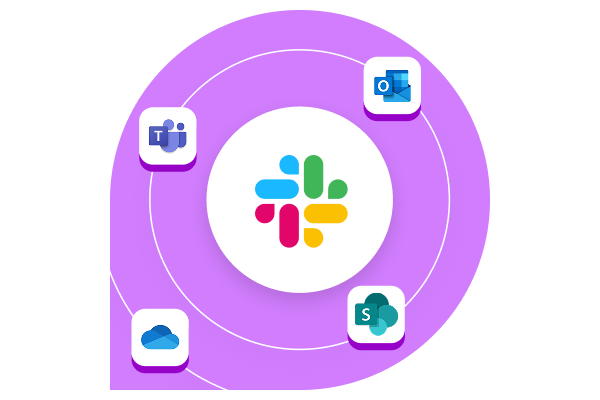
Questions,
meet answers.
Give us a shout, and we'll connect you with an expert who can help with anything you need.
- Learn more about Microsoft 365 in Slack
- Explore switching to Slack
- Get a personalized demo

Thank you
We're setting you up with a Slack expert now, so get your questions ready (about Slack, the meaning of life, whatever). They've got answers, and they're looking forward to chatting soon.

Frequently Asked Questions
Slack and Teams have overlapping features, but they're used to support work in fundamentally different ways.
Slack is a work operating system that transforms how teams collaborate by bringing together people, data, AI, and apps into one intelligent platform known for its simplicity, flexible design, and user-friendly UI.
With its channel-based architecture and real-time collaboration capabilities, Slack enables asynchronous work and reduces email and meeting dependencies, making it the ideal foundation for modern, distributed teams to achieve faster decision-making and improved productivity.
Teams is designed to work seamlessly within Microsoft's apps, though this tight integration means it's optimized primarily for Microsoft's suite of applications and follows an email-centric workflow model. This can limit flexibility when integrating with third-party tools and non-Microsoft applications.
The difference often comes down to where your data lives. Slackbot is your personal agent for work, connected to the tools and data sources you've already integrated with Slack. For example, a sales rep can query a live Salesforce pipeline or pull answers from an HR knowledge base without ever leaving the conversation. Microsoft Copilot is built for the Microsoft 365 ecosystem and works well when your data lives there. For teams working across a broader mix of tools, Copilot's reach is more limited by comparison. AI is only as useful as the data it can actually access.
Yes. Slack is built to be agent-friendly from the ground up — you can add agents to channels, automate workflows, and connect to tools across your entire stack, regardless of vendor. In Teams, deploying agents typically requires additional Copilot licensing and IT configuration, and agents deployed as custom apps aren't supported in all channel types. Organizations mapping out an AI agent strategy should factor in how easily their platform can accommodate new agents as the category evolves.
Slack's search is purpose-built for conversation-first work — surfacing the right message, file, or thread even across years of history and connected apps. Teams search is more limited in scope; locating past conversations or documents across channels can be difficult, particularly outside of the Microsoft 365 environment. In a platform where decisions and institutional knowledge live in real-time chat, the ability to retrieve that information quickly has a direct impact on how fast teams can move.
Slack Connect lets you bring external partners, vendors, and customers directly into shared channels — secured by enterprise-grade permissions and the same Slack experience your team already uses. It's particularly powerful for customer success, sales, and support teams; some organizations have even extended Slack Connect access to key accounts as part of premium support packages, for example giving customers a direct line to engineering teams. Teams offers guest access, but it requires multi-step configuration through Microsoft Entra B2B Direct Connect, and not all features are supported across both organizations.
Slack's API uses an event-driven, webhook-based design — external systems respond to activity in Slack in real time, without constant polling. That architecture makes integrations faster to build, easier to maintain, and more efficient to run. Teams connects through the Microsoft Graph API, a unified permission model that spans email, calendar, SharePoint, and other Microsoft services. That breadth is valuable within the Microsoft ecosystem, but it also means permissions granted to any integration cover a wide surface area. It's something security teams should factor into their third-party app governance and vendor evaluation process.
Yes — and we think being transparent about it builds trust. Teams has deep calendaring capabilities with Microsoft Outlook and can make email based work much easier. Its full video conferencing suite — including breakout rooms and in-meeting transcription — is also more feature-rich than Slack Huddles for organizations that rely heavily on structured video meetings. If email, meetings and calendar are your highest-priority requirements, they're genuine strengths worth factoring into your evaluation alongside everything else on this page.
When evaluating Slack vs Teams pricing, it's important to note that as of November 1, 2025, Microsoft Teams is now a separate purchase from Office 365/Microsoft 365 suites, with Teams pricing starting at $8.55 per user per month for Microsoft Teams Enterprise/Microsoft Teams EEA.
Unlike bundled solutions, Slack offers transparent, straightforward pricing that allows organizations to choose the collaboration tools that best fit their specific needs. See our pricing plans or contact sales for more details.
2 Based on an internal analysis during the pilot of Slack AI features (channel recaps, thread summaries, and AI search answers)
3 FY25 Slack internal data, product usage analysis.
4 "The Total Economic Impact™ of Slack for Sales Teams," a commissioned study conducted by Forrester Consulting on behalf of Slack, November 2023
5 G2 Slack Reviews & Product Details Nov. 2025
6 G2 Microsoft Teams Reviews & Product Details Nov. 2025