
If you subscribe to the philosophy of “Work hard and go home,” a motto of ours at Slack, then focus time is a precious commodity. One tried-and-true way to carve out more of it: connect your tools to Slack and take back the inefficient minutes you spend switching between tabs and apps.
As more tools join the Slack App Directory each week, our recent favorites include apps that help organize your work, remove tedious steps between sharing information from Slack into documents, and act as a dutiful assistant, serving up a detailed schedule for you each morning.
1. Hop into Zoom meetings with more context

Zoom’s app for Slack recently saw updates that make it easy to gather meeting details before clicking into your call. There’s now a quick preview of who’s already on the call, along with how long the meeting has been running. That means you can hop right into the matter at hand, rather than asking everyone to announce themselves after you join the meeting.
Quick tip: If you use Zoom along with Slack’s integrations for Google Calendar or Outlook Calendar, your meeting notifications in Slack come with a “Join Zoom Meeting” button. No more fumbling between calendar appointments and apps looking for the call link.

- Start new Zoom meetings with a slash command
- See who’s already on a call before you join
- Make Zoom your default calling app, after which clicking your workspace’s phone icon instantly launches a call
2. Update Coda documents without leaving Slack

Coda takes a novel approach to documents, bridging the gap between spreadsheets and text files. For example, you might track notes in a meeting using Coda, but instead of just plain text, you can create additional views with lists of action items attributed to each team member.
Coda’s new app for Slack helps you connect conversations with your Coda documents. You can turn a brainstorming session in Slack into new entries in Coda without jumping from one app to the other. Coda also offers custom templates for adding information like time of day, reactions, replies and message author, all formatted as new records in the app. Have a project due date approaching? You can request an update in Coda, which in turn sends a notification in Slack.

- Bring Slack messages into Coda documents
- Customize templates for imported messages in Coda
- Request updates in Slack with custom reminders and notifications
3. Create deadline-driven channels with Dash
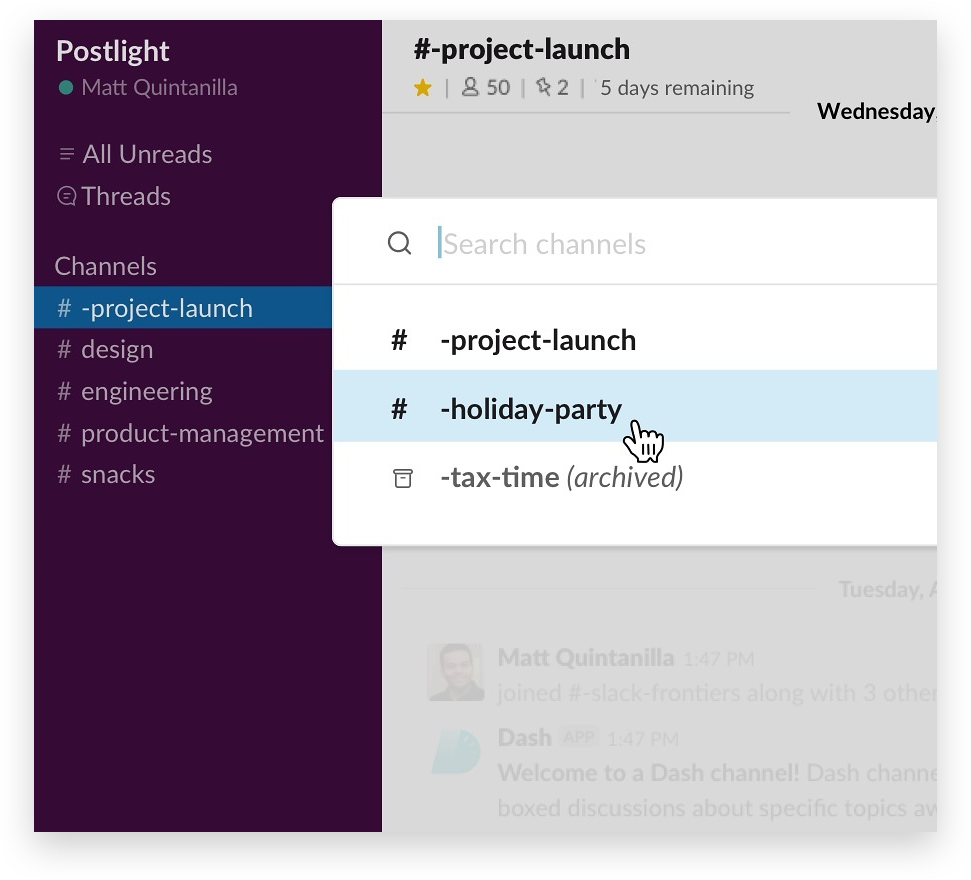
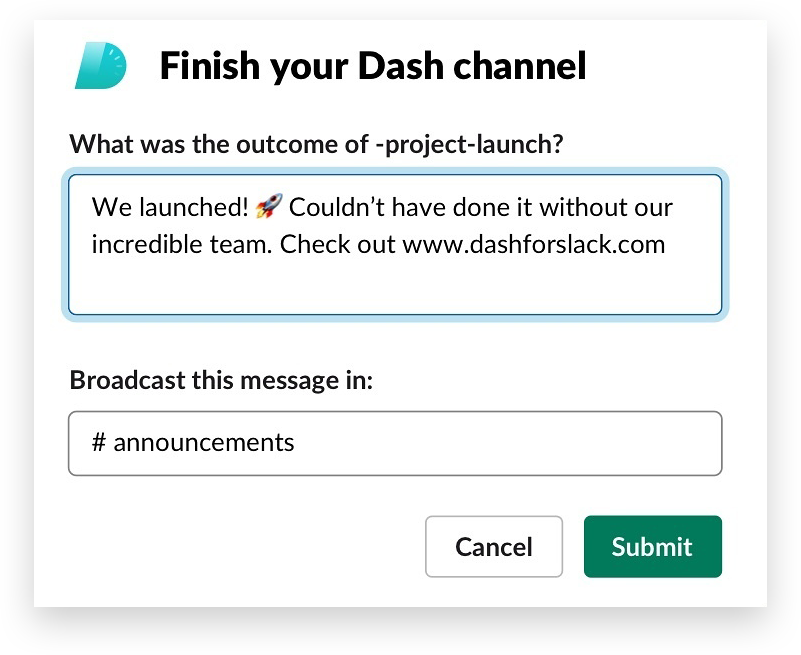
Dash is a new kind of Slack app designed for handling time-sensitive projects in special channels.
Once installed, fire up Dash anytime you want to use a project channel for only a set period of time. Maybe it’s a launch deadline or an upcoming conference presentation—in any case, you create the channel, give it a final due date, and invite everyone who’s working on the project to it.
As the due date approaches, the organizer will have the option to extend it. When everyone pitches in and completes their work, Dash automatically closes the channel and prompts the organizer to sum up the completed work in an announcement shared in another channel.

- Organize new projects in temporary channels
- Add structure to any project with a set deadline
- Start a new channel and invite others in a flash using the /dash slash command
4. Speed up incident resolution with PagerDuty

With IT incidents, time is of the essence. PagerDuty’s updated app for Slack allows teams to react quickly to incoming incidents. You can create new incident channels, invite specific team members to them (even look up who’s currently on-call), and coordinate your team’s work to resolve the thorniest issues, all in real time, and all without leaving Slack.

- Launch new incident channels via slash command
- Check who’s on-call to address incidents
- Acknowledge and resolve incidents or run automated workflows directly from a notification in Slack
5. Sync your schedule and status with Clockwise

Clockwise’s new app brings its calendar assistant to Slack. It automatically sets your status to Do Not Disturb when you’re in a three-hour-plus time of focused work and helps suggest meetings that can be moved to block off more working time for participants. It also starts each morning with a direct message showing all of your meetings, along with how much focused working time is available to you.
Bonus calendar options: You can sync your status with Google Calendar or Outlook Calendar automatically too.

- Sync your calendar with your Slack status
- Automatically set yourself to Do Not Disturb when in focus mode or in meetings
- Help you prepare each morning thanks to a daily forecast of your meetings and bandwidth
- Move meetings to maximize your focus time
To save even more time in your workday, connect the tools you use to Slack. Search for them in the Slack App Directory, or click into categories like Project Management or Marketing to see what’s available for the tasks you do every day.
 超讚!
超讚!
非常感謝你提供意見回饋!
知道了!
感謝你提供意見回饋。
糟糕!我們遇到問題了。請稍後再試一次!