
Simple chat for serious work
Put your typing to good use. Efficient, organised team chat helps you and your team to work better together.
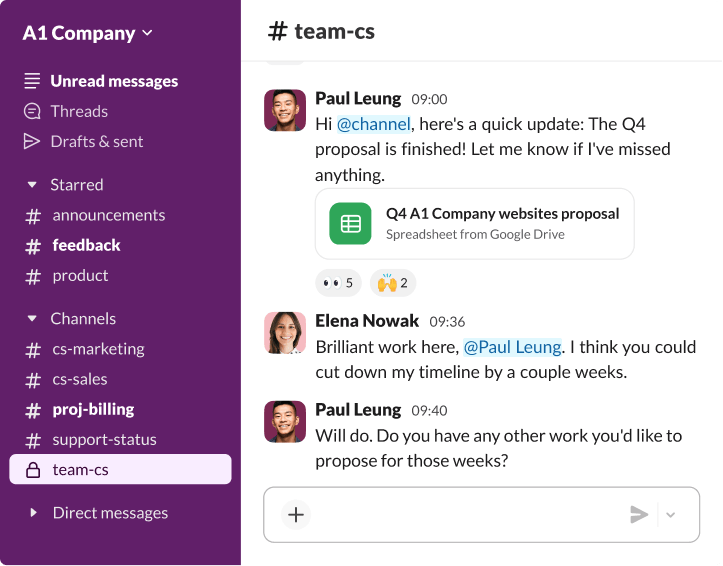
Choose the communication style that works for you
Collaboration isn’t limited to just text. Use voice, video and more to help get your message across.
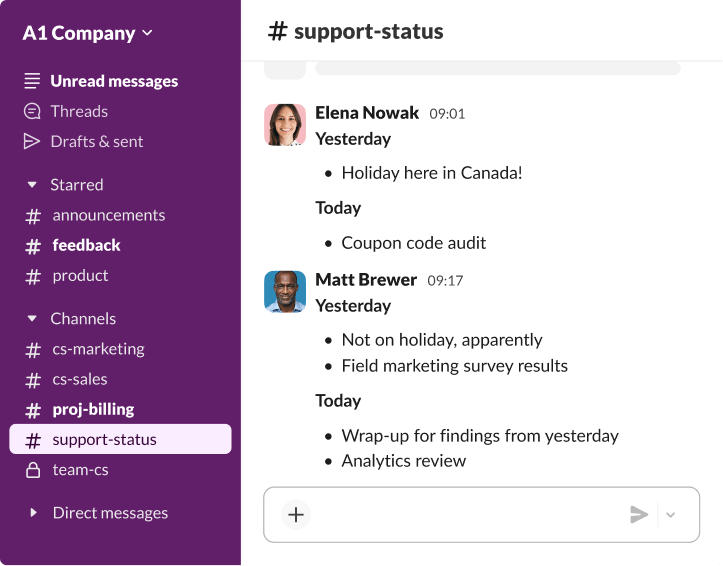
Connect with people wherever they’re working
Bring everyone in your organisation together with a place to communicate and collaborate. From one-to-ones to team chats, you’ll get the in-office feeling from anywhere you work.
Bring context into the conversation
Get important updates, discuss them and take action – all without switching tabs. By connecting other work tools to Slack, you can have richer, more informed conversations.



Chat securely with open or private communication
Most chat in Slack happens in channels – open, organised spaces for messages, files, tools and people – but you can always find a place to communicate with private channels and direct messages.
Organise conversations
You name and organise your channels for projects, clients or whatever makes sense for you and your company. Every conversation has a home and a place to move forwards.
Put your work history to work
Work smarter by referring to your private messages or open conversations in channels across your company, all of which are automatically saved and searchable.
Always at your fingertips
Stay up to date on all your conversations and keep them going from anywhere with dedicated Slack apps for desktop or mobile.
Frequently asked questions
Slack offers an easier, more organised way to work. Instead of endless email chains, in Slack, work happens in channels: flexible spaces for all the people, tools and files that you need to get work done. Unlike email, where messages can quickly get lost, you can grab a specific person’s attention with a notification in Slack when you need a rapid response. Slack also connects with your most-used work tools, which email just can’t do. Allow us to offer a few more reasons to make the switch. In many cases, yes. Team chat platforms allow teams to communicate instantly, organise conversations by topic and integrate work tools – reducing the need for internal email.
Direct messages between one or several members are private by default. These chats will be listed in a separate group under ‘Direct messages’ below the list of private and public channels on the left-hand side of your Slack window.
With Slack Connect, you can send invitations to start direct message conversations with people outside your company, just like regular DMs in Slack! Once an invitation has been sent and accepted, you can start exchanging messages with someone from another organisation.
If you’re initiating a direct message, your company must be using Slack on a paid subscription. People on the free subscription can still accept your invitation to start a DM.
A team chat app is workplace messaging software that allows teams to send messages, share files and collaborate in real time. Team chat apps organise conversations in channels or direct messages so discussions stay structured and searchable. Most team chat apps also integrate with other work tools so teams can share updates and collaborate without switching platforms.
Most team chat platforms include a set of core features designed to support workplace communication and collaboration. These typically include channels for organised conversations, direct messaging for one-to-one communication, file sharing within conversations, searchable message history and integrations with other work tools. Together, these features help teams to keep discussions organised, quickly find information and collaborate more efficiently.
To use team chat effectively, teams should organise conversations into channels based on projects, departments or topics. This keeps discussions structured and makes information easier to find later. Teams should also use clear channel names, share relevant files and updates within the conversation, and integrate important tools so that updates appear directly in the team chat. Following these practices helps reduce unnecessary messages, improves visibility across teams and keeps work moving forward.
Team chat reduces the need for long email chains and keeps conversations organised in channels. This allows teams to collaborate faster and access information more easily.