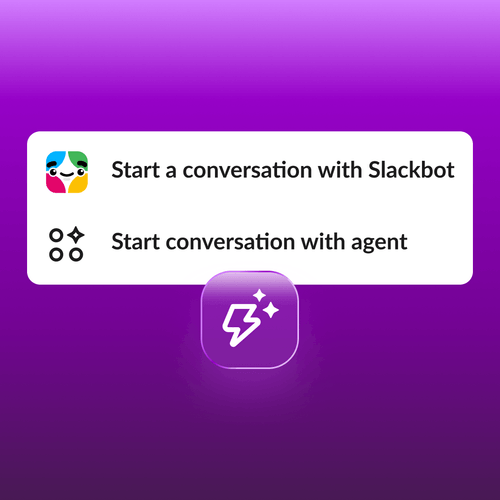
Most teams use workflows and agents, but they live in separate tools. Workflows run the process, agents do the thinking, and people sit in the middle copying and pasting between them. Take onboarding, for example. A workflow sends every new hire the same welcome message, and an agent could make each one personal. So the team lead copies each hire’s details into the agent, waits, and pastes the draft back. At that point, the workflow isn’t automating anything. You’ve lost the benefit of process automation, and the AI never becomes part of the process.
Today, Workflow Builder, Slackbot, and your AI agents now work together in one place, so the thinking happens inside the process, not beside it. Start automations on real events or on a schedule, hand work to Slackbot or any agent, and review what matters before it goes out. Because it’s built in Slack, the agents you already use know your team’s context and respect its permissions. No code required, and it all happens where your team already works.
Here’s what’s new:
- Conversations with Slackbot and agents in Workflow Builder. Add an agent step, and your workflow can hand work to Slackbot or any agent to write, research, or answer. In the onboarding example, the workflow now sends the hire’s details to an agent and brings the draft back, with no copying required.
- Slackbot Tasks that start on real events. Tasks kick off the moment something happens in Slack, like a new message or reaction.
- Agent Tasks that put your favorite prompts on a schedule. Save a prompt to any third-party agent, and Slack runs it for you.
- Teams stay in control with every AI step. People review and edit AI content in a workflow before it moves on to your tools.
Let Slackbot or an agent do the work, right inside your workflow
Workflows are great at predictable work: send this, route that, post here. But when a step needs writing or answering, someone has to leave the workflow, ask an agent, and paste the answer back. The work stalls, and the workflow stops doing its job. Two new Workflow Builder steps keep everything moving in one place.
Start conversation with Slackbot is a step you add inside your workflow. When the workflow reaches it, Slackbot opens in the person’s sidebar with your prompt already sent, so nobody leaves the process to get help. In Workflow Builder, click Add step, select it, and write your prompt once. Add workflow variables, skills, and knowledge sources to guide the response, then publish.
Take a daily stand-up. The workflow posts a morning check-in with a “Draft with Slackbot” button. One click opens Slackbot with the prompt already sent: “Draft my daily update from what I worked on yesterday.” Slackbot writes it, and the person sends it to the thread. No tool switching, no waiting on a draft.
Start conversation with Agent does the same with any third-party or custom agent. Pick the agent, write the prompt once, and every run uses it. The agent already knows your team’s context and respects its permissions, so no one starts from scratch.
With an IT help desk,an employee submits a form: “My VPN keeps disconnecting every few minutes.” The workflow posts troubleshooting steps in the thread. Still stuck? One click on “Need more help” pulls in the Help Desk agent, with the question already sent. It asks a follow-up, finds the cause, and shares the fix. The employee gets fast answers, no waiting on a person to spot the request, and nobody leaves the workflow.
Use Slackbot to automate recurring work, from trigger to finish
Recurring work shouldn’t depend on someone remembering to start it, or someone sitting by to click “approve.” Slackbot Tasks start the moment something happens in Slack, like a message posted, a reaction added, or a list item updated. To set one up, describe it to Slackbot. Calendar, Salesforce, and service triggers from other tools like PagerDuty are coming next.
Take a customer message that needs a reply. A team member adds a reaction to it, and a Slackbot Task starts right away. It summarizes the message, drafts a suggested reply, and has it ready for her to review. She didn’t open a workflow or write a prompt. The same pattern works when a new item is added to a Slack List and a task drafts the status update.
Put your favorite agent prompts on a schedule with Agent Tasks
Most agent work is a one-off. You have to remember to ask, retype the same prompt, and start over each time. That makes good prompts hard to repeat and harder to scale.
Agent Tasks turn a favorite prompt into something that runs on its own. Save it to any third-party agent, set a schedule or a Slack event, and Slack runs the agent for you. No code, no workflow to build, and no extra work from the agent’s developer. Unlike a workflow, there’s nothing to build. The agent does the reasoning, works from live data, and replies in a thread you can keep going. No code and admin controls keep it governed.
To set one up, open the agent’s DM, add a new Task, write your prompt once, and pick when it runs. Take a weekly pipeline review. Every Wednesday at 8:45 a.m., a thread opens in the sales agent’s DM with the prompt already sent: “Pull a list of opportunities that I own, prioritize them by opportunity size, and suggest next steps.” The agent returns them ranked by size, with next steps, and she can ask follow-ups on the spot. Set it once, and your agent shows up on schedule.
Teams stay in control with every AI Step
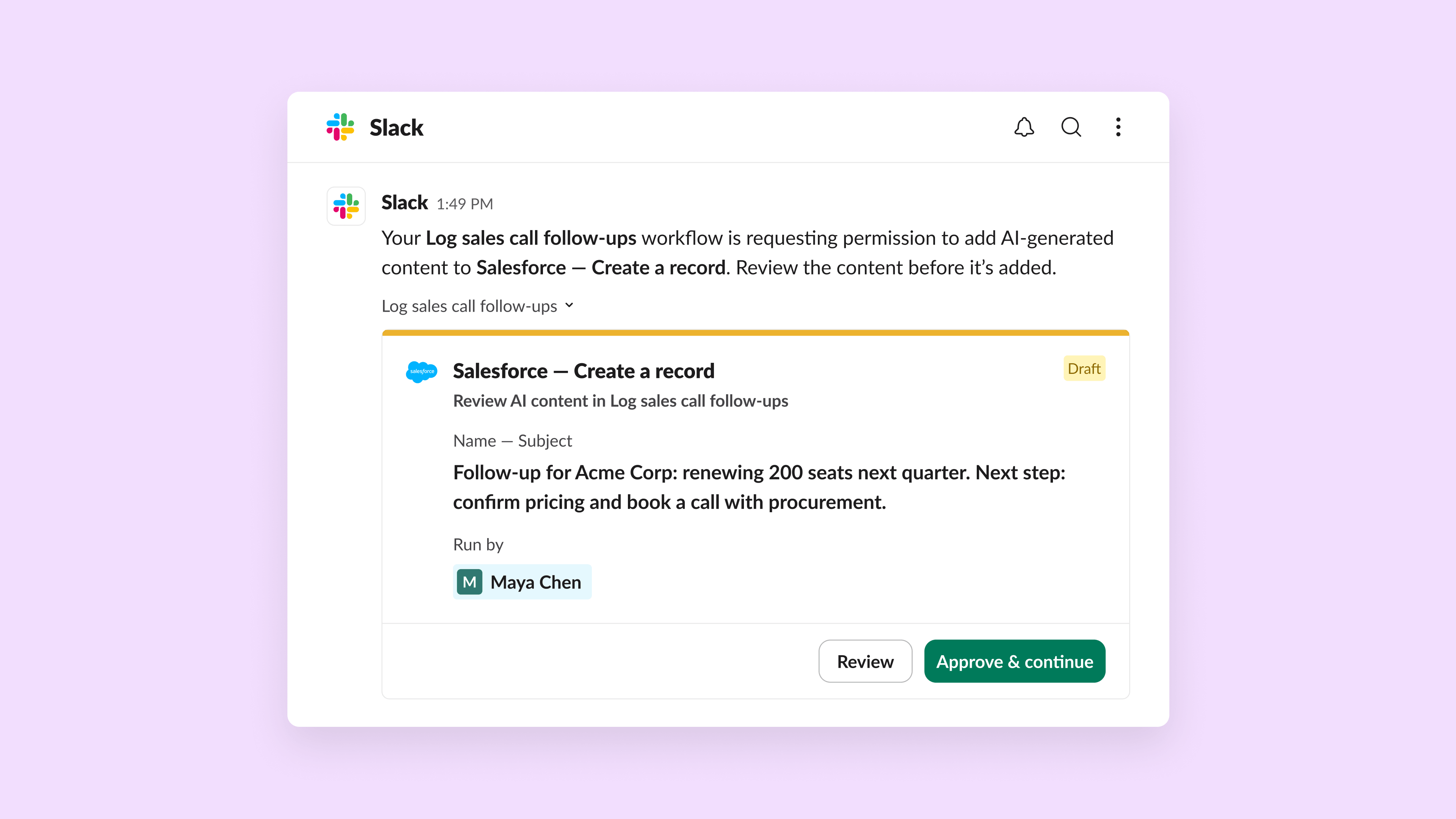
Teams hesitate to let AI write to their business tools unchecked, because one wrong detail in a Google Sheet or Jira ticket may not stay a small error for long. So when you bring an agent or AI step into a workflow, Workflow Builder automatically adds a review step right after it. When the workflow runs, it pauses and shows the AI-written content to the right person in an editable form. They fix what needs fixing and approve it. Only then does the workflow send it on to tools like Jira, Google Sheets, and Salesforce. Humans stay in control at every step.
Say a team lead builds a workflow that drafts the team’s weekly status from recent activity. She adds the AI step, and the review comes with it. Each Friday, she gets the draft, tweaks a status or two, and approves it. Only then does a step add the row to the Google Sheet. The tracker stays reliable, and no one spends Friday afternoon writing updates. An incident workflow works the same way. An AI-written summary pauses for an engineer’s review before it’s written to a Jira ticket.
Automate with agents in Slack today
Workflows and agents no longer have to live in separate tools. Add a conversation with Slackbot or any agent to a workflow, start Slackbot Tasks on real events, put your favorite agent prompts on a schedule, and review what matters before it’s used. Workflow Builder, Slackbot, and your agents now work together in one place, with no code and no more copy and paste. That’s Slack as the central automation hub for the agentic era, right where your team already works. – Learn more.
Availability: Workflow Builder is included in Pro, Business+, and Enterprise plans today. You can add Slackbot or an available agent to your workflow today.
 太棒了!
非常感谢你提供反馈!
收到!
感谢你提供反馈。
糟糕!我们遇到问题了。请稍后重试!