The past months brought Slackbot into more places people get work done, like Slackforce Surfaces, Big Mode, and the CRM. But getting Slackbot to act took asking or scheduling, and switching into Slack.
October changes both. Slackbot now acts on your behalf the moment something worth acting on happens. It also meets you wherever you’re working. Below, each feature comes with a starting point for your role.
Let Slackbot jump in when something happens: Event-Triggered Tasks
A lot of work starts the same way. Something happens, and someone has to notice it, work out what it means, and do something about it. Now Slackbot can take that step for you.
Picture a team dropping updates into a customer account channel all day. When something needs action, a teammate adds an emoji reaction. That triggers Slackbot to add it to their action items list, with recommended actions and owners.
Until now, Tasks ran on a schedule, like “every Monday at 9am,” or when you asked in conversation. Event-Triggered Tasks add a third way. Slackbot reacts, on its own or with your approval, to what’s happening in real time.
How this could look in real life:
- Finance and procurement: An invoice or contract question lands in the approvals channel. Slackbot checks it against your policy, drafts the approval note or follow-up questions, and pings the approver. They review it and send.
- Operations: A shift ends and someone reacts with :repeat: to the last note. Slackbot drafts the handoff summary for the next owner.
These event-driven tasks can start today when a message is posted, a reaction is added, a list item is updated, or a channel is created.
Pair structure with AI: Start the Conversation with Slackbot in Workflow Builder
Some work needs a fixed process and a flexible brain, for the techy, equal parts deterministic and non-deterministic. The ‘Start Conversation with Slackbot’ features gives you both. You write a prompt, add workflow variables, and point Slackbot at skills or knowledge sources. Slackbot does the thinking, then passes structured outputs back to the workflow.
How this could look in real life: In HR and people ops, a new-hire form kicks off the workflow. The workflow handles the steps. Slackbot drafts the welcome message and checklist based on that person’s organization, role, etc.
Get help without leaving your work: Slackbot Mini
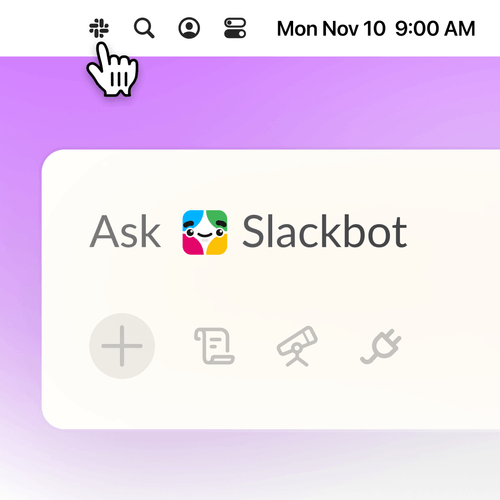
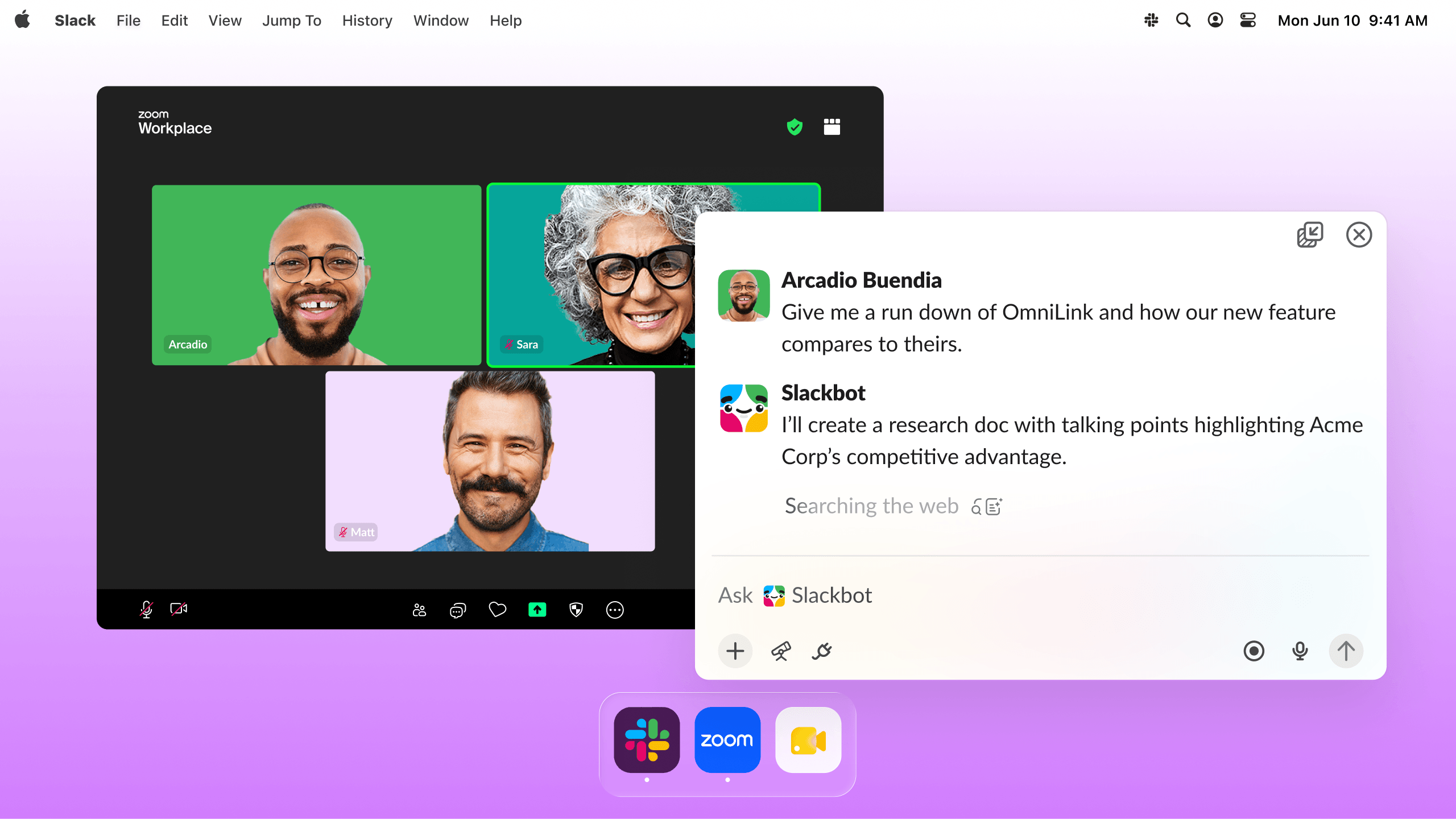
You shouldn’t have to leave your work to get help. Slackbot Mini is the fast way in. It’s a floating window and menu bar icon that sit right next to your doc, call, or other app. It’s the same Slackbot, ready the moment you need it. Ask a question, run real-time research, or kick off a Skill without switching into Slack.
How this could look in real life:
- Writing a doc: You need a stat, a tighter intro, or a quick gut check. Ask Mini beside the doc, paste the answer in, and keep going.
- On a customer call: A prospect mentions a competitor you don’t know well. Ask Mini for a quick read while you stay on the call and keep the thread.
- Before a meeting: Run a Skill from Mini, like a pre-meeting brief, while your calendar or browser stays front and center.
Start with a skill built for your role with more skill improvements
Everyone has a prompt they rewrite every week. Skills turn it into something repeatable. The hard part has been finding a good one, and knowing which ones to trust, without building from scratch.
Now you don’t have to. The new Skills experience keeps the skills you’ve built in “My skills” and puts skills from Slack and your teammates in “Discover,” sorted by category and filterable. The first time you open it, you’ll see recommended Slack-made skills for getting started.
Admins get a dashboard to verify the skills they trust and auto-assign skills to teams. People then start from skills their org already vouches for.
Start here: Open Skills and try a recommended Slack-made skill. Want more ideas? Browse the Slackbot skills library, which has skills from people across Salesforce grouped by role, including Sales and CS, Marketing, Support and Research. Click “Add this skill” to copy one into your Slackbot. Admins can verify the skills they trust and auto-assign them to a team.
Manage skills from code: Skills API
Your best skills shouldn’t live in one person’s copy-paste. Teams already keep their instructions in a repo, and updating them in Slack by hand doesn’t scale. The Skills API lets approved apps create, edit, publish, and auto-assign skills from code. When a skill changes in your repo, everyone gets the update.
Enterprise Grid admins can also publish skills to the org catalog and auto-assign them to a user group, so a new teammate starts with the right skills already on.
How this could look in real life:
- Platform and enablement teams: Keep your team’s skills in a GitHub repo. Merge an update, and your CI pipeline publishes it. Everyone on the team gets the latest version without anyone re-importing a file.
- Admins on Enterprise Grid: When a new team onboards, auto-assign the skills they need on day one, so they don’t have to hunt through Discover.
And a few more Slackbot improvements
Five smaller updates also land this month. Each one takes a small chore off your plate.
Catch Slackbot replies faster: Slackbot replies now mark the thread unread and show up in Activity, so you can find the conversation you need to get back to. Mark a reply as unread to save it for later.
Get ahead of your messages: Ask Slackbot to find drafts you haven’t sent, clear the ones you don’t need, or schedule a message for tomorrow. It only touches your own drafts and asks before deleting one or changing a send time.
Skip the recording: Attach an audio or video file, up to 100 MB, and ask for a transcript, a summary, or the answer to a question. You could also ask for a bug report from a shared video.
Clear your calendar faster: Ask Slackbot to review your invites and accept, tentatively accept, or decline them in Google or Outlook, up to 20 at a time. You approve each response.
Undo a canvas deletion: Ask Slackbot to restore a canvas you deleted in the last 24 hours. It checks permissions and asks for approval first.
What shipped on October 28
- Event-Triggered Tasks. Tasks used to run on a schedule or when you asked. Now Slackbot acts the moment something happens, like a new message, an emoji reaction, a list item update or a new channel. Add a reaction to an update in a customer account channel and Slackbot adds it to your action items with recommended next steps and owners.
- Start Conversation with Slackbot in Workflow Builder. Pair a fixed process with flexible AI. Write a prompt, add workflow variables, point Slackbot at skills or knowledge sources, and pass structured outputs back to the workflow. A new-hire form can kick off a drafted welcome message and checklist for that person’s role.
- Slackbot Mini. A floating window and menu bar icon that puts Slackbot next to your doc, call or other app. Ask a question, run real-time research or kick off a Skill without opening Slack. Run a pre-meeting brief from Mini while your calendar stays front and center.
- Slackbot Skills Improvements. “My skills” holds everything you’ve built, and “Discover” shows skills from Slack and your teammates by category. New users get recommended Slack-made skills on first open. Admins get a dashboard to verify trusted skills and auto-assign skills to teams.
- Slackbot Skills API. Approved apps can create, edit, publish and auto-assign skills from code. Keep a team’s skills in a GitHub repo, and a merge updates everyone’s copy through your CI pipeline.
- Smaller updates. Slackbot replies now mark threads unread in Activity. Slackbot can also read and schedule your drafts, summarize audio and video up to 100 MB, accept or decline up to 20 calendar invites, and restore canvases deleted in the last 24 hours.
Try it today
Pick one starting point for your role and try it this week. Not sure where to start, browse our Slackbot skills library.
Availability of Advanced Features
Slackbot continues to deliver what we’re calling Advanced Features: capabilities that do more and need more compute to run. Advanced Features will keep showing up wherever Slackbot does.
Quick note on availability: there are no limits to Advanced Features at launch for Enterprise+ customers. Down the road, we may introduce limits given their higher compute costs, but we’ll give customers 30 days notice before that happens. Standard Slackbot messaging use outside of these new Advanced Features remains unlimited for Enterprise+ customers.
For more on Slackbot availability, check out our help center.
 太棒了!
太棒了!
非常感谢你提供反馈!
收到!
感谢你提供反馈。
糟糕!我们遇到问题了。请稍后重试!