
Work can feel messy. Messages pile up, meetings blur together, and important things get buried in the noise. No one wakes up excited for that. What is exciting is when work suddenly feels lighter, when answers are easy to find, handoffs are smooth, and things just click. That’s exactly what these new features deliver.
These updates combine smarter AI, meaningful productivity upgrades, and stronger admin foundations to make work feel clearer, calmer, and more pleasant for everyone using Slack.
✨ AI that thinks with you ✨
Practical AI that turns everyday moments into shared momentum
The best AI feels a little magical,in the best way. It shows up at just the right moment, understands what you’re trying to do, and helps without getting in the way. These updates bring AI directly into the flow of real work, turning everyday questions into shared knowledge, clearing up confusion instantly, and helping teams move from insight to action with ease.
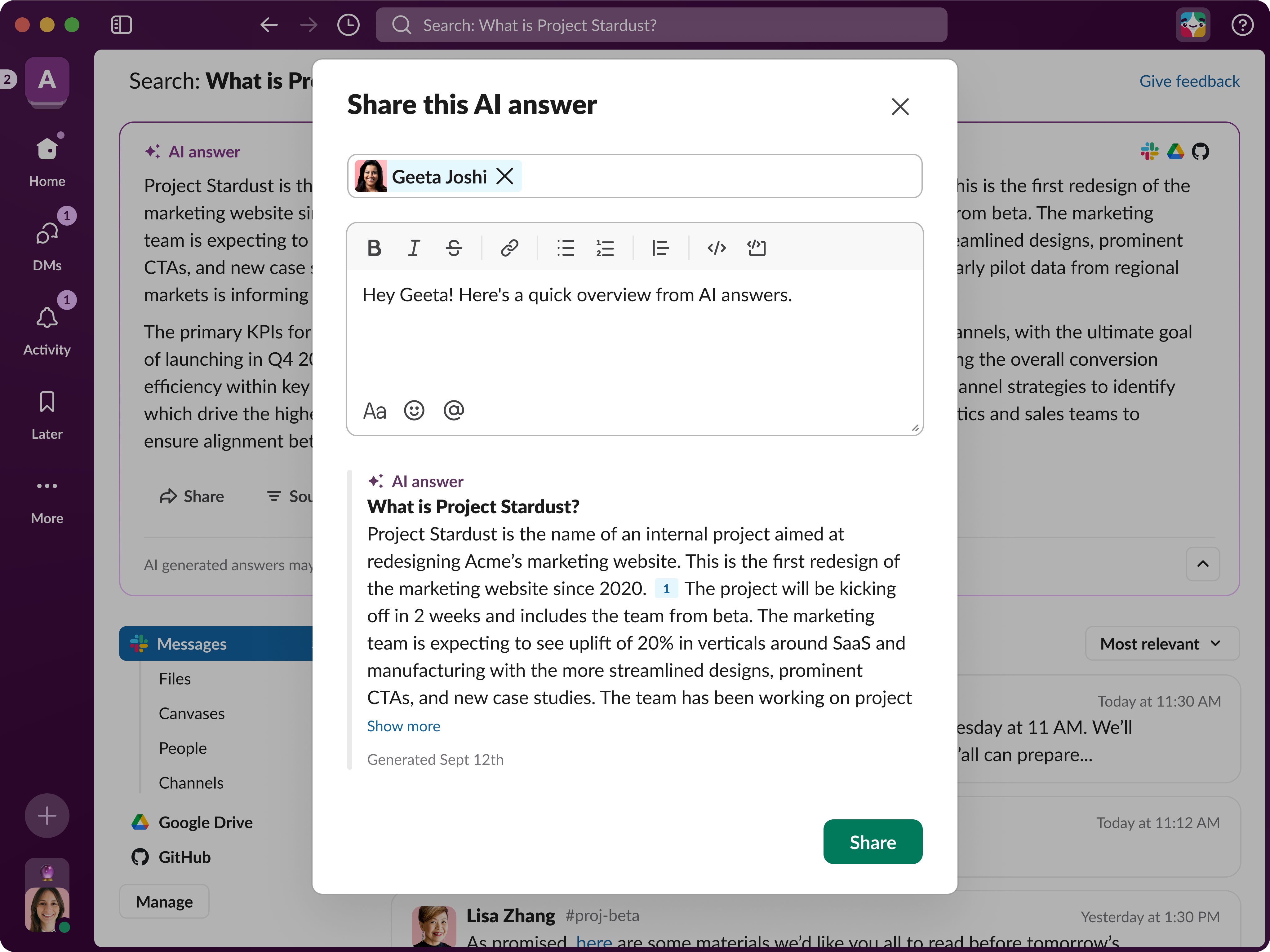
- Share AI answers
Lets users instantly share AI-generated answers into channels or DMs with a single click, no screenshots or copy-paste required. Shared answers become persistent Slack messages that keep their full context, making them easy to reference, reply to, or reuse for repeat questions like onboarding, policies, or team workflows.***
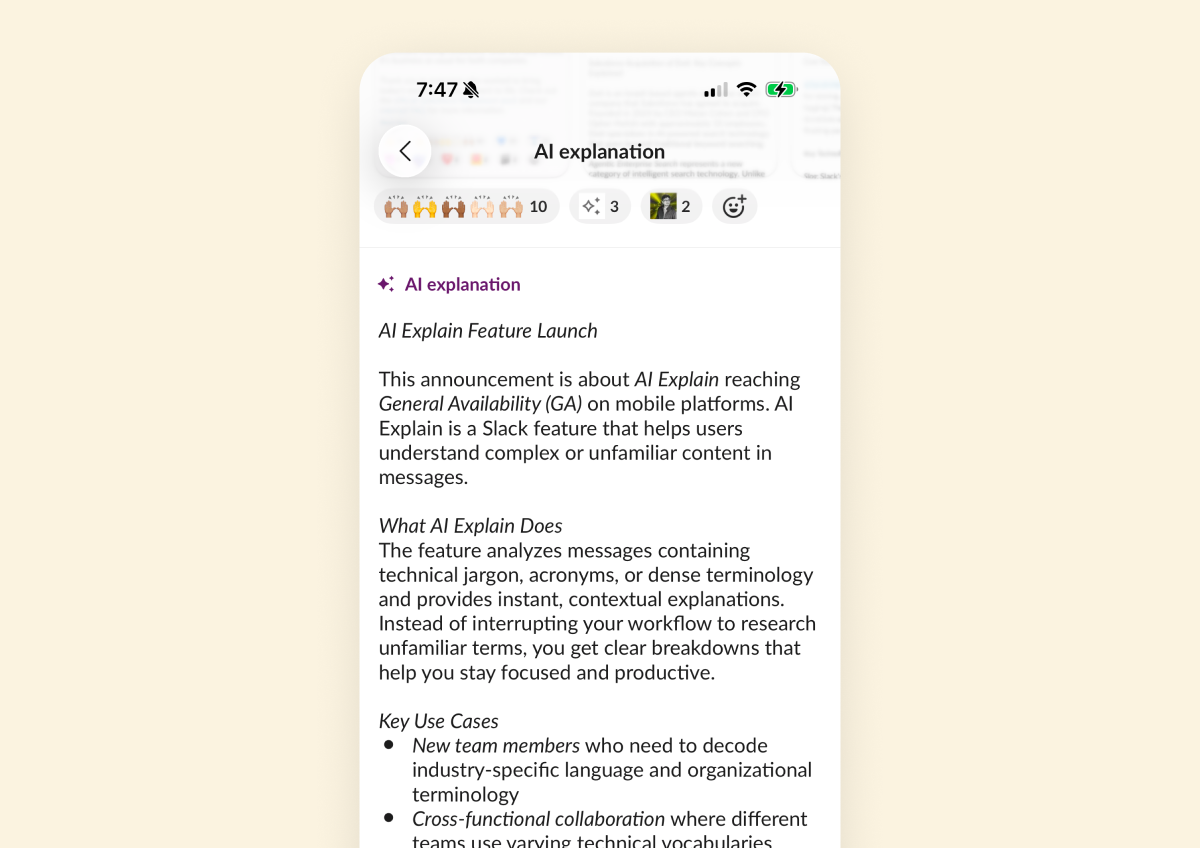
- Mobile AI explanations
Helps users quickly understand jargon, acronyms, or dense messages while on the go. By long-pressing a message on mobile and selecting “Explain,” users get a clear, contextual breakdown without leaving the conversation or losing momentum.***
- Agentforce proactive notifications with buttons in Slack
Allows Agentforce agents to proactively notify users in Slack with interactive buttons like “Approve,” “Decline,” or “Draft email.” Clicking a button automatically sends a suggested prompt to the agent, letting users continue work instantly without typing or switching tools. (Requires Agentforce User Licenses)*
🌀Stay in flow, wherever work happens 🌀
Designed to reduce friction across focus, collaboration, and mobility
Work is rarely neat, and that’s okay. What isn’t okay is when tools slow you down or break your focus. These updates are exciting because they remove those speed bumps entirely. From smoother multitasking to smarter reminders and better mobile experiences, they help everything feel more connected, more fluid, and more satisfying, so you can stay in your groove no matter where work takes you.
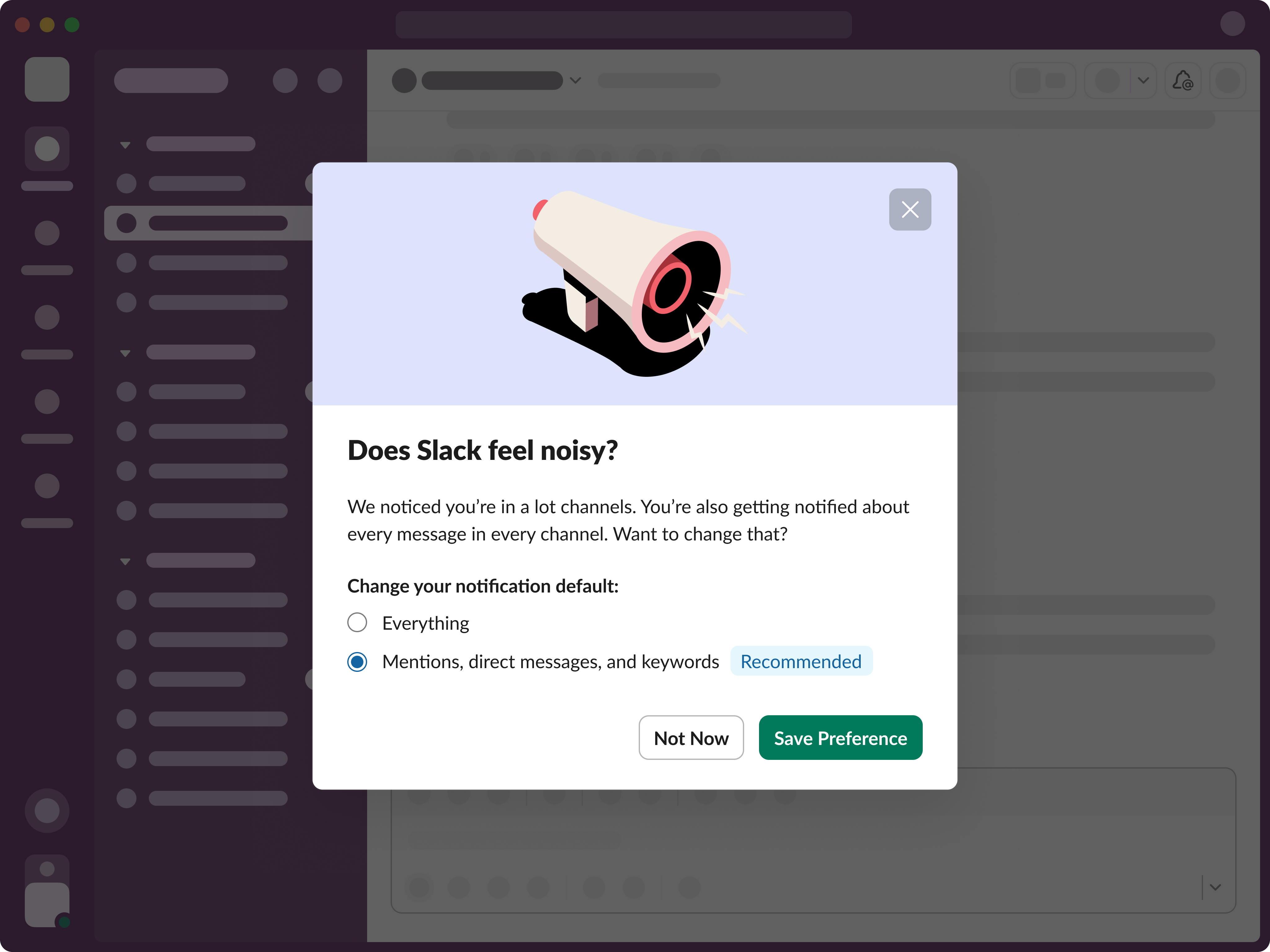
- Notifications 2.0
A major overhaul of Slack’s notification system designed to reduce noise and confusion. Introduces simpler channel notification options, clearer push controls across desktop and mobile, improved global settings, and better syncing, so alerts are easier to understand and easier to manage.*
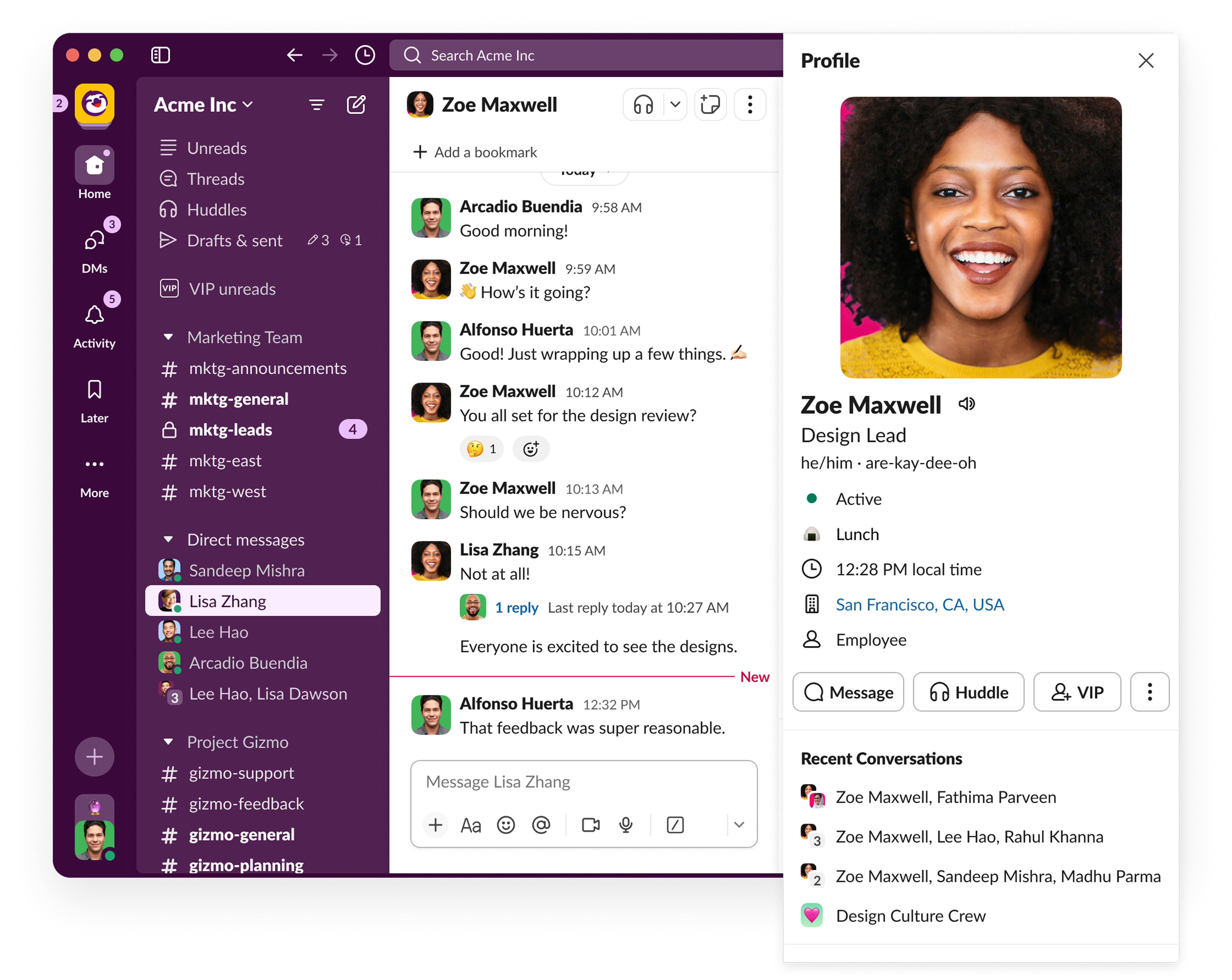
- Group DMs in user profiles (desktop release)
Adds shared group DMs directly to user profiles on desktop. When viewing a teammate’s profile, users can quickly jump into recent one-to-one or group conversations, or see the full list of shared DMs for easier reconnection.* (Available on mobile in January)
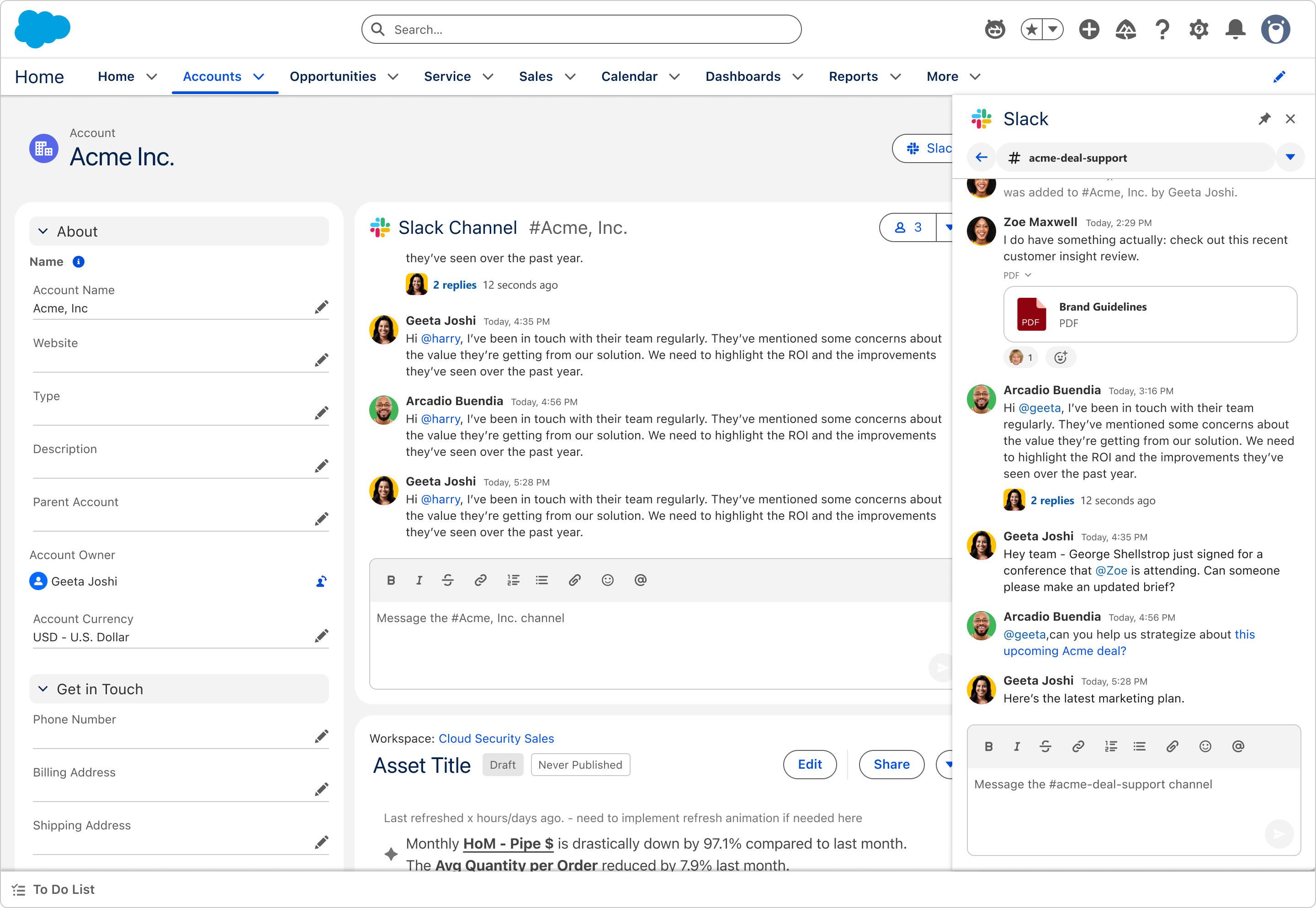
- Show related Slack conversations for Salesforce records
Brings Slack conversations directly into Salesforce Lightning. Users can view and interact with related channels and threads tied to a specific record, helping them stay connected to real discussions without leaving Salesforce or losing business context.*
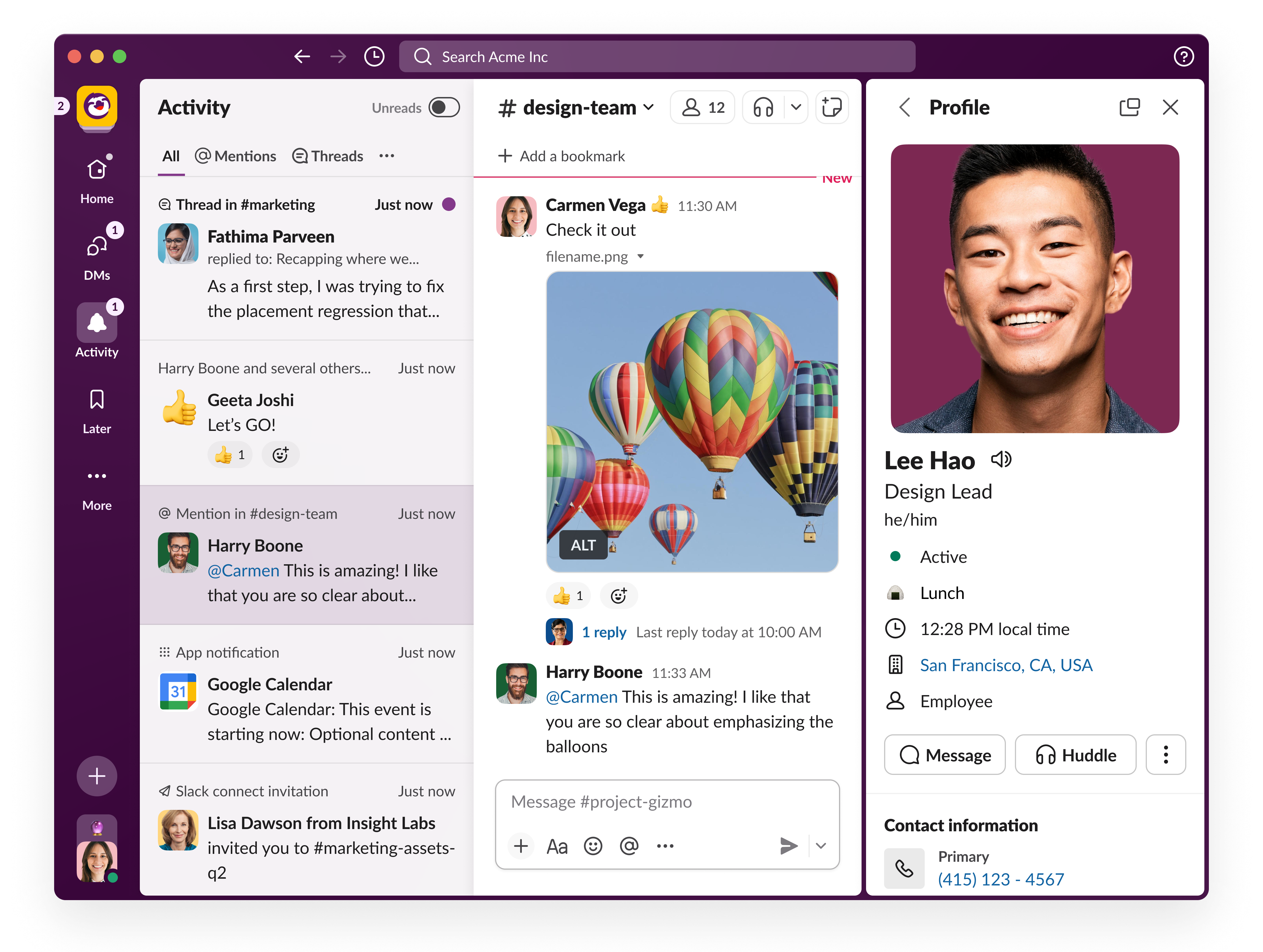
- Desktop split view
Lets users pin channels, threads, apps, canvases, or agents side by side in a split view. This makes it easy to reference information while continuing to navigate Slack, ideal for multitasking, research, and interacting with AI tools without breaking flow. (Fully available in January)*
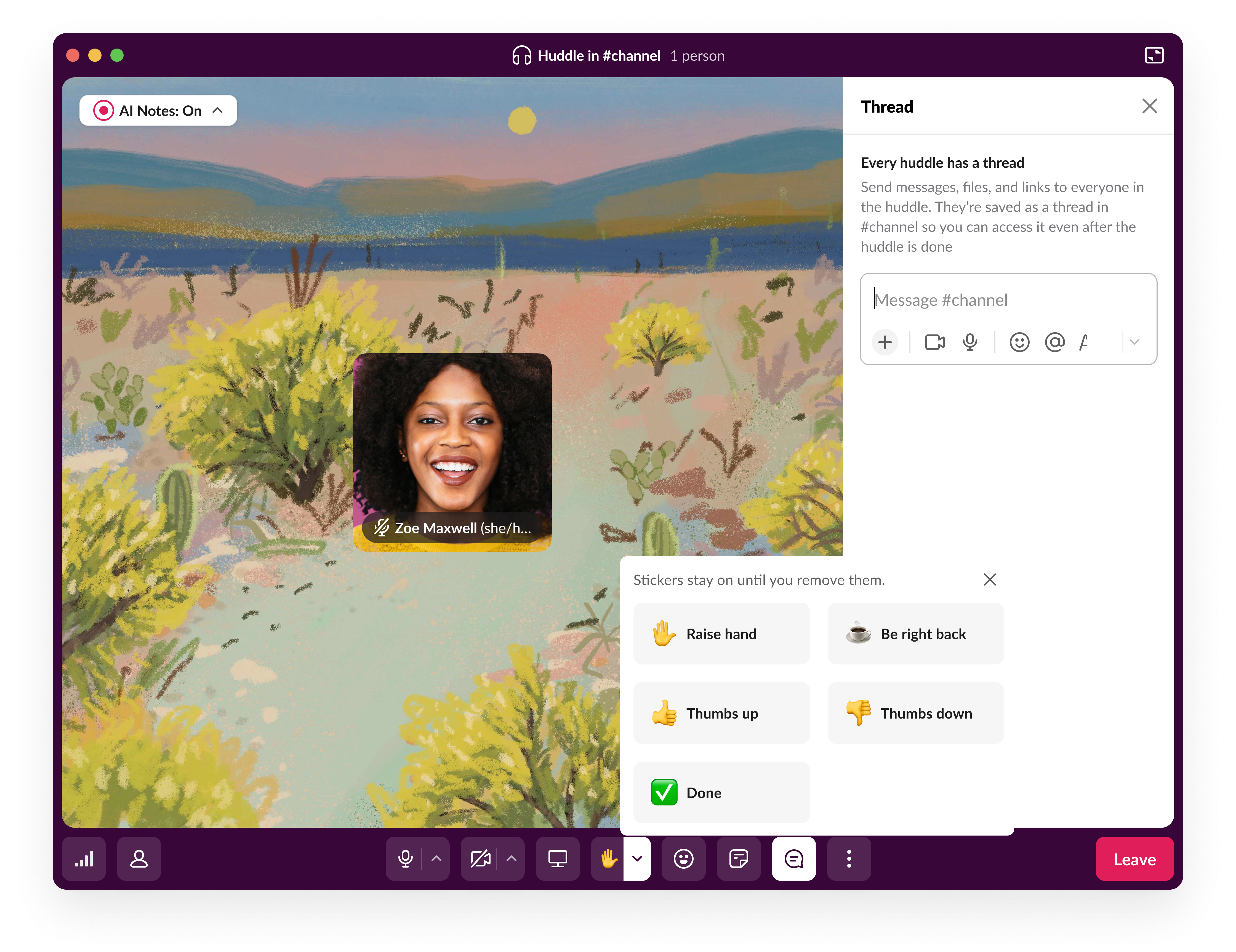
- Huddles windowing & toolbar revamp
Introduces a new Huddles mini-player with a docked bar and refreshed toolbar. Threads, canvases, reactions, and controls are now easier to access across windows, with clearer grouping and quicker access during live collaboration.*
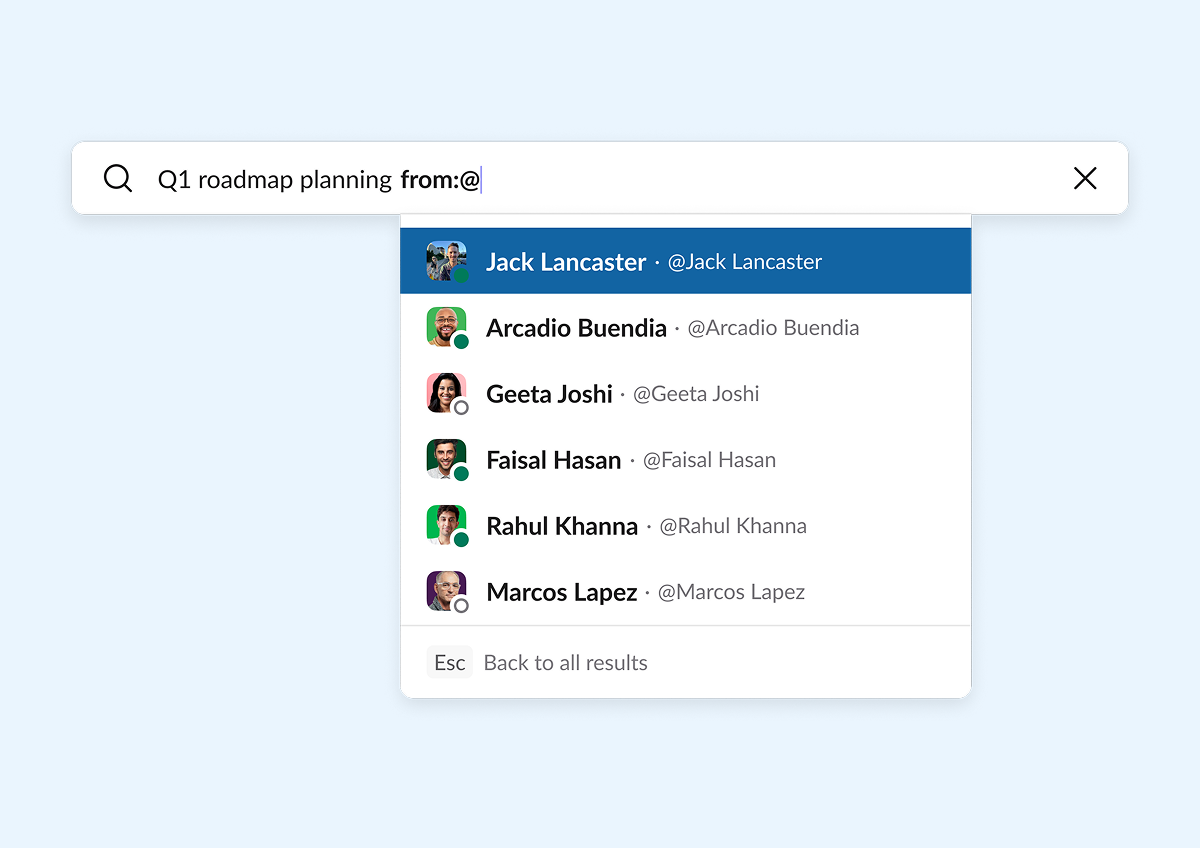
- Improved tagging and filter completion in the omniswitcher
Makes searching faster and more intuitive with smarter @ and # tagging, improved filter suggestions, and quick links to common filters. The omniswitcher dynamically adapts its layout depending on whether users are searching broadly or narrowing results. (Fully available in January)*
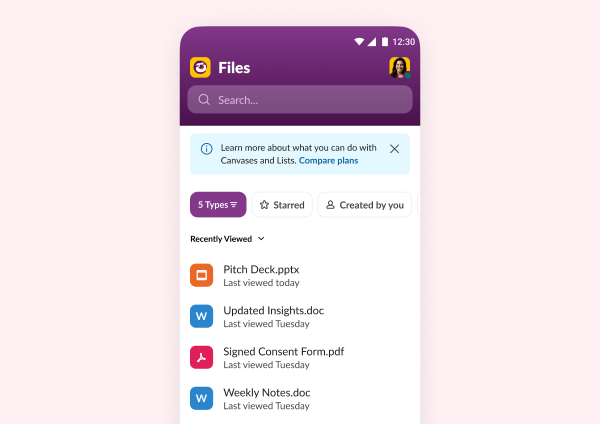
- Enhanced file-type support in mobile file browser
Expands the Android mobile file browser to support all file types, including third-party and media files. Adds file-type filtering, improved empty states, and a unified experience that now matches iOS. (Fully available in January)* - Huddles “just in time” (JIT) notification
Sends smart meeting reminders directly in Slack shortly before meetings start. Notifications include a one-click Join button that works with any conferencing link, plus options to snooze or dismiss so users never miss, or rush into, a meeting.*(Available now to free and Pro; available to all licenses starting in January) - Channel email address updates
Makes channel email addresses easier to find and use, with new copy actions in menus, automatic address creation when needed, and support across all conversation types, including channels, DMs, and group DMs.* - Hover and more message actions updates
Refreshes message action menus with clearer grouping, updated icons, subtle hover animations, and a new desktop “copy message text” action. Aligns desktop and mobile experiences while making common actions faster to find.* - Support landscape orientation on iPhone
Adds landscape orientation support to the Slack iPhone app. Slack now adapts automatically when devices rotate, making it easier to read long messages, view files, and work comfortably on larger screens.*****
🛡️Built for trust, clarity, and scale 🛡️
Enterprise-grade control without slowing teams down
When Slack runs at the heart of an organization, the foundation really matters. These updates give admins clearer visibility, smarter controls, and a more consistent experience across plans. The result: Teams move faster, trust the system more, and scale with confidence, while admins spend less time managing complexity and more time supporting great work.
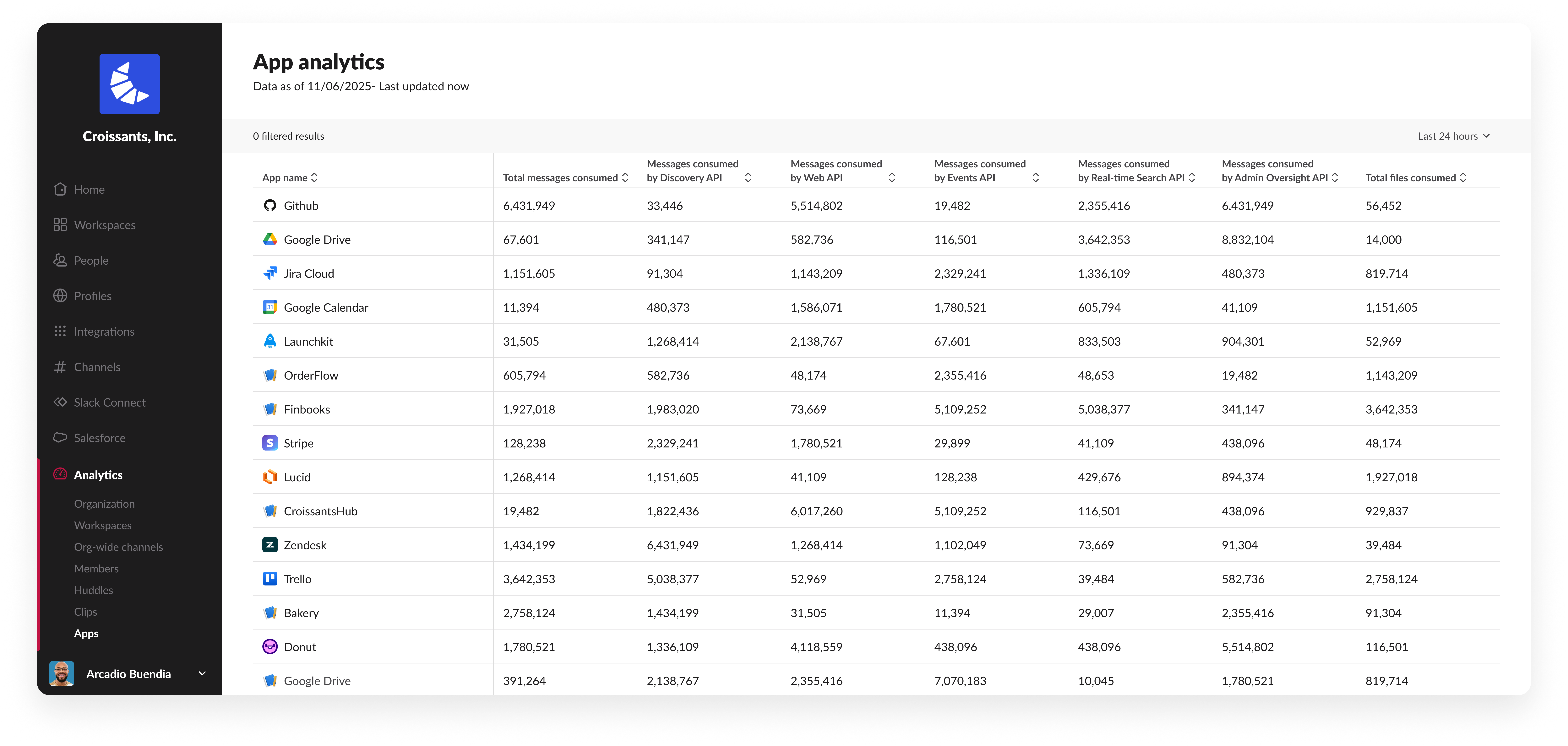
- Real-Time metrics in app analytics dashboard
Adds real-time insight into how apps consume messages and files. Includes a new “Last 24 Hours” view, near-instant query performance, and massive-scale data handling, giving admins faster visibility into app activity.**** - Delete message permissions
Introduces two new admin permissions that separately control who can delete their own messages and who can delete messages from apps or bots, offering more precise governance without over-restricting users.* - Common admin navigation
Redesigns workspace admin navigation to align with the org dashboard. Creates a more modern, consistent experience across plans while improving scalability, maintainability, and flexibility for future updates.* - Screen reader verbosity settings
Gives screen reader users control over how messages are read aloud on web and desktop. Users can customize verbosity levels in accessibility settings to better match their preferences and needs.*
Taken together, these updates represent one of our most exciting releases yet. They make Slack feel smarter, smoother, and more intuitive, without adding extra steps or complexity. Whether you’re getting through your day, collaborating with your team, or running Slack for an entire organization, these improvements are designed to give you momentum, confidence, and a little more joy in how work gets done.
Check out our Innovations webpage for previous releases.
Please note that some features may not be immediately available in your workspace depending on the rollout timeline, your Slack licensing plan, or additional license requirements. To learn more about feature availability, check with your admin on the licensing plans for your workspace.
Availability of features within Slack Licensing Plans as of December 19, 2025. Ready to learn more? Contact us.
*All Slack Plans
**Pro, Business+ and Enterprise+
***Business+ and Enterprise+ / Grid
****Enterprise+ / Grid
*****Free, Pro, Business+ only
 太棒了!
太棒了!
非常感谢你提供反馈!
收到!
感谢你提供反馈。
糟糕!我们遇到问题了。请稍后重试!