Tutorials & videos
Learning Slack made simple: tutorials, videos, and tips to get up to speed and get work done.
Conversations: Create a poll in Slack
What you'll learn in 2 minutes or less: How to start a poll and collect responses in Slack so your team can vote on ideas and give feedback.
Survey teammates using a polling app from the Slack Marketplace, or create a quick and informal poll in a message.
Go for it!
Install a polling app from the Slack Marketplace. If you'd rather set up a poll in a message, follow the instructions below.
- Click the compose button to start a message that sets up your poll.
- Choose emojis for each voting option and add them to the message using blockquote formatting so they are easier to read.
- Send your message. If you add one emoji reaction for each option, it’s simpler for others to add their vote.
- Wait for teammates to vote with their emoji reactions!
Here's an example of what your poll could look like: 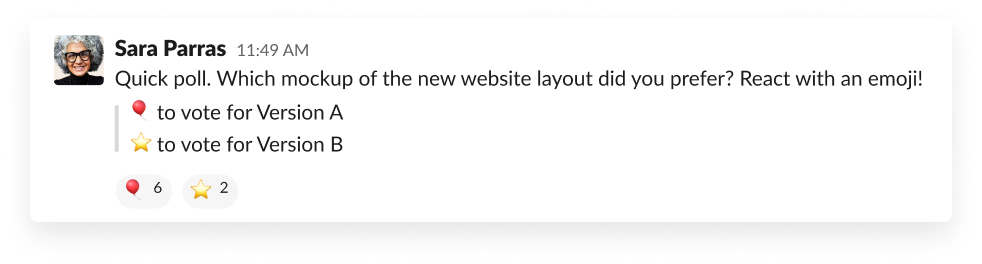
Learn more: Watch our video for more ways to use emoji reactions to get work done.
Awesome!
Thanks so much for your feedback!
For questions or support, go to the Slack Help Center.
Oops! We're having trouble. Please try again later!

