Time management takes a great deal of intentionality, especially since it’s easy to get distracted by a constant stream of new requests and tasks. Most professionals always have something in the pipeline that is asking for attention — as Slack CEO Denise Dresser put it, “We’re in a world where we’ve never had more messages, more information coming at us at one time.”
If you don’t want to be reactive with your schedule, time blocking can help you protect your time while still completing the most important and demanding tasks. This article covers what time blocking is and how to implement it effectively.
What is time blocking?
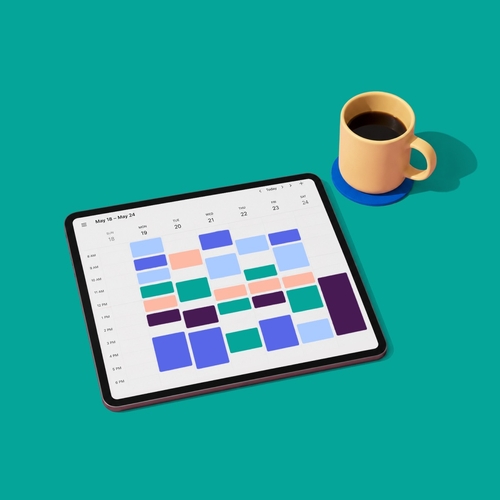
Time blocking is a time management method that divides your day into scheduled periods, with each block reserved for a specific task or type of work. You decide where your attention will go before the day begins, giving high-priority work a firm place on your calendar.
A time-blocked day might look like this:
- 9–10 a.m.: Read and respond to messages.
- 10 a.m.–noon: Work on a high-priority project.
- Noon–1 p.m.: Take lunch.
- 1–2:30 p.m.: Attend meetings.
- 2:30–4:30 p.m.: Complete administrative work.
A to-do list tells you what needs to get done but leaves the timing open. That makes it easy for incoming requests to take precedence. Time blocking switches this around, where you execute the plan made ahead and adjust it when priorities genuinely shift.
This productivity tip predates digital calendars. Benjamin Franklin organized his day into defined periods for work, meals, reflection, and rest. More recently, Cal Newport connected the method with deep work, using scheduled focus periods to defend demanding tasks against distraction.
How to time block your day
Use these steps to build a schedule that reflects your priorities while leaving room for the unexpected:
- List and prioritize your tasks. At the start of the week, identify what needs your attention and rank each item by importance and urgency.
- Find your peak productivity window. Pinpoint when you tend to think most clearly, then reserve that period for demanding, high-priority work.
- Assign work to calendar blocks. Give each task or task category a specific start and end time. Keep your estimates realistic so one overrun does not disrupt the full day.
- Add buffer time. Leave 10–15 minutes between major blocks for transitions, unexpected requests, or work that takes longer than planned.
- Review and revise. At the end of the day, move unfinished work to a future block. Use what ran early or late to make tomorrow’s schedule more accurate.
Time blocking methods — finding the right variation
Time blocking belongs to a group of four related scheduling methods. Each one places boundaries around your attention, but the scale and constraint differ.
| Method | What it is | Best for |
| Time blocking | Dedicate a time window to one task or task group | Deep project work, focused individual tasks |
| Task batching | Group similar tasks into one block to reduce context switching | Email, Slack responses, admin, approvals |
| Day theming | Assign each day of the week a single type of work | Project managers, creative roles, multi-project leads |
| Timeboxing | Set a fixed time limit for a task; aim to finish within it | Overcoming perfectionism, scoping work, sprints |
Task batching — the shallow work solution
Task batching keeps quick, similar activities from interrupting demanding work. You might reserve two or three windows each day for checking Slack, answering email, and reviewing approvals. Outside those periods, you can close notification feeds and concentrate on the task already scheduled. This approach contains reactive work without ignoring it.
Day theming — for teams with multiple projects
Day theming applies the same principle across a full week. You could reserve Monday for planning, Tuesday for client work, and Wednesday for creative work. The schedule also tells colleagues when related decisions and discussions are likely to happen, which can simplify how you manage multiple projects.
Jack Dorsey used themed days while leading Twitter and Square, assigning areas such as management or product to particular weekdays. His example shows how a weekly structure can narrow the range of work competing for attention on any given day.
Why time blocking works
Time blocking is all about boundaries, with yourself and with your work environment, to change the conditions under which you work. It reserves attention and limits how much time a task can take up.
It protects deep work
A dedicated block gives one demanding problem your full attention. Cal Newport estimates that “a 40-hour time-blocked work week produces the same amount of output as a 60+ hour work week pursued without structure.” The point is that focused hours can be more productive than longer periods fragmented by interruptions.
A 40-hour time-blocked work week produces the same amount of output as a 60+ hour work week pursued without structure.
Microsoft researchers found similar benefits when studying calendar-based focus time. Protected periods changed when people completed certain activities and were associated with greater work engagement and improved well-being.
It combats Parkinson’s Law and decision fatigue
Parkinson’s Law holds that work expands to fill the time available. Setting a two-hour block places a useful constraint around a task so that you must realistically define what can reasonably be completed within that window.
Scheduling also limits repeated decisions about what to do next. You make those choices during planning, then follow the calendar during the day. That cuts down on decision fatigue and preserves more mental energy for the work itself.
It turns intentions into plans
If you block time to “Finish the proposal,” you’re working with an intention. Meanwhile, “Draft the proposal from 10 a.m. to noon on Thursday” is an action you can follow.
Research by Todd Rogers, Katherine Milkman, Leslie John, and Michael Norton found that concrete, specific plans make people more likely to act on their intentions. Time blocking supplies the missing details by committing a task to a particular day and time.
Five effective time blocking tips
These time blocking tips help you build a schedule you can maintain, even when plans change or challenges arise.
- Match blocks to your energy. Productivity expert Chris Bailey calls your peak period of energy and concentration your “Biological Prime Time.” Reserve that window for work that requires careful thought and brain power. Research on knowledge workers found that preferred working times often differ from actual calendar practices, which means work environments that offer more individual flexibility with scheduling may achieve better productivity results.
- Batch communication into response windows. Choose two or three times each day to read and answer messages, then tell colleagues when they can expect replies. Outside those windows, close your notification feed. Clear expectations around synchronous vs. asynchronous communication let you protect focus without leaving people wondering when you will respond.
- Always build in buffer time. Leave 10–15 minutes between major blocks to handle overruns and unexpected requests. If a task finishes on schedule, use the buffer as a short break. That space keeps one delay from pushing every later commitment off course.
- Protect blocks like external meetings. Mark focus periods as busy on your calendar, turn on Do Not Disturb, and tell colleagues when you will be available again. It’s also wise to agree on what qualifies as urgent so genuine emergencies can still reach you without making every request an interruption.
- Do a brief daily review. Spend five to 10 minutes moving unfinished tasks to future blocks and noting why work ran over. Then adjust tomorrow’s plan. Those observations give you better estimates over time so that each schedule becomes more realistic than the last.
Time blocking for teams — why the individual approach isn’t enough
Individual time blocking won’t work when team expectations conflict with your calendar. A focus block from 10 to 11 a.m. will not survive if colleagues expect immediate replies or treat every channel as urgent.
Shared async norms give protected time practical boundaries. Having agreed-upon practices makes time blocking compatible with day-to-day team productivity:
- Response windows. Establish when people generally check and answer messages so a delayed reply does not create uncertainty.
- Focus block visibility. Display blocks through shared calendars or Slack statuses so colleagues can see when someone will be available.
- Meeting consolidation. Group meetings into defined periods where possible. Scattering short calls throughout the day creates a “Swiss cheese schedule” that leaves plenty of gaps, but few stretches long enough for concentrated work.
How Slack supports time blocking
Slack provides the communication infrastructure around a time-blocked schedule. It does not replace your calendar or task manager. Its features help you limit interruptions and tell colleagues when they can expect a response.
- Do Not Disturb. Pause Slack notifications during a focus block. Colleagues see a snooze icon beside your name and can override the setting for an urgent direct message when necessary. You can also mute specific channels that do not require immediate attention.
- Status updates. Set a message such as “In a focus block until 11 a.m.” This gives colleagues a clear return time without requiring you to explain each delayed reply.
- Asynchronous communication. Keep non-urgent updates in channels where people can respond during their scheduled communication windows. Scheduled messages let you choose when an update arrives, while audio and video clips allow colleagues to share context without booking a meeting or interrupting a work block.
- Calendar integrations. Connect Google Calendar or Outlook Calendar to view events and receive schedule notifications in Slack. These apps can also sync calendar availability with your Slack status so that focus periods are easier for colleagues to recognize.
When individuals pair these features with shared communication norms, time blocking can become an established part of how the group handles team productivity.
Learn how Slack impacts productivity and see how it can support your team’s focus practices.
FAQs
 Nice one!
Thanks a lot for your feedback!
Got it!
Thanks for your feedback.
Whoops! We’re having some problems. Please try again later.