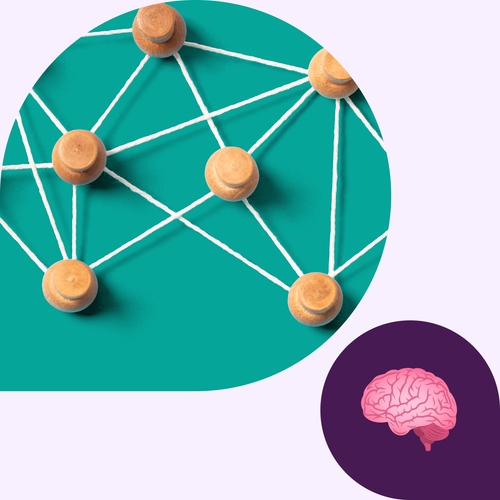
Finding information across an organization can feel like navigating a city without street signs. You know the answers exist, but the path to them is slow, indirect, and easy to lose. A knowledge graph works like a well-marked map: it shows how ideas, documents, people, and projects connect so teams can move with confidence.
This guide explains what a knowledge graph is, how it organizes information, and how its structure helps people and AI uncover meaning instead of just matching keywords.
What is a knowledge graph?
A knowledge graph is a structured way to show how information relates. Instead of storing facts in isolated places, it organizes them as connected nodes and relationships: people, documents, tools, topics, and the links between them. That structure helps teams understand not only what something is, but how it fits into the larger picture.
Unlike traditional databases that require rigid tables, a knowledge graph can grow without constant redesign. New relationships can be added and new concepts can be introduced — the graph adapts as work evolves. Because the structure is readable to both humans and AI systems, a knowledge graph makes it easier to retrieve context, not just data.
How knowledge graphs work
A knowledge graph begins by drawing information from different sources and turning that information into entities and relationships. Each entity carries context, and each connection describes how pieces of information relate, which helps teams and systems follow the links rather than sift through isolated entries.
“A knowledge graph helps teams see how work fits together instead of treating each update as a standalone moment.”
Ontologies or schemas guide this structure by defining the kinds of entities in the graph and the relationships that make sense between them. When someone queries the graph, the response reflects not only the data but the surrounding connections, which often reveal patterns that might otherwise stay hidden.
This design supports semantic search, unified knowledge across tools, and discovery of information that wasn’t obvious at first glance. It also gives AI assistants the context they need to interpret intent and carry out automated tasks with greater accuracy.
Core components of a knowledge graph
A knowledge graph may look complex at first glance, but its structure comes down to a few building blocks that work together to make information easier to use. Here are the main pieces of the puzzle:
Entities (nodes)
Entities represent the people, documents, tools, projects, and ideas that make up an organization’s knowledge. Each one includes attributes that add clarity, such as a title, owner, or topic. These details help the graph form a meaningful picture of the work.
Relationships (edges)
Relationships describe how entities connect. They might show who manages a project, which document supports a decision, or how two topics relate. These links reveal patterns that are easy to miss when information lives in separate systems.
Ontologies or schemas
Ontologies or schemas outline the structure of the graph: the types of entities it can include, the relationships that are allowed, and the metadata that keeps everything consistent. This shared framework gives both humans and AI a clear way to interpret the graph.
Graph database or triplestore
A graph database stores nodes and edges in a way that makes deep linking and fast querying possible. It’s built to handle information that branches and reconnects rather than staying in strict rows and columns.
Semantic enrichment
Semantic enrichment adds context to the graph by labeling entities, attaching metadata, and incorporating signals that clarify meaning. These cues help systems interpret intent and support richer search results.
Types of knowledge graphs
Knowledge graphs come in several forms, each shaped by the kinds of information an organization needs to connect. The underlying structure is similar, but the purpose changes based on what the graph is designed to support.
Enterprise knowledge graphs
These graphs connect internal documents, conversations, systems, and teams. They help organizations reuse knowledge and find past work faster so that everyone has the same information, no matter the division or department.
Public knowledge graphs
Large, open graphs, such as the one used by major search providers like Google, organize widely available facts so systems can recognize entities, recognize and respond to queries, and retrieve information with more context.
Domain-specific knowledge graphs
These are built for focused fields such as healthcare, finance, HR, or engineering. They capture the language, rules, and relationships that make each domain unique.
Product or content knowledge graphs
These graphs map how content, tags, customer needs, and product attributes relate. They support richer recommendations and smoother navigation to give users a more personalized experience.
Benefits of a knowledge graph
When organizations store information in separate tools, important context often gets buried. A knowledge graph closes those gaps by showing how work connects, which directly affects how teams search, collaborate, and make decisions.
Improves search and discovery
Instead of returning long lists of documents, a knowledge graph can surface the exact person who worked on a project, the message where a decision was made, or the file that explains a process. It shortens the path to answers by revealing relationships that typical keyword search misses.
Unifies disconnected information
A single view can link a product requirement to the feature it influenced, the team that owns it, and the customer feedback behind it. This helps teams trace how work developed rather than piecing together context from different systems.
Powers AI reasoning
AI performs better when it understands how information relates. With connected data, tools like native AI in Slack can summarize long threads, retrieve past decisions, and respond with context that reflects how a team actually works.
Enables better decision-making
Teams can see where work overlaps, where information conflicts, or where a dependency might create risk. These insights help leaders adjust plans with a clearer understanding of what might be affected.
Scales effortlessly
As new projects launch or new tools come online, they simply become part of the graph. Teams don’t need to reorganize old information to make space for new work.
How knowledge graphs support modern work
Most teams make decisions based on patterns: who has touched similar work, which projects relate, what choices were made earlier, and how information has evolved. A knowledge graph gives organizations a dependable way to read those patterns. Instead of treating each update as an isolated moment, the graph shows how work accumulates meaning over time.
That structure helps people find the right contributors and past examples without digging for them. They can spot how decisions relate and move forward with a clearer sense of what came before.
It also strengthens work across departments. When insights, plans, and customer signals connect through shared relationships, teams can understand the ripple effects of their choices and adjust with more confidence.
Hybrid teams gain an added advantage. Tools that help support hybrid teams draw from the graph’s context to bring the right information into view, regardless of where conversations happen.
And when AI can follow these relationships, its summaries and suggestions reflect how work fits together, not just the words on the page.
How Slack supports knowledge discovery
When work already lives in Slack, the connections are right there waiting to be used. Conversations stay linked to the people and decisions that shaped them, and channels give every topic a clear home. Canvases add space for the plans, notes, and context teams rely on, so nothing useful drifts out of view.
AI in Slack and Knowledge search build on that foundation by drawing meaning from these relationships. Instead of sifting through updates, teams can ask a question and get an answer shaped by how work actually happens in their organization.
It all adds up to a workspace where information feels easier to follow and insight surfaces when it’s needed most. If you’re ready to experience that workspace for yourself, try Slack for free today.
Knowledge graph FAQs
 |
Try Slack for free todayKeep up with better communication practices. |
 Awesome!
Thanks so much for your feedback!
Got it!
Thanks for your feedback.
Oops! We're having trouble. Please try again later!