Your files and conversations, finally in sync
Slack brings your team's conversations, decisions, and files into one place. Connect Google Drive and it gets even better — access requests, file comments, and doc sharing all happen right where your team is already working. Less chasing. More doing.
Free forever. No credit card required.
Connect Google Drive to Slack in two easy steps.
Add Google Drive from the Slack Marketplace
Go to the Slack Marketplace, search for Google Drive, and click Add to Slack. Any workspace member can do this in under a minute.
Connect your Google account
Once the app is installed, each team member connects their own Google account. Open the Google Drive app in Slack and click Connect Google Drive.
You're all set. Start working together.
Share a file, reply to a comment, or search Drive — all without leaving Slack. Your team will wonder how they worked without it.
Give file access without leaving Slack.
When someone shares a Google Drive file in Slack and a teammate can’t open it, Slack detects it and asks if you want to give them access. One click and they’re in. No follow-ups needed.

Reply to comments without opening Drive.
When someone comments on a file you own or share, it shows up in Slack. Reply there and your response posts back to the Google Doc automatically. The feedback loop stays fast, wherever the work happens.
The right file, right where the conversation is.
Search your Google Drive from Slack and share any file directly into a channel or message. With every app you connect, Slackbot gets better at surfacing what’s relevant — so your team spends less time tracking things down and more time moving forward
Frequently Asked Questions
Slack keeps your data safe with strong security built in. Everything you send — like messages and files — is encrypted, so only the right people can see it. Your company can even control its own encryption keys for extra protection.
When you use AI or connect other apps to Slack, your data stays private and secure. Slack never shares your data with AI models for training. AI only works with the messages you already have access to, and it all runs safely within Slack’s systems.
So whether you’re using Slack’s AI features or building your own tools, you can always securely access your data.
Slack apps connect tools and services with Slack, so you can use them without leaving your workspace. Apps make it easy to quickly find, share, and act on information across your tech stack by creating one central place to stay focused and get work done. Learn more here.
Choose from over 2,600 apps in the Slack Marketplace to support whatever work you do. And now with our partners integrating AI intelligence into their apps, plus all the benefits of Slack AI, Slack is truly the AI-powered operating system for work.
If you use custom tools or follow processes specific to your company, you can also explore Workflow Builder to create your own workflows, or build a custom app using the Slack API.
Slack enables all your tools to work better by letting you integrate software and custom apps right into Slack. Here are some popular categories and examples:
Project management: Connect Slack with project management tools such as Asana, Miro, Notion, and Jira to update tasks, track progress, and manage projects without leaving Slack.
Customer support: Integrate customer support apps like Salesforce Service Cloud, Zendesk, and Freshdesk to manage tickets and communicate with customers directly through Slack.
CRM systems: Link Slack with CRM platforms such as Salesforce Sales Cloud, HubSpot, and ZoomInfo to access customer data and receive updates on leads and deals in your Slack channels.
File management: Enhance Slack with file management systems like Box, Google Drive, and Dropbox for easy access and sharing of files.
Developer tools: Connect developer tools like GitHub, GitLab, PagerDuty, and AWS Chatbot to collaborate on code, review pull requests, and track issues directly from Slack.
These integrations help make Slack a central hub for collaboration, communication, and productivity by connecting it with the tools teams use every day.
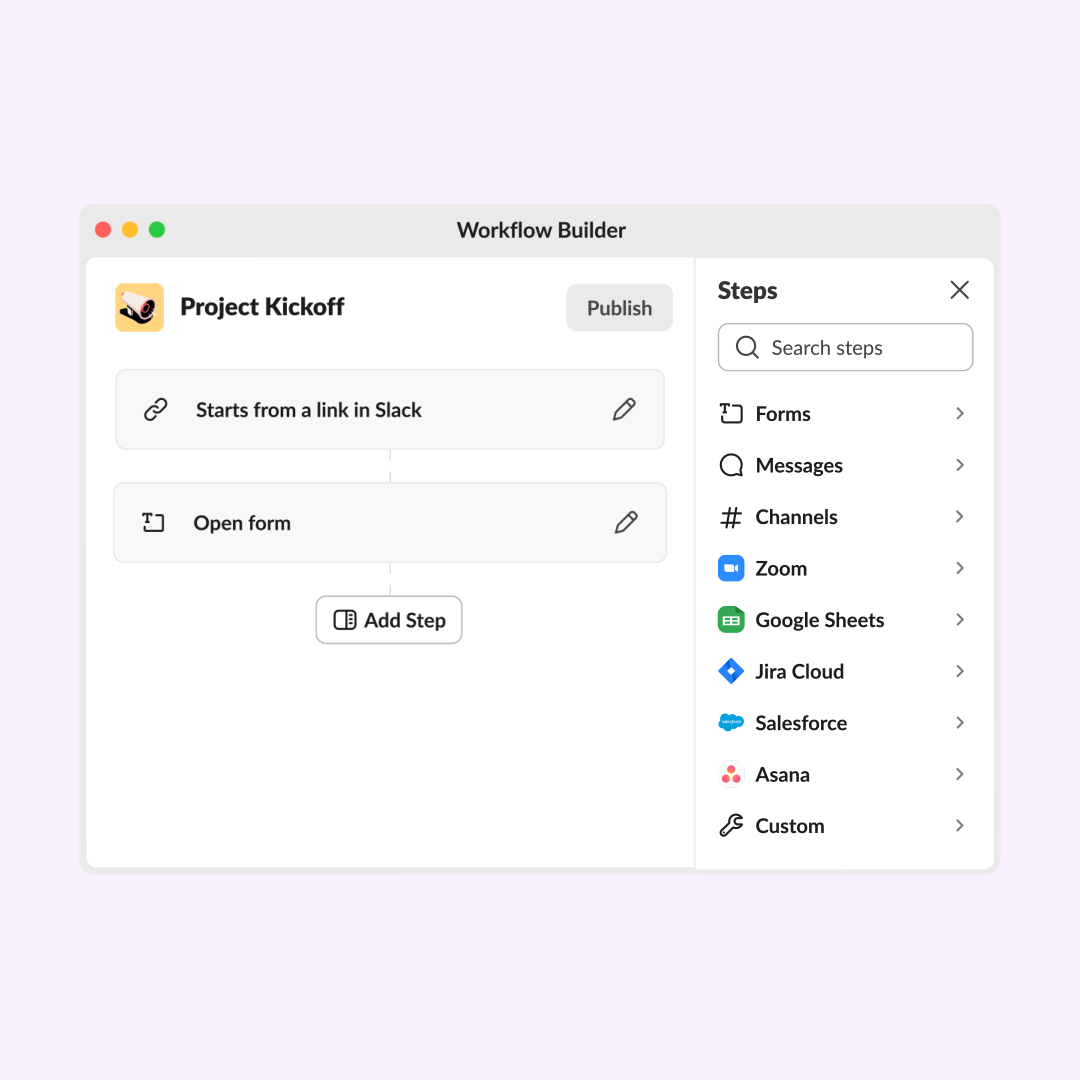
To install an app, first find it in the Slack Marketplace. From an app’s page, click the “Add to Slack” button. Then follow the prompts to install the app or connect your account. You’ll see the option to connect your account after clicking “Add to Slack” if an app has already been installed in your workspace. You can also find and install apps from your workspace. Click “Apps” in your left sidebar and explore the directory from there. For more information on managing apps smartly and securely, check out this guide.
Managing Slack integrations is straightforward. Start by clicking on your workspace name to open the menu, then select “Settings & administration,” followed by “Manage apps.” This will take you to the Slack Marketplace, where you can browse and manage existing integrations. Here, you can add new apps by searching for them and selecting “Install.” For each installed app, you can configure settings and permissions, or remove the integration if no longer needed. Regularly review your integrations to make sure they’re still useful and meet your team’s current needs, keeping your Slack workspace efficient and clutter-free.
You can add up to 3 apps to workspaces on the free version of Slack. If you’re on Slack’s Pro plan, you can install up to 10 apps. If you’re on Slack’s Business+ plan, you can install as many apps as you’d like—there’s no limit! Keep in mind that some app services require payment or a subscription to use their product before you use it in Slack.
To explore Slack’s free and paid plans, check out our pricing page.
Use the Slack API to build an app that connects the tools and data sources your organization needs to run smoothly. For all the resources you’ll need to get started and build your app, visit Slack API and join the Slack Developer Program for exclusive access to beta features, tooling, and resources created to help developers build and grow.
And if you’re interested in learning from other developers, designers, and product managers building on our platform, consider joining a Slack Platform Community group.