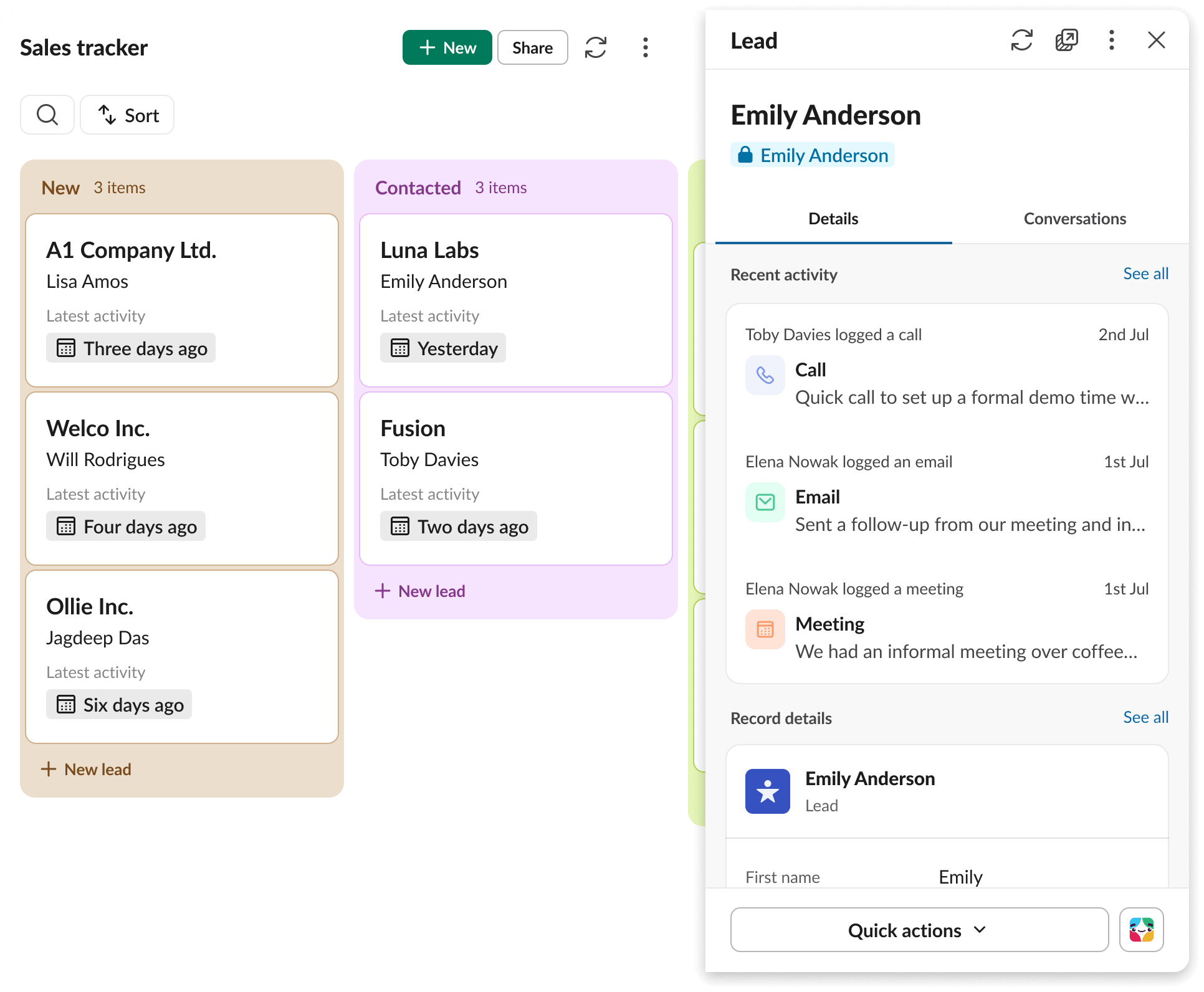
Template features:
Tags:
Share this template
About this template
Every sales team has its go-to materials, including announcement hubs, decks, workflows, scripts, playbooks, team updates and tips mentioned in meetings or conversations.
The challenge is keeping all relevant information in one place so that it’s easy to find and use.
A sales enablement template solves this problem. It can give your team a shared workspace to organise sales operations. Training, tools and real-time collaboration can occur side by side when you’ve set up a sales enablement template in the work operating system where your team is already active.
How to use the Slack sales enablement template
This template makes it easy to create a central hub for sales resources, collaboration and coaching directly inside Slack. Here’s how to set it up and start using it with your team.
- Add the template to Slack. Click the ‘Use template’ button to install the sales enablement template into your Slack workspace. It instantly creates a dedicated channel with pre-built tabs and tools, ready for customisation.
- Customise your hub. Edit the channel details and pin high-value content that supports your sales process. Within the template, you can:
-
- Add lead qualification guidelines, call scripts and pitch decks
- Link to CRM dashboards or sales platforms
- Record and pin a quick clip on how to handle objections or close deals
- Use the first two built-in tabs to organise your content:
- Messaging tab. Post key announcements, new playbooks and team updates.
- Enablement hub. Store assets such as pitch decks, pricing calculators and proposal templates, along with everything else that your team needs to move deals forwards.
- Engage the team with tips. Encourage reps to use the team tips tracker (the third tab in the template) to share what’s working in the field. They can tag each tip by funnel stage and include helpful context for others to try.
- Use workflows. The workflows tab (the fourth tab in the template) makes it easy to automate key actions, such as welcoming new reps, collecting sales tips or nudging the team to update collateral.
- Share it with stakeholders. Invite cross-functional partners such as marketing, product or customer success to join the template so that everyone stays aligned on messaging, materials and sales priorities.
What is a sales enablement template?
A sales enablement template is a structured workspace that helps sales teams to centralise resources, align messaging and move faster on every opportunity.
Instead of relying on scattered documents, siloed communication or external tools, a sales enablement template brings everything into one accessible place. It creates a shared system where reps and managers can quickly find what they need (such as sales decks, talk tracks, qualification guides, forecasts and proposal templates) and collaborate without slowing down.
In Slack, the sales enablement template transforms a channel into a real-time sales operations command centre that everyone can access. Messaging stays front and centre, while additional tabs such as the enablement hub, team tips tracker and workflows make it easy to keep everything organised and up to date.
With everyone working from the same space, your team can stay focused on what matters: moving deals forwards.
Benefits of a sales enablement template
When sales teams have a single, structured Slack channel that connects resources, communication and workflows, they can move quicker and be more productive.
Here are five ways this set-up helps teams to thrive:
- Swift ramp-up for new reps. Recent hires can onboard faster when everything that they need, such as scripts, decks, workflows and product guidance, is already available in a central hub. Instead of piecing together knowledge, they get a guided experience from day one.
- Improved consistency. When everyone works from the same playbooks and messaging, the team shows up with one unified voice. Reps know which pitch to use, what terms to reference, sales order processing standards and how to speak to key objections.
- Better visibility for managers. Sales leaders can spot what’s working (and what’s missing) by reviewing shared tips, pinned resources and activity in the channel. It becomes easier to coach in the moment, update materials proactively and close enablement gaps before they slow down deals.
- More collaboration across teams. Bringing marketing, product and customer success into the channel keeps messaging aligned and makes it easier to adapt quickly as priorities and the sales pipeline shift.
- Time saved through automation. Built-in workflows take care of repetitive tasks (such as welcoming new reps or collecting insights) so the team can stay focused on selling.
Seven best practices for maintaining your sales enablement hub
A static sales enablement workspace can lose value quickly. To keep your Slack hub working for you long-term, treat it like a living resource that evolves alongside your team’s needs.
Here’s how to keep it effective:
- Refresh content regularly. Update pitch decks, case studies, objection-handling tips and talk tracks based on what’s working in the field. Add clips to explain new strategies in a quick, personal way.
- Tag and categorise everything. Use clear naming conventions and Slack’s pinned tabs to organise resources by funnel stage, industry or product line. This makes content easier to find, especially when under pressure.
- Encourage field feedback. Ask reps to use the sales tracker template and share one tip or lesson learned each week using the team tips tracker. It keeps the hub grounded in real experience.
- Rotate ownership. Assign a different team member each month to audit and update the enablement hub so that it never goes stale.
- Surface wins. Highlight how the hub helped to close a deal. It reinforces value and encourages consistent use across the team.
- Use workflows to prompt updates. Set recurring reminders to review and revise resources, or automate requests for feedback after big wins or losses.
- Pin essential links and contacts. Make it easy for reps to find who to talk to or what to use next by pinning current key contacts and tools in the channel.
Why use Slack for sales enablement
Slack brings together the tools, content and conversations that sales teams need to stay aligned and move quickly.
Unlike static documents or siloed tools, Slack creates a dynamic workspace where enablement happens in real time and in context. Here’s what makes it an ideal platform for sales enablement:
Real-time collaboration
Sales reps and managers stay in sync with instant updates, @mentions and shared messages. Whether you’re launching a new playbook or coaching, communication happens where work is already flowing.
Centralised knowledge base
With pinned tabs like the enablement hub, your team has a single place to access pitch decks, talk tracks, pricing tools and product updates. There’s no more digging through folders or asking around for the latest version.
Integrated workflows
Slack’s built-in workflows automate the small but essential moments that keep the team moving, such as welcoming new reps, collecting field insights, assigning leads or prompting updates to ageing content.
Built-in tools that boost adoption
Features such as clips, search and mobile access make it easy for reps to engage with content on their terms, whether they’re at their desk or on the go.
Smart integrations with your sales stack
Slack connects with tools such as Salesforce, Gong, HubSpot and more, so your sales data, CRM updates and enablement materials flow into one shared workspace without extra overhead.
With Slack as your work operating system, using Slack templates for sales enablement becomes a natural part of daily workflows, not a separate tool to log in to. Everything that your team needs is in one place, always up to date and ready to support your next closed deal.