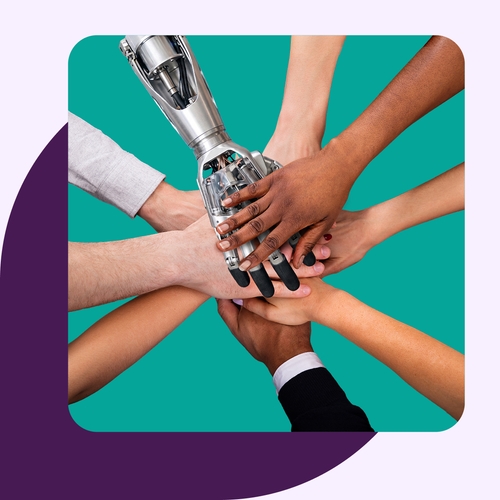
AI is shifting from a solo productivity tool to a legitimate teammate inside group processes. Applied correctly, it reduces manual coordination, enables asynchronous work, and helps teams communicate, decide, and execute faster.
In this article, you’ll learn what AI-powered collaboration is, how it works across modes and use cases, and how to choose the right tools for your teams.
What is AI-powered collaboration?
AI-powered collaboration integrates artificial intelligence into team workflows to automate routine tasks, analyze data, and enhance communication while augmenting human capabilities. These tools accelerate productivity by optimizing workflows, generating content, summarizing meetings, and enabling teams to focus on complex, strategic work.
AI-powered collaboration is broader than a single AI feature but more specific than general automation. It incorporates people, AI models, agents, channels, shared workspaces, and systems of record—typically a CRM stack like Salesforce + Slack.
Intelligent collaboration is now vital because knowledge-intense work happens across dozens of tools, and AI reduces the coordination tax between them.
Core collaboration modes and roles
Let’s look at some of the different ways humans and AI are working together today.
Human-AI pairing
Human-AI pairing means working alongside an AI assistant on a task—drafting, research, or analysis. The highest-quality output comes from combining human judgment with AI’s speed and recall. Teams use this for brainstorming, writing, coding, and summarizing threads or documents.
Augmented team workflows
AI is now embedded inside tools teams already use, adding context, summaries, and recommending next steps. There’s no separate app to learn, which drives adoption and improves collaboration. Teams use this for in-channel recaps, routing meeting notes to the right people, and reminding coworkers about overdue tasks.
Multi-agent frameworks
Teams can also employ multiple specialized AI agents to coordinate across steps of a workflow. Today’s more complex tasks rarely fit a single prompt or tool. Teams are using and coordinating research agents, drafting agents, and review agents to hand off tasks in sequence.
Automation and workflow optimization
AI-powered collaboration delivers the most value by removing manual steps in these areas:
- Scheduling and meeting management. AI collaboration tools save time with automatic scheduling, agenda drafting, and post-meeting follow-ups.
- Task routing and tracking. Tools now turn requests and decisions into assigned tasks with clear owners and deadlines automatically.
- Repetitive work reduction. AI automation handles repetitive work including: form filling, status updates, approvals, and reminders. AI agents and workflows reduce context switching, speed handoffs, and prevent dropped action items.
Communication and content generation
AI-assisted communication, summarization, and content generation is the everyday AI functionality teams use first.
- Drafting and rewriting. Teams use AI collaboration tools to generate first drafts, fine-tune them, and adapt messages for different audiences.
- Summarization and recap. Teams and leaders benefit from AI-assisted recaps of long threads or documents, meeting summaries, and rollups of unread activity.
- Real-time translation and accessibility. AI productivity and collaboration tools have made a huge difference in enabling cross-language communication and accessibility features like captions and reading-level adjustments.
Data-driven decision support
AI-enabled collaboration tools can do more than summarize or draft messaging and content. They can also provide intelligent insight.
- Analytics and pattern recognition. This functionality can be hugely beneficial for spotting trends across conversations, tickets, or project data, where human observation may not always see key factors or data points.
- Insight synthesis. AI can be enabled to pull information from multiple channels, docs, and systems into a single answer, saving time and effort.
- Prioritization support. AI helps teams decide what to work on next based on signals from across the business, eliminating guesswork when priorities conflict.
Key use cases for AI-powered collaboration
Let’s look at where AI-powered collaboration tools deliver the most visible value, broken down by function and industry.
- Software and engineering. Engineering teams benefit from AI code review support, incident response summaries, and documentation generation.
- Customer support (CS) and success. Customer support teams save time with AI case summaries, suggested responses, and live knowledge retrieval, strengthening relationships.
- Sales and revenue teams. Sales teams rely on intelligent pipeline insights, deal recaps, and automated follow-ups.
- Healthcare and regulated industries. Healthcare organizations see workflow optimization and improved patient experience through AI-provided structured notes, compliance-aware summaries, and secure data handling.
- Creative and marketing teams. Marketing teams use AI for brainstorming, campaign drafting, asset review, and cross-team approvals.
- Remote and distributed teams. AI benefits distributed and hybrid teams with asynchronous recaps (often in Slack) and time zone–friendly handoffs to keep work moving.
How to choose the best AI-powered collaboration tool
When evaluating an AI collaboration tool, examine these features:
- Fit with existing workflows. Does it work inside existing tools, or does it require a new platform?
- Integration depth. Verify integration with communication tools, CRMs, ticketing systems, document stores, and calendars.
- Security and governance. Confirm data handling, access controls, audit logs, and compliance certifications meet federal and industry regulations.
- Human-in-the-loop controls. Verify the tool supports human review, edit, and approval before AI outputs are deployed.
- Transparency and accuracy. The tool should source legitimate citations, provide confidence signals, and trace answers back to their origins.
- Total cost and adoption curve. Evaluate cost, licensing, implementation effort, and time to measurable value for your use case.
Privacy, security, and ethical considerations
Before rolling out AI-powered collaboration tools enterprise-wide, address these guardrails:
- Data protection. All data encryption, residency, and vendor access to customer content must be thoroughly understood and vetted.
- Model training data. Decide whether company data can be used to train vendor models, and if so, what level of access the AI tool will be given.
- Bias and fairness. All systems may develop or exhibit bias. Ensure the monitoring of outputs across languages, regions, and demographics.
- Accountability policies. When discussing agentic AI or other decision-making intelligent workflows, there must be clear ownership and accountability for AI-generated content and decisions.
- Responsible use guidelines. Your organization will likely need to develop documented rules and policies for when AI should not be used. These may also be shaped by national, regional, or industry regulations.
Accuracy and over-reliance risks
As teams increase AI tool adoption, plan for these tradeoffs:
- Hallucinations. This problem is improving somewhat, but depending on inputs and prompts, AI systems will still produce confidently wrong outputs that need human verification.
- Skill atrophy. Whenever the “old school” way of doing things starts to change, junior teams can lose practice or never actually learn how to perform fundamental tasks that AI now handles. This can potentially result in less versatile and capable team members.
- Over-trust. Treating AI outputs as final instead of as drafts is a mistake. Don’t just send an AI-generated document, summary, message, or task without review or oversight.
- Mitigations. Some ways to help alleviate the issues above include a regular examination of AI source citations, human review of workflows, and regular quality audits.
Change management and adoption
Let’s look at some adoption patterns that can separate successful AI-tool rollouts from stalled ones.
- Training and enablement. Effective teams engage in role-based training so each member understands where AI helps them specifically.
- Trust calibration. Going along with the over-trust issue mentioned above, it’s important to teach teams when to rely on AI and when they need to verify.
- Governance and feedback loops. Clear ownership of tasks, updated usage policies, and an easy way for employees to report issues are all vital to maintaining governance of AI tools.
- Measuring impact. Look at tool adoption, cycle time, necessary rework rate, and qualitative feedback as leading indicators, in addition to tracking whatever key KPIs are specifically applicable to your team to measure improvement.
How Slack powers AI-powered collaboration
In many organizations Slack has become the collaboration and execution layer around AI. Let’s look at some ways to enhance outcomes, adoption, and execution. With Slackbot, you can:
- Bring AI into the channels where work already happens so outputs turn into action without adding yet another app.
- Use AI agents and assistants to summarize, draft, and route work across tools and teams.
- Automate follow-ups, approvals, and handoffs so humans spend time on more valuable decisions and creative work.
- Keep humans in the loop with review, edit, and approval steps on all AI-generated content where desired.
- Scale adoption by meeting employees inside the collaboration surface they already use every day.
Demo Slackbot today and discover what today’s powerful AI-tools can do for you.
AI-powered collaboration FAQs
 超讚!
超讚!
非常感謝你提供意見回饋!
知道了!
感謝你提供意見回饋。
糟糕!我們遇到問題了。請稍後再試一次!