About this use case
Organizations have more tools than ever to speed up work and enhance collaboration. But as companies grow and add more to their digital workspace, too many tools can fragment work and spread important knowledge across emails, documents, apps, and chat tools. Employees are bogged down searching for the information they need, leaving less time for high-value work.
Often, traditional search alone isn't enough. It requires employees to know the right keyword, file, person, or channel to look for, which isn't always possible. This is where searches powered by Slack AI can help: teams can quickly locate conversations, documents, decisions, and organizational expertise using everyday queries and without having to leave their workflow.
How to find company knowledge faster with Slack's AI search tools
For organizations, finding information isn't simply about search. It's about connecting people, conversations, documents, and systems into one searchable work OS. Slack AI search tools help bring together the information that teams need, right where they need it.
Here are some of the ways you can use Slack AI search to find information faster:
Use Slackbot to answer any question
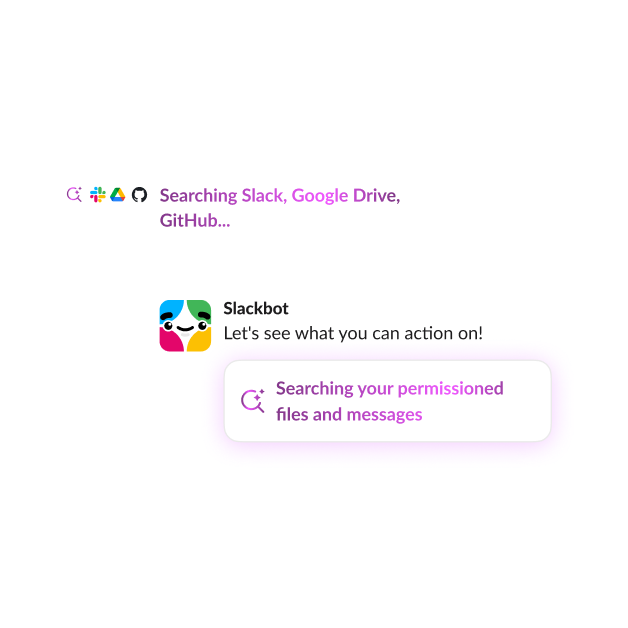
Slackbot takes search to the next level by letting you ask follow-up questions, request a summary of the results, and take action with the information you find. It's your personal AI assistant for work that helps you research discussions, prepare for meetings, analyze reports, and create content in your voice. It can use conversations, files, shared history, and connected resources to offer relevant information and help you get work done.
You can also use Slackbot to create custom responses for repetitive questions in Slack channels. For example, you can set it up so that when an employee asks for the Wi-Fi password in the IT channel, Slack automatically provides a predefined response or a link to the appropriate resource.
Use the search bar to use Slack's AI-powered enterprise search
With AI-powered search, you're no longer at the mercy of having an exact keyword match. Slack's enterprise AI search interprets meaning and intent, so you can state what you need with natural language queries instead of worrying that you're missing results because you're not using the right terms or search filters.
You can type real-world questions like these directly into the Slack search bar:
- What did we decide about the Q3 roadmap?
- What's the latest update on the website redesign?
- Why did we push back the product launch?
Enterprise search lets permission-aware AI scan relevant Slack conversations along with any connected organizational tools to generate an answer along with the sources that support it.
Use enterprise search across third-party apps
While apps like Google Workspace, Salesforce, Jira, and Confluence provide employees invaluable support, moving between them can slow you down. In some cases, you might have to switch between several apps just to answer one question. This slows search and creates cognitive friction: you have to remember where the resources are, what you were looking for within that resource, and then bounce back to your original task to continue working.
Enterprise search reduces context switching by letting you search across other sources within the platform where you're already collaborating for work. Slack acts as a central searchable hub for distributed company knowledge, saving you time and mental bandwidth for high-value work.
Connecting your workplace tools is a straightforward process. An admin configures the Enterprise search source, and users connect and authorize their accounts where required. Content that a user could access from that source then becomes available to that user through Slack search. Permissions still apply, so users only see information they're authorized to access.
We need a single pane of glass for all our data sources across our different systems. Enterprise search in Slack delivers exactly that. With the help of AI, we can surface all the right information directly in front of our users.
Benefits of using Slack AI search
Slack AI search connects organizational knowledge with everyday work. AI search brings the information to you where work is already happening to improve your productivity, accuracy, and collaboration.
Some of the most significant benefits and practical examples are these:
- Faster information discovery. You no longer need perfect keywords or to know exactly where information is located. For example, you can ask questions about a project decision and get answers without hunting through old meeting notes or threads.
- Less time context-switching between applications. You can find information in Salesforce, Google Drive, or Slack without searching through each system.
- Better organizational knowledge retention. Decisions and expertise aren't buried in old documents or comment threads. They are easily accessible even after projects close or conversations end.
- More informed decision-making. With a simple AI search, you can pull up customer feedback, project history, and previous decisions to guide future choices.
- Reduced manual and duplicate work. You no longer need to recreate documents or answer questions someone already answered months ago, since they can pull it up quickly and easily.
- Improved cross-functional collaboration. Sales, product, marketing, and engineering can all access relevant information from one another without relying heavily on constant meetings or status updates.
Best practices for using Slack's AI search
Slack's AI search can transform how teams work and communicate. To get the most from its capabilities, follow these best practices.
1. Keep organizational knowledge in Slack-accessible places
Slack AI search relies on content within its index, including channel histories, canvases, uploaded files, and integrated apps. For information to be discoverable, avoid storing key knowledge on local drives, unshared docs, or off-platform messaging silos. Be sure to verify channel and file privacy settings so Slack AI search can access what you and your team need while keeping sensitive data secure.
2. Connect business applications
Connect the systems containing knowledge that your team members need to get work done, such as Google Drive, GitHub, Salesforce, and Confluence. This makes search more productive by providing common access to distributed knowledge management and adds valuable context for Slackbot and AI answers. Slack integrates with thousands of apps so that everything is connected to a centralized work operating system.
3. Organize conversations using dedicated channels
Set up channels for specific projects, teams, and topics using a consistent channel-naming convention. Use the tabs at the top of a channel to create canvases and lists and attach important files that organize the information teams need to refer to regularly, such as shared links, project plans, policies, and meeting notes.
4. Move key discussions out of DMs and into channels
Keep relevant decisions and updates in project-specific or team channels so they become part of Slack's searchable history. Slack AI search respects permissions and cannot pull answers from direct messages the user isn't part of. Thoughtfully using channels ensures knowledge is preserved, searchable, and accessible to the whole team.
5. Continuously maintain knowledge quality
Slack AI Search can surface information, but it relies on your team to keep key organizational and project knowledge up to date. Regularly review high-value resources — like shared canvases, documents, and files — to refresh outdated content and remove dead links.
6. Balance accessibility with governance and permissions
Making knowledge discoverable doesn't mean that everything should be accessible to everyone. Slack enterprise search is permissions-aware, so team members can only search content they're authorized to access.
Turn organizational knowledge into answers with Slack AI search
Organizations have the information they need, and Slack AI helps their employees find and use it. It brings conversations, files, connected platforms, and organizational context into the workflow. Plus, Slackbot allows you to go beyond retrieval so you can take action on the information by drafting messages, summarizing conversations, pulling data from connected tools, and setting up workflows based on what you ask it to do. It reduces context-switching and manual work, so you spend less time finding what you need and more time completing higher-value work.
Effective AI search is more than just indexing documents. It requires connecting conversations, trusted knowledge, and AI-powered discovery to deliver information where work happens.


