Most of us know the routine. Someone shares a link, you open a new tab and log in, and by the time you find what you need, you’ve lost the thread. The conversation happened in Slack, but the content behind it lives somewhere else.
Today, we’re launching Work Object Embeds in Slack. When someone shares a link from a supported app or agent, it opens as live, interactive content right inside Slack, within the thread. You can edit a Box note, explore an Amplitude dashboard, or review a Confluence page without leaving the conversation, so feedback stays with the people who need it. The same experience works across desktop, web, and mobile.
Embeds follow the access people already have. They use your existing authentication, so people see only what they’re allowed to see. Slack vets every partner app, and admins choose who gets embeds, across the whole org or by workspace. That makes it easy to start small and expand when you’re ready.
For the apps your team already pays for, embeds mean more people use them, because the content shows up where the work is already happening.
Nobody wants to leave a conversation to go pull something up in another tab. With Work Object Embeds, your apps show up right in Slack, fully interactive, and still under the controls your IT team already trusts.
New interactive apps and agents on Slack
Six launch partners are bringing their live experiences into Slack today, each built for a different kind of work: creating and reviewing decks, managing content, analyzing data, handling legal requests and tracking projects. Here is what each one makes possible for your teams.
Amplitude: decide with the data in front of you
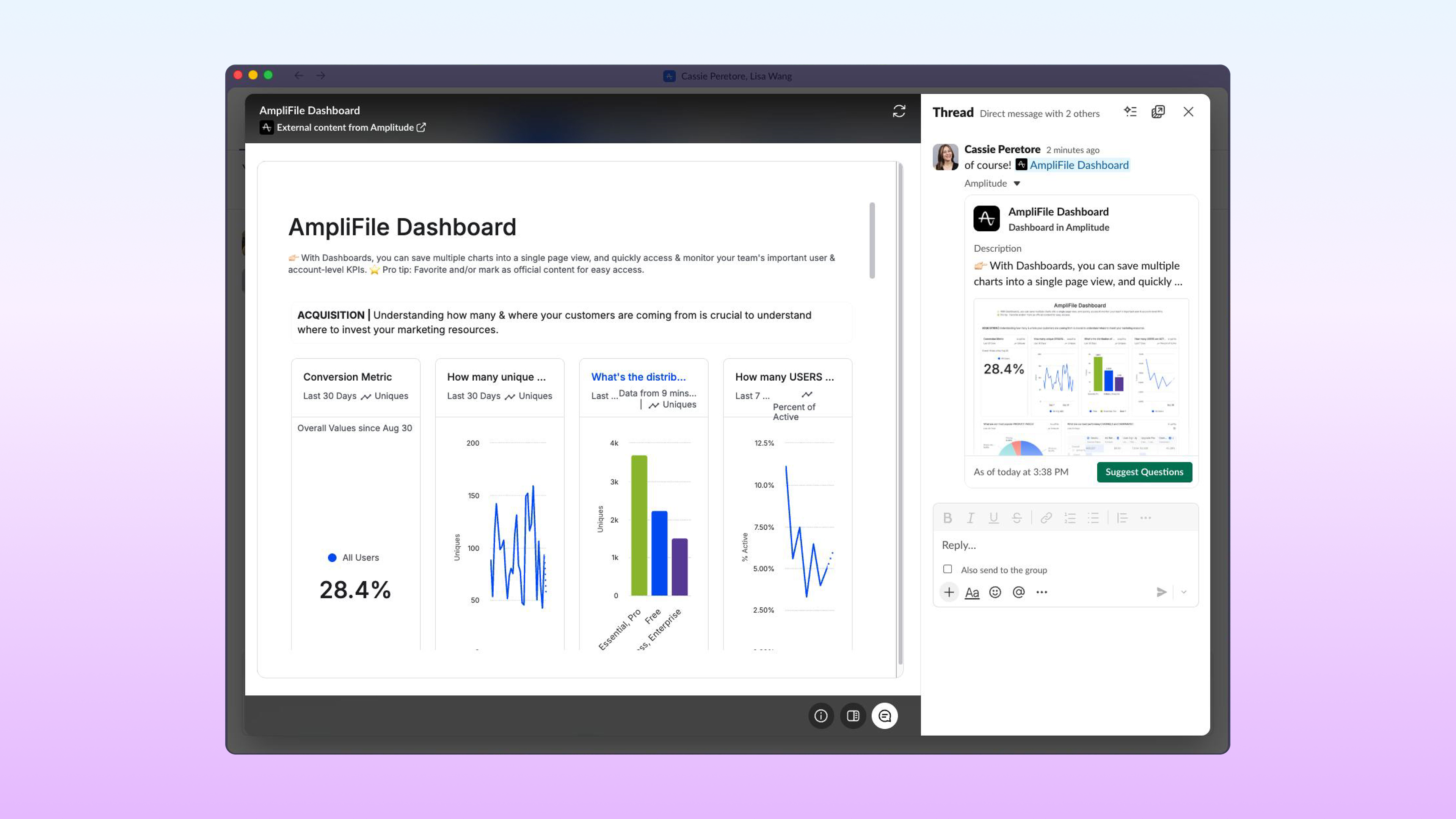
Amplitude is a digital analytics platform that helps teams understand product and customer behavior. Now you can share an Amplitude chart or dashboard link and it unfurls into a rich preview. Click to open the full view in a panel beside the thread. Hover over data points for exact values and scroll through every chart. Anyone can tag Amplitude in with follow-up questions, even if they haven’t used it before. Product and business leaders can discuss a metric and act on it in the same place.
Atlassian: create and preview Confluence pages without leaving Slack
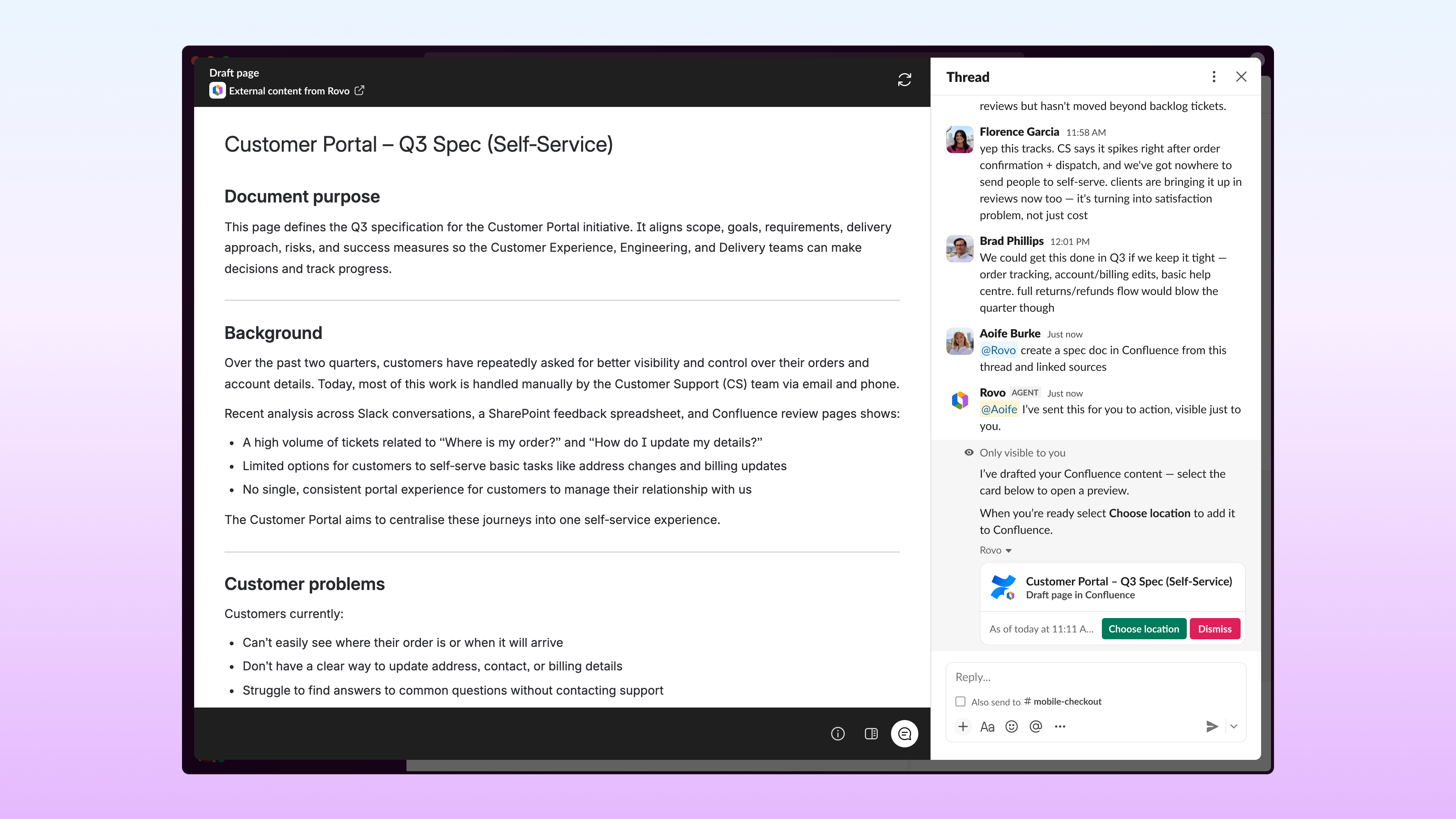
Atlassian Rovo can now use Work Object Embeds to bring Confluence pages into the conversation as interactive previews. Great ideas lose steam when they live in another tab. Atlassian Rovo now uses Work Object Embeds to turn Confluence pages into interactive previews inside Slack, so teams can spin up and preview documentation in seconds, right alongside the discussion that sparked it. No more jumping between tools to capture what matters.
Box: open, edit and watch content right in the thread
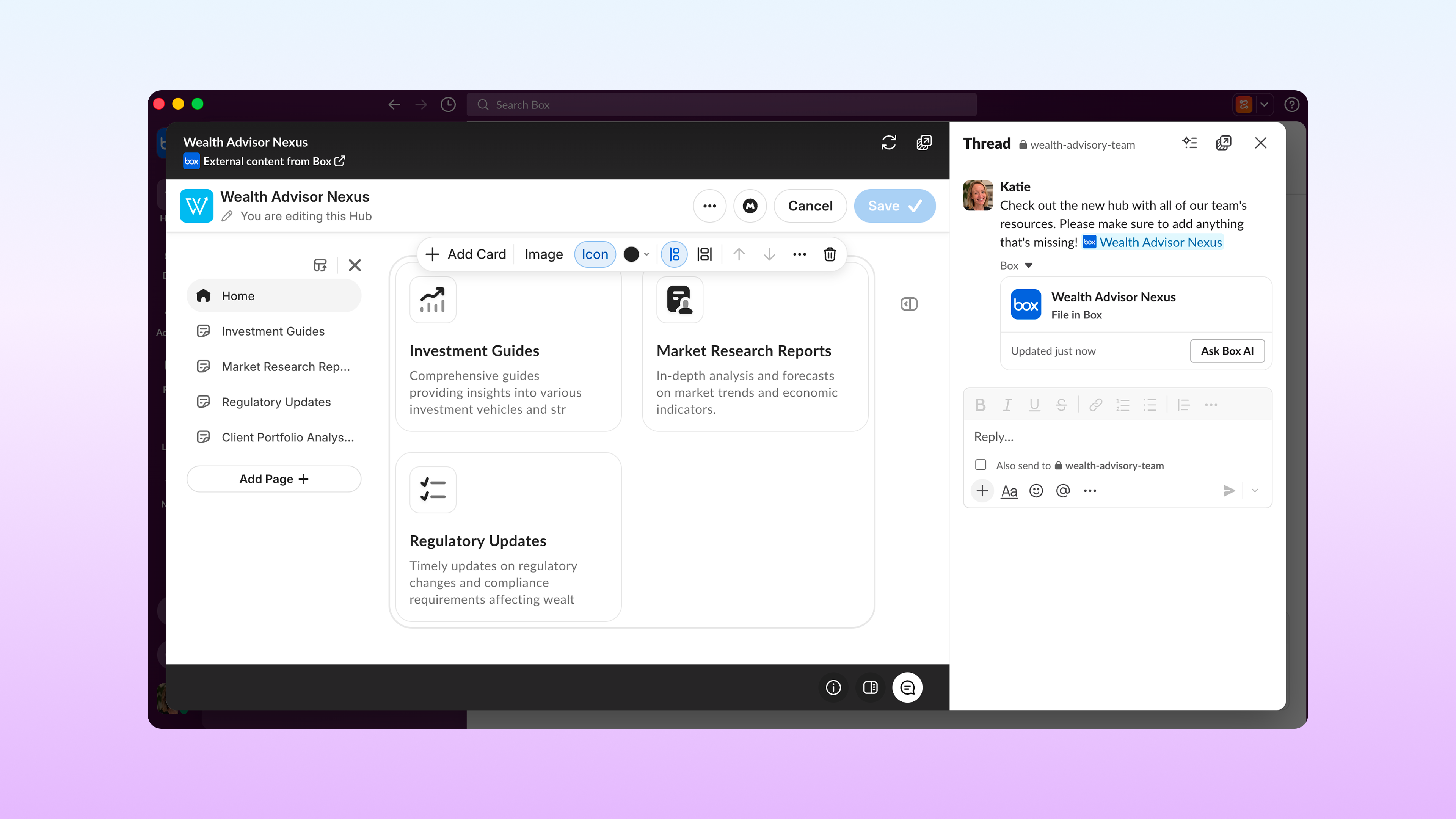
Box is a secure, intelligent content management platform for sharing, governing and collaborating on files, notes and knowledge hubs. Now, your team’s content lives right in the conversation. Play videos, edit Box Notes, and browse and edit Box Hubs without leaving the thread. Box permissions travel with the content, so people only see and edit what they already have access to in Box.
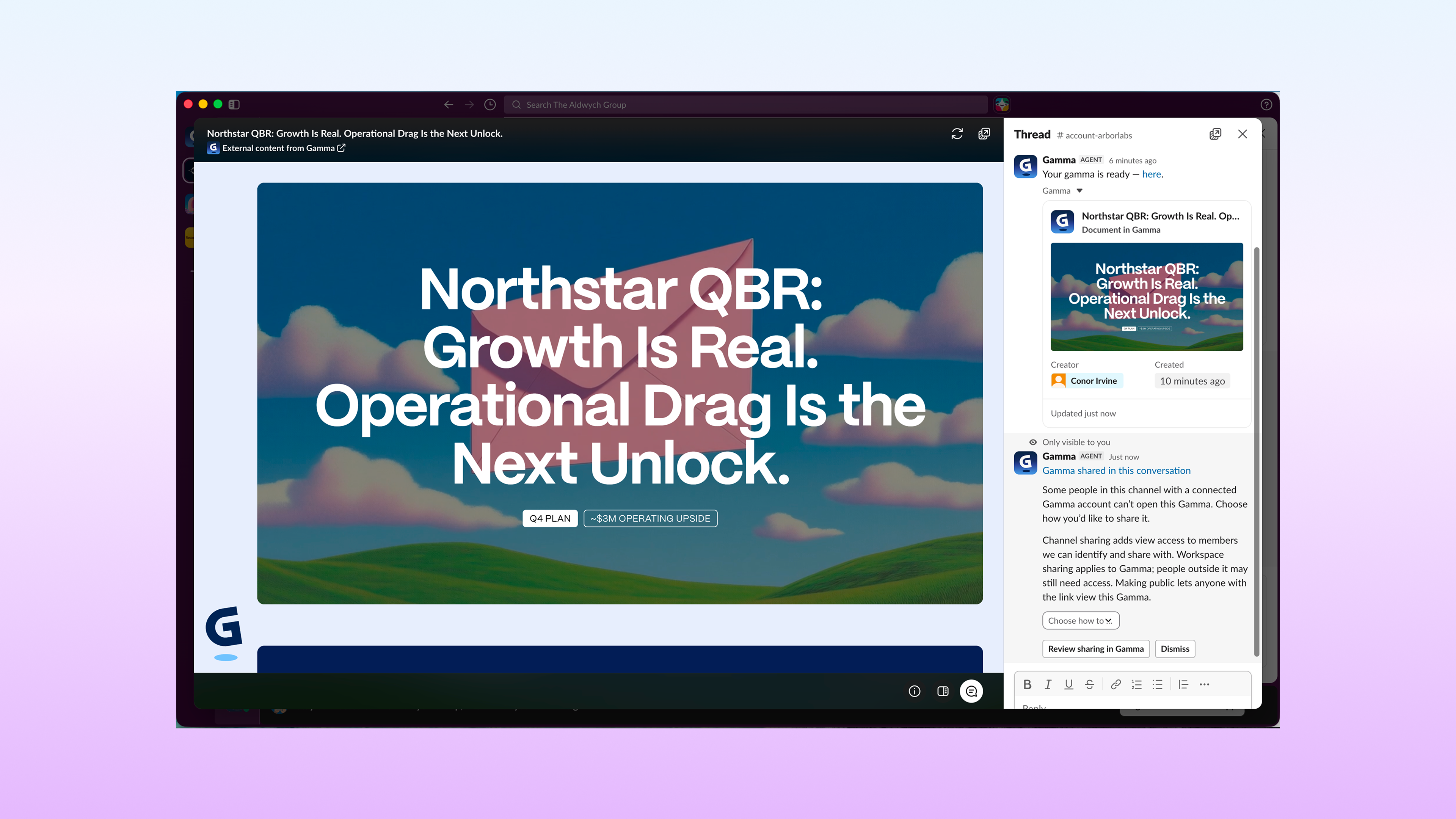
Gamma: review and create decks in the thread
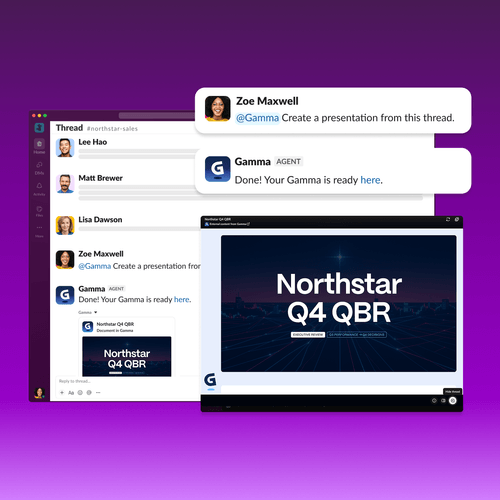
Gamma is an agentic visual communication platform for creating presentations, documents, images, and more. You can paste a Gamma link and it opens as a live deck. Click through the slides, go full screen, or @mention Gamma to build something new. Feedback stays within the thread, so you never have to ask “can you resend the latest version?”
Polly: moderate Q&A and watch live poll results without leaving Slack – (coming soon)
Polly makes it easy to run polls and Q&As in Slack. Now, Q&A moderation and live poll results happen right where the conversation does. When someone runs a Q&A, Polly sends them a DM with incoming questions. They can review submissions, approve the best ones to surface and mark questions answered as the conversation unfolds. Running a poll? Watch results update live as votes come in.
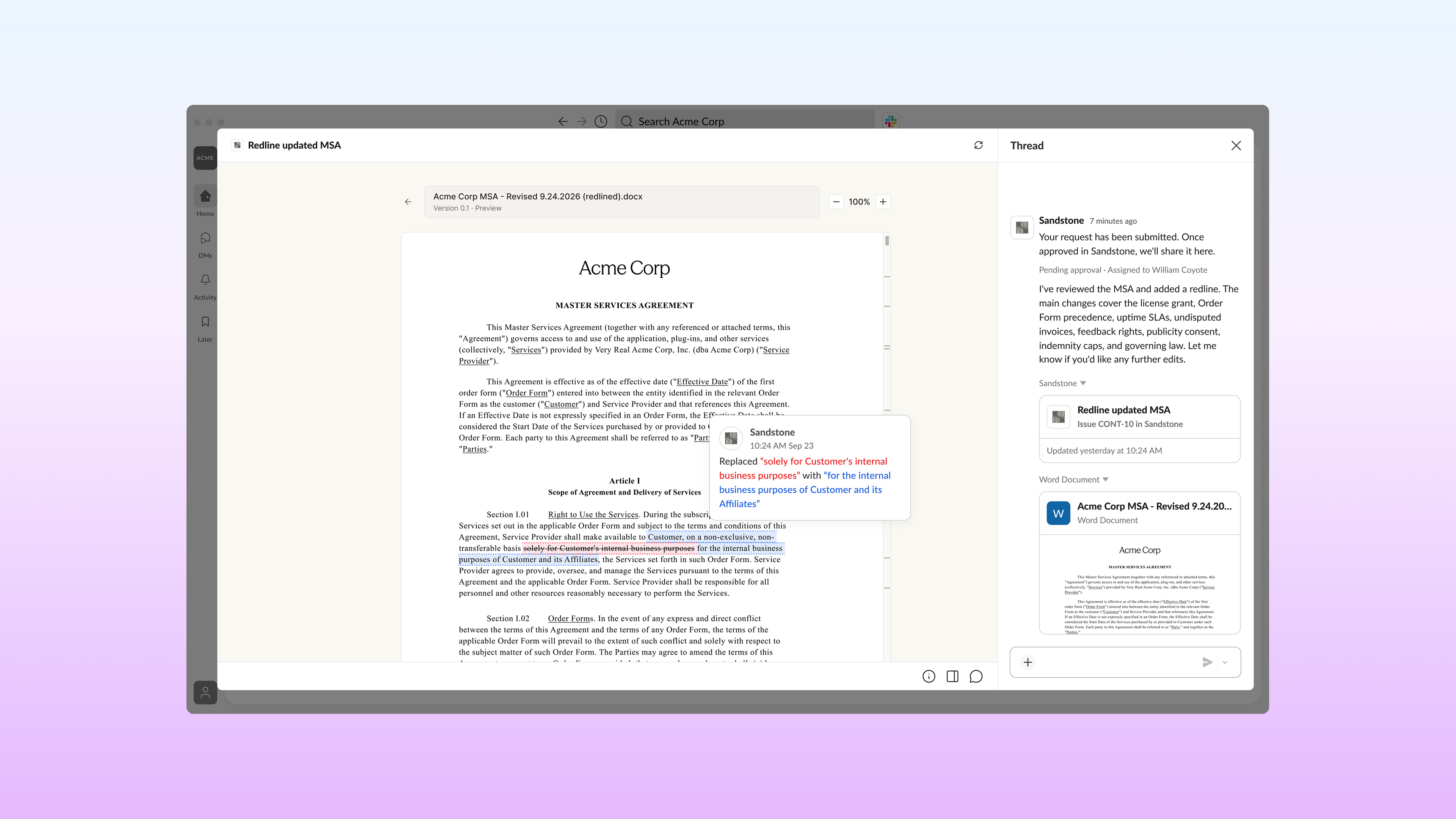
Sandstone: coordinate legal work without the email chain
Sandstone is a legal workspace that helps in-house teams manage requests, documents and approvals. Sandstone’s embeds let legal teams and business stakeholders coordinate on nuanced work without leaving Slack. Each legal request shows its status, priority, added context and edited documents at the point of intake. Business teams get visibility, and legal gets fewer status-check pings.
You can find these apps and agents on the Slack Marketplace
Developers can now build custom apps and agents with work object embeds
Developers can now bring an app or agent’s live, interactive experience into Slack, so customers can work with real content like documents, dashboards or contract editors right in the conversation. Embeds are available today for custom apps. If you want to bring a Marketplace app to Slack, reach out to request access.
- Build once, work everywhere: your embed runs the same on desktop, web and mobile, so you don’t maintain separate experiences for each surface.
- Interactive, not a link preview: people can view and take action on your app’s content without switching tabs.
- Trusted by design: every embed is reviewed and sandboxed, and admins control access org-wide or by workspace, which makes it easier for your security teams to say yes.
- Built for apps and agents: give customers a place to use your app or agent in the flow of work, right where their teams already collaborate.
Work object embeds are available now. Find the apps and agents featured here on the Slack Marketplace, and if you’re a developer, head to the Work Object Embeds developer documentation to build your own.
 Fantastico!
Grazie mille per il feedback!
Capito!
Grazie per il feedback!
Ops! Si è verificato un problema. Riprova più tardi.