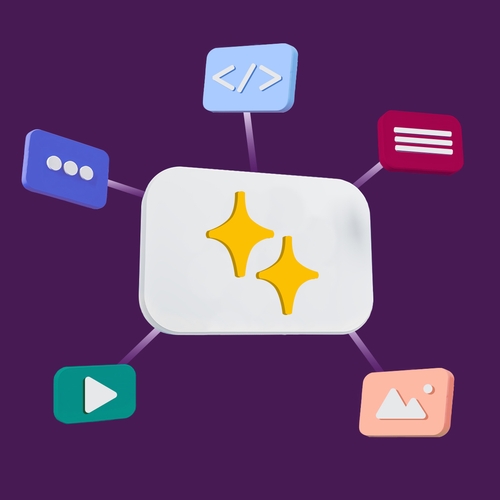
Generative AI is a class of tools that can create new content — writing, images, audio, even working code — by learning patterns from enormous datasets and predicting what should come next. Give it a prompt, and it responds with something original, whether that’s a paragraph, a design concept, or a fully formed idea.
The leap in capability is enormous. Systems that once struggled with basic reasoning now draft production-ready code, condense hundred‑page legal documents into a few clear paragraphs, and spin up marketing copy that teams actually use. They’re no longer experimental toys; they’re part of how work gets done.
Let’s look at what generative AI is, how it works behind the scenes, and how teams are using it to streamline workflows, accelerate decision‑making, and free up time for work that requires human judgment.
What is generative AI?
Generative AI refers to artificial intelligence systems that create new content such as text, images, code, audio, and video. It doesn’t just analyze; it uses large collections of data drawn from publicly available data, licensed content, and human-created examples to decide what should come next in a pattern, whether that’s the next word in a sentence or the next line of code.
Earlier forms of AI focused on simpler tasks, such as classification and prediction. They could, for example, identify spam in an inbox, recommend products, or forecast demand. Generative AI builds on these capabilities by taking pattern recognition a step further. Instead of only identifying or predicting outcomes, it uses patterns to generate entirely new content.
These capabilities make generative AI practical for everyday work. Teams use it to draft documents, summarize long conversations, generate ideas, and assist with writing, coding, or image creation.
Common types of generative AI models include:
- Large language models (LLMs): Generate text, from emails to reports.
- Image models: Create visuals based on written descriptions.
- Code models: Help write, explain, or debug software.
Each type is trained on different kinds of data and uses different underlying mechanisms, but the general idea is the same: to learn patterns, interpret a prompt, and then generate an output that fits.
AI vs. generative AI: What’s the difference?
Artificial intelligence includes a range of systems designed to work with data in different ways. Some are built to analyze and decide. Others are built to create.
Traditional AI focuses on prediction, classification, and optimization. It’s used in systems that need consistent, reliable outputs, like fraud detection, demand forecasting, recommendation engines, or routing support tickets. These models take in data and return a defined answer or action.
Generative AI builds on these foundations but is designed to create new content. Instead of returning a single prediction in response to an input, it generates content, such as a written draft, summary, image, or code snippet. It uses learned patterns to construct something new.
Generative AI is not a replacement for traditional AI. It’s one category within it, designed for a specific type of work. Many workflows use both. A support workflow, for example, might use traditional AI to classify and route a ticket, then use generative AI to draft a response that incorporates the customer’s message, past interactions, and relevant knowledge base content.
This distinction matters when teams choose tools. Traditional AI is a better fit for structured processes that require accuracy and repeatability. Generative AI is more useful for open-ended tasks where the goal is to create or communicate. Using the wrong type can slow teams down or produce results that don’t match the task.
How does generative AI work?
Generative AI works by learning patterns from large datasets and using those patterns to generate new content in response to a prompt. It doesn’t “know” things in the way a person does. Instead, it uses the prompt as a starting point and identifies relationships in data to determine what comes next.
The process starts with training. Models are trained on massive datasets that may include text, images, code, or other content from publicly available sources, licensed data, and human-created examples. During training, the model learns how different pieces of information relate to each other. For example, it learns how words tend to follow each other in a sentence or how certain visual elements appear together in an image.
Once trained, the model generates outputs one step at a time. For text, that means predicting the next word, then the next, and so on until it forms a complete response. At each step, it evaluates multiple options and selects the one that best fits the patterns it has learned and the prompt’s context. For code, the process is similar. Image models work differently, though. Rather than predicting sequences, most models use a process of progressively refining a noisy image until something coherent emerges.
Prompts play a central role in how generative AI works. A prompt is the input or instruction you give the model, and the quality of that input directly affects the output. Clear, specific prompts tend to produce more useful results, while vague prompts can lead to incomplete or less accurate responses. Small changes in wording can also change the outcome.
For example, asking “Write an email” will produce a generic result. Asking “Write a follow-up email to a customer who hasn’t responded in a week. Keep it friendly and under 100 words” will produce something far more usable.
To improve reliability, many systems use grounding techniques, meaning it anchors the model’s output in real, relevant information rather than relying only on what it learned during training. This can include adding context from internal documents or retrieving relevant information from a knowledge base. These approaches help reduce errors and produce outputs that are more accurate and relevant to the task at hand.
AI helps with tasks, but it still relies on people to guide and review the work. It can boost productivity and efficiency, but it still requires human review and judgment. Teams get the most value when they treat AI as a tool to augment work.
How are people using generative AI at work?
Teams use generative AI to handle time-consuming, repetitive, and mentally heavy tasks. Instead of starting from scratch, they use it to surface information, organize ideas, and create content. This helps reduce context switching and speeds up manual workflows.
Here are some of the ways teams are using generative AI for collaborative intelligence at work:
Knowledge workers
Knowledge workers use generative AI to process and produce information faster. It can summarize long documents, pull key points from conversations, and turn rough ideas into structured drafts. It also helps organize scattered inputs, rewrite content for clarity, and generate multiple variations of an idea.
For example, a researcher can paste in a 40-page report and get a two-paragraph summary in seconds, or a writer can drop in five bullet points and get a full first draft to react to rather than starting from a blank page.
Managers
Managers use generative AI to stay aligned and make decisions more efficiently. It can summarize team progress, surface blockers, and help organize plans based on existing inputs. Instead of manually compiling updates from multiple sources, managers can get a clear picture of what’s happening and share it in a format others can act on.
In Slack, for example, a manager can pull up a week’s worth of project conversation, get a concise summary of decisions made and open questions, and turn that into a status update ready to share with stakeholders. They can do this without a long meeting or manual review.
Customer-facing teams
Customer-facing teams use generative AI to respond faster and communicate more clearly. It can draft replies to common questions, adjust tone based on the situation, and help ensure consistency across responses.
For example, a support rep dealing with a billing dispute can generate a draft response in seconds based on the customer’s message and account history, refine the tone, and send something that feels personal rather than templated. This keeps response times short without cutting out the human judgment that sensitive interactions still require.
Technical teams
Technical teams use generative AI to speed up development and reduce time spent on documentation. It can generate code snippets, explain unfamiliar code, and suggest fixes, which helps developers spend less time on repetitive work and more time on harder problems.
For example, a developer can paste in an error message and get a clear explanation and a suggested fix in seconds, then decide whether to apply it, adapt it, or take a different approach entirely.
How to use generative AI in Slack
Slack brings AI into the flow of work by keeping conversations, data, and actions in one place. Instead of switching between tools, teams can ask questions and take action directly where work is already happening using generative AI agents.
Slackbot is built into that experience. Unlike stand-alone AI tools, it works with the full context of your conversations, files, decisions, and connected apps. That means it can answer questions based on real team activity.
Teams use Slackbot to:
- Summarize work instantly. Turn busy channels and long threads into clear summaries or daily recaps so you can catch up quickly.
- Find answers across systems. Search messages, files, and connected tools like documents or CRM data without switching platforms.
- Prepare and organize work. Generate meeting briefs, analyze documents, and structure next steps based on recent activity.
- Draft and refine content. Write updates, follow-ups, and internal communications, then adjust tone or clarity before sharing.
- Translate and adapt messages. Convert conversations into different languages or formats to support global teams.
- Take action without switching tools. Trigger workflows, update records, or route requests across apps directly from Slack.
For example, a manager can ask Slackbot to summarize recent product discussions and turn that into a clear status update to share with the team. A customer-facing team can draft follow-ups based on past conversations without rewriting context each time.
Because Slackbot understands how your team works and only surfaces information you have permission to access, it keeps outputs relevant and secure. Instead of copying information between systems or re-explaining context, teams can move from question to action in a single location without having to track down info or switch contexts.
What are the best practices for using generative AI?
Generative AI can improve how teams work, but results depend on how it’s applied. Without clear direction, it can lead to inconsistent outputs or errors. Teams that get the most value use generative AI as part of their existing workflows.
Here are some of the best practices for using generative AI in the workplace:
- Start with clear use cases, not tools. Identify where work slows down, such as summarizing information, drafting content, or organizing updates. Apply generative AI to those tasks first, instead of adopting tools without a clear purpose.
- Keep humans in the loop. Generative AI can produce useful outputs, but it still requires review. People should validate accuracy, adjust tone, and make final decisions before anything is shared or acted on.
- Use AI to support thinking, not replace it. Generative AI works best as a starting point. It can help generate ideas or structure information, but teams should still apply judgment and context to shape the outcome.
- Be transparent about AI-generated content. When content is created or assisted by AI, teams should be clear about it, especially in customer-facing or external communications. This helps maintain accountability and the trust needed for innovation.
- Secure data and define boundaries early. Establish clear guidelines around what data can be used with AI tools. This includes understanding how data is handled, what systems are connected, and what information should remain private.
- Improve prompts over time. Small changes in how instructions are written can significantly impact output quality. Teams should treat prompting as a skill and refine it based on what works.
- Use context to improve results. Generative AI performs better when it has access to relevant information. Providing background, examples, or source material helps produce more accurate and useful outputs.
- Test and iterate. Results will vary depending on the task and input. Teams should experiment, evaluate outputs, and adjust how they use generative AI over time.
- Define what “good” looks like. Set clear expectations for output quality so teams know when to accept, revise, or discard results.
- Use real examples when possible. Providing past work, templates, or sample outputs helps guide the model toward more accurate results.
- Know when not to use AI. Some tasks, especially high-risk or highly sensitive work, are better handled manually.
Bringing generative AI into everyday work
Generative AI is most useful when teams incorporate it into their current workflows and communication practices. With the help of generative AI, teams can surface information faster, draft content in seconds, and organize ideas efficiently.
By having generative AI handle some of the more mundane, replicable tasks, it also frees up time for team members to focus on higher-value work, such as decision-making and problem-solving.
In Slack, generative AI works alongside conversations, files, and tools teams already depend on. That means they can create, refine, and share work all within the same system. And with generative AI agents that can automate multistep tasks and take action across systems, Slack turns generative AI from a passive helper into an active partner. It’s a strong place to start exploring what AI can do for your team and how it can fit into your daily workflow.
Generative AI FAQs
 ¡Genial!
¡Muchísimas gracias por tus comentarios!
Entendido
Gracias por tus comentarios.
Vaya. Estamos teniendo dificultades. ¡Inténtalo de nuevo más tarde!