Spend less time in meetings with Slack
Meetings continue to dominate the modern workday, often without delivering the value teams expect. Our latest Workforce Lab research shows that today’s work environment is already strained: Workers say 38% of their time is spent on low-value tasks, and half report they are “constantly” working in email instead of focusing on strategic work.
Layering more meetings onto an already fragmented landscape only makes the problem worse. Employees switch between 10 or more apps a day, losing nearly 100 minutes to context switching.
And while organizations turn to technology for efficiency, most desk workers still lack clear guidance to use AI effectively: 83% don’t have a clear idea of how to integrate AI into their workflows, and 45% say their company has no published AI guidelines.
That’s why companies are rethinking how work gets done. Slack brings people, data, automations, and now AI agents into one secure, conversational work operating system so teams can collaborate without defaulting to another meeting. This shift pays off: 94% of Slack customers see positive ROI, reporting 33% reduced time spent in meetings and 36% faster project completion.
If you’re looking to free teams from unnecessary meetings and reclaim time for the work that moves your business forward, this guide is for you. Here are 10 practical ways to replace inefficient meetings with flexible, asynchronous collaboration in Slack.
Workers lose 100 minutes a day switching between 10+ apps. Slack reduces this by centralizing people, workflows, data, and now agents in one place.
01: Centralize your work in channels for collaboration and alignment
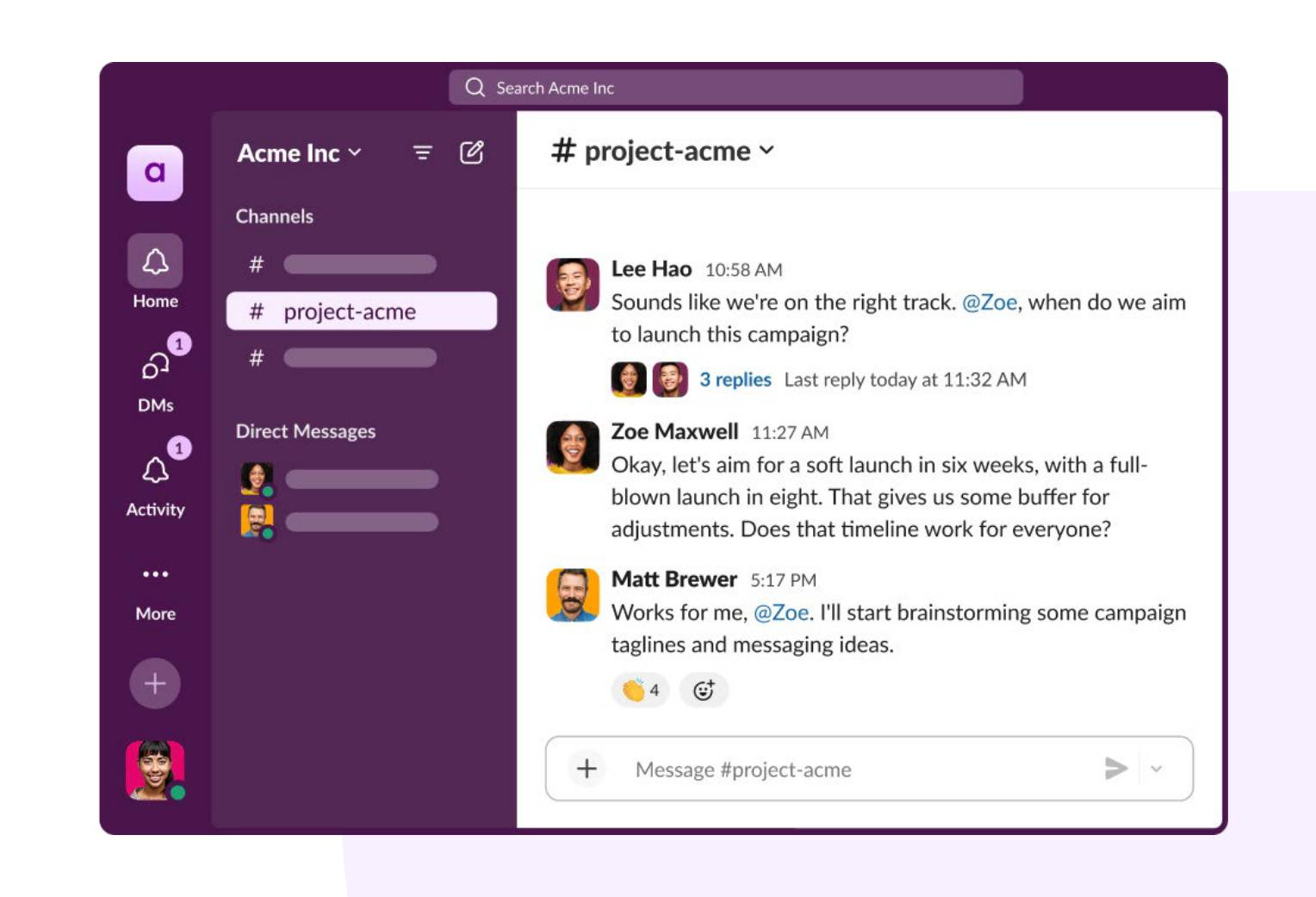
Meetings traditionally serve as the glue that holds a project together, but they also slow teams down when information is scattered across tools, inboxes, and calendars. Slack channels solve this by giving every project, customer, or workflow a dedicated, real-time, always-on home where conversations, files, workflows, and decisions stay connected.
Instead of waiting for the next scheduled sync, teammates share updates as work happens in threads. They can review the latest context, add comments, loop in specialists, and keep momentum without interrupting anyone’s day. With AI agents and apps working alongside your team in channels, blockers surface early, decisions move forward quickly, and alignment becomes a natural part of daily work, not something you have to stop work to create.
“Slack is where our company lives. It’s how we make decisions, share wins, stay organized, and move forward. We wouldn’t function without it.”
JORDAN NATHAN, FOUNDER AND CEO, CARAWAY
02: Find out who’s who with Slackbot
Knowing who to turn to is half the battle. When someone joins a new project, steps into a cross-functional role, or simply needs to understand how decisions get made, the instinct is to schedule a round of introductory meetings — a time-consuming ritual that rarely delivers the full picture anyway.
Slackbot changes that. Reimagined as a personalized AI agent for work, Slackbot learns how your organization actually operates — not just the official org chart, but the real working relationships that emerge across channels, threads, and direct messages. It can map who owns what, who collaborates with whom, and where expertise actually lives, surfacing that context exactly when you need it.
Ask Slackbot about a stakeholder before a big pitch and it can tell you what they’ve been focused on, who they work closely with, and how their priorities connect to yours. That same intelligence informs how you communicate with them. Instead of a vague message that leads to a clarifying call, Slackbot can help you draft async updates that are specific, relevant, and easy to act on — because it understands the audience, not just the ask.
And when a meeting genuinely is the right call, Slackbot helps make it count. Drawing on what it knows about the people involved, the work in flight, and the decisions still outstanding, it can help you build a focused agenda so the time you spend together is spent moving forward — not getting everyone on the same page.
Because Slackbot understands the full texture of how your organization communicates — not just its structure — it gives you the context to show up informed, collaborate faster, and build relationships without needing a meeting to get started.
“Our teams use Slackbot for everything from quick analytics to creating canvases. Using the summary feature alone likely saves 15 to 20 minutes per use, preventing dropped balls.”
MOLLIE BODENSTEINER, SVP OF OPS, ENGINE
03: Ask for clarity from an agent
Teams often meet because someone needs clarity — on a process, a policy, a customer situation, or simply what to do next. When that information lives across systems or relies on institutional knowledge, people default to setting up a call rather than risk moving forward without full context. Those meetings consume valuable time, especially when the answers are routine or already documented somewhere.
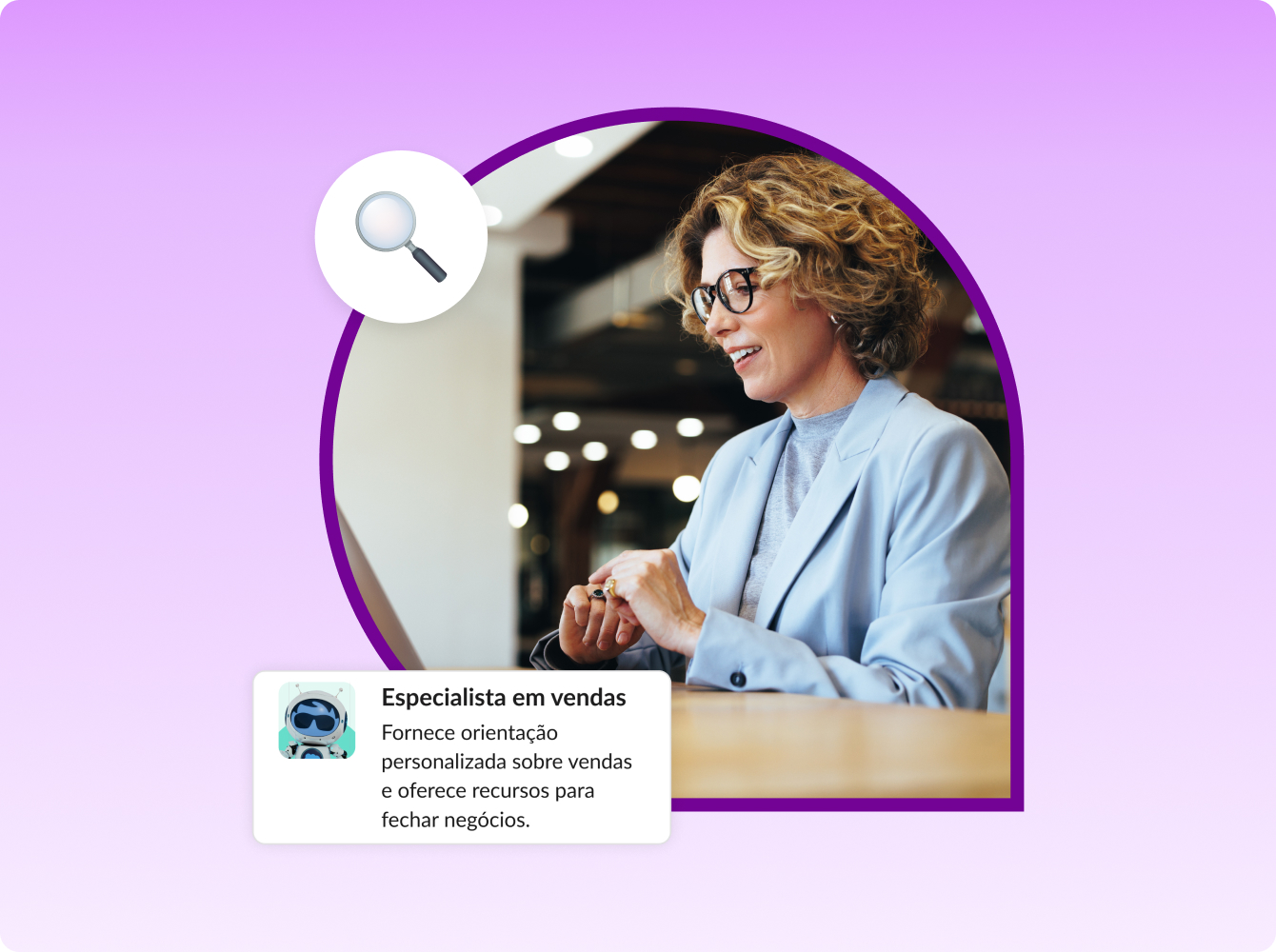
Slack now brings clarity into the flow of work with AI agents that can understand questions, interpret context, and provide accurate, actionable guidance immediately. For example, teams can add the Channel Expert to a channel, a new ready-to-go agent by Salesforce that draws on channel conversations and shared files to answer questions, surface insights, and point people to the right information. Built on trusted enterprise data through Agentforce, these agents can explain a workflow, retrieve a policy, outline required steps, or clarify ownership without requiring a teammate to stop what they’re doing and walk someone through the details.
Agents can also help teams manage momentum. They can prepare quick briefings, surface relevant data, or provide next-step recommendations based on your company’s processes. For new hires or cross-functional partners who are still learning how work gets done, this eliminates the need to schedule time with experts and gives them the confidence to move forward independently.
With instant clarity available at any moment, teams spend less time chasing answers and more time executing. Meetings once meant to “clear things up” become unnecessary because the information people need is accessible, consistent, and reliable, right when the work is happening.
“At Writer, we understand that embedding agents in the flow of work will transform employee productivity. Slack’s conversational data, combined with structured enterprise data, adds context that makes agents more intelligent and better at taking action.”
KEVIN CHUNG, CHIEF STRATEGY OFFICER, WRITER.AI
04: Find answers across your business faster with search in Slack
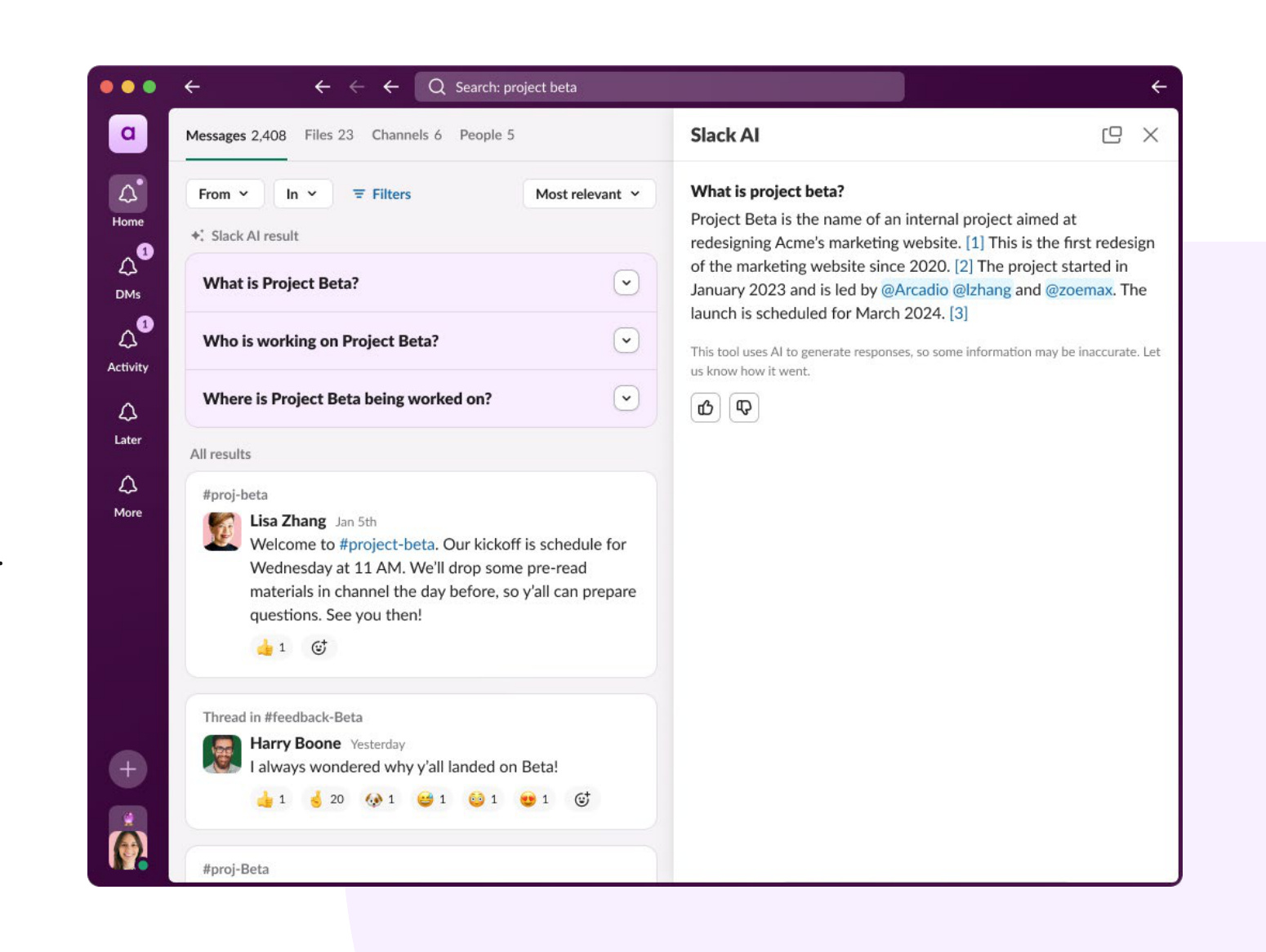
Maybe one of your newer employees needs help deciphering some company acronyms, or a reminder of the Q1 sales strategy. Normally, you might have to call the team together to discuss, or perhaps direct them to one of your senior managers for help. But what if you could use the reservoir of collective knowledge in your team’s Slack channels, threads, and messages to your advantage?
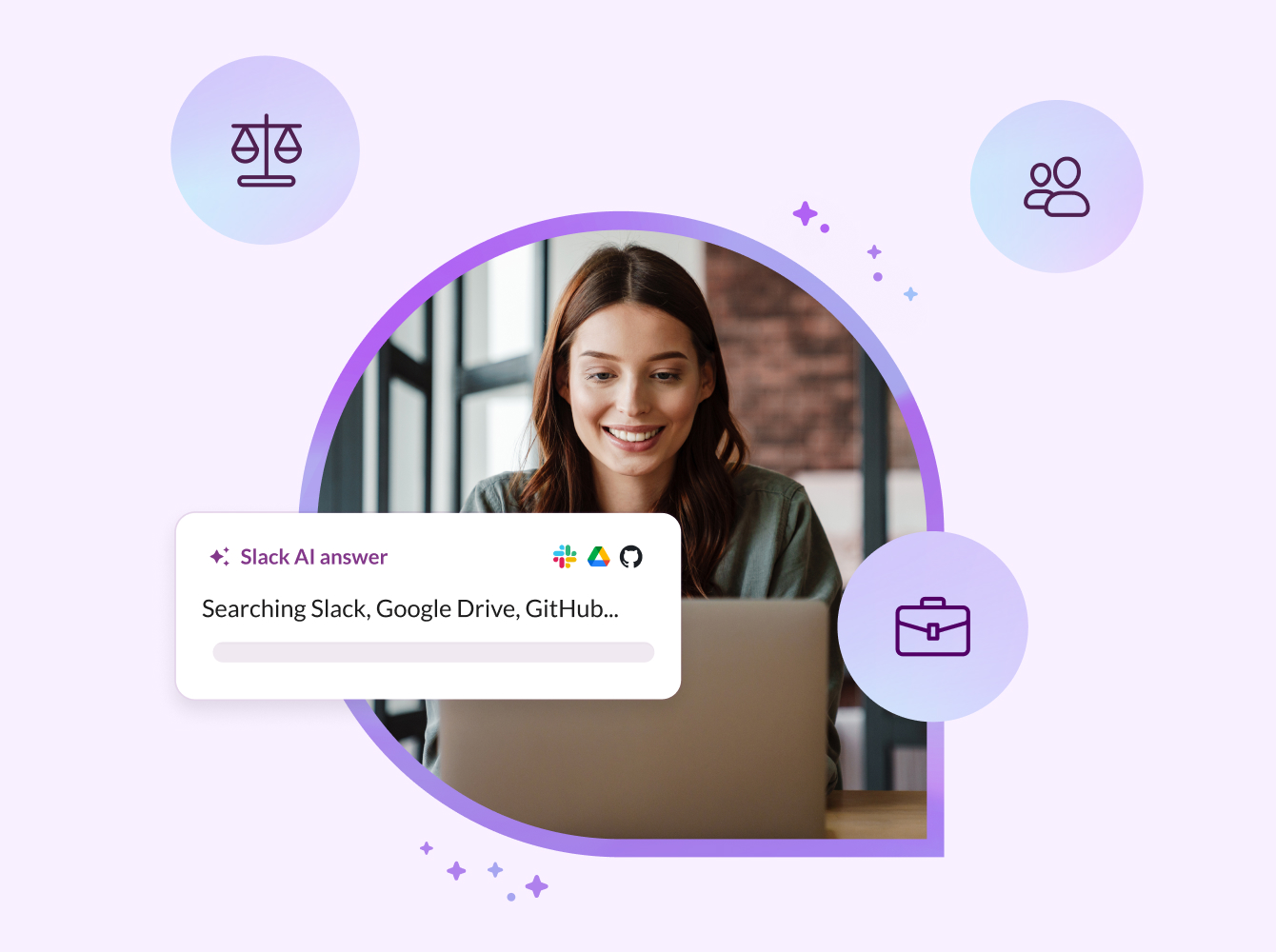
For customers who purchase our generative AI offering, AI in Slack taps into this rich knowledge repository and helps you gather relevant, useful information for your teams in seconds. It works like this: you type a question in a conversational way, as if you were asking a colleague about something, and you get back answers created by the information available, with citations. Instead of having to pull together information from several threads to come up with a cohesive summary, search answers does the heavy lifting for you. You can ask it anything, and if the information is available to you, you’ll get a thorough summary of what you need in the same amount of time (or less) that it would take to set up a meeting.
“Our team loves how quickly they can find answers with AI in Slack, which translated to faster decision-making and a greater focus on work that really drives an impact.”
KATE EARLE JENSEN, HEAD OF SALES AND PARTNERSHIPS, ANTHROPIC
05: Get context instantly using AI-powered summaries, recaps, and explanations
Many meetings exist simply to bring everyone up to speed: reviewing new intel, realigning on updated priorities, or explaining the context behind a decision. AI in Slack replaces these catch-up conversations by turning complex or fast-moving work into clear summaries that anyone can absorb in moments.
AI in Slack generates recaps of channels and threads that highlight what changed, what decisions were made, and what still needs attention. Instead of relying on someone to retell the story in a meeting, teammates can review exactly what they missed, complete with the reasoning and context behind the work. When details are dense or unfamiliar, AI in Slack can recap in plain language, helping people understand nuances without requiring a live walkthrough.
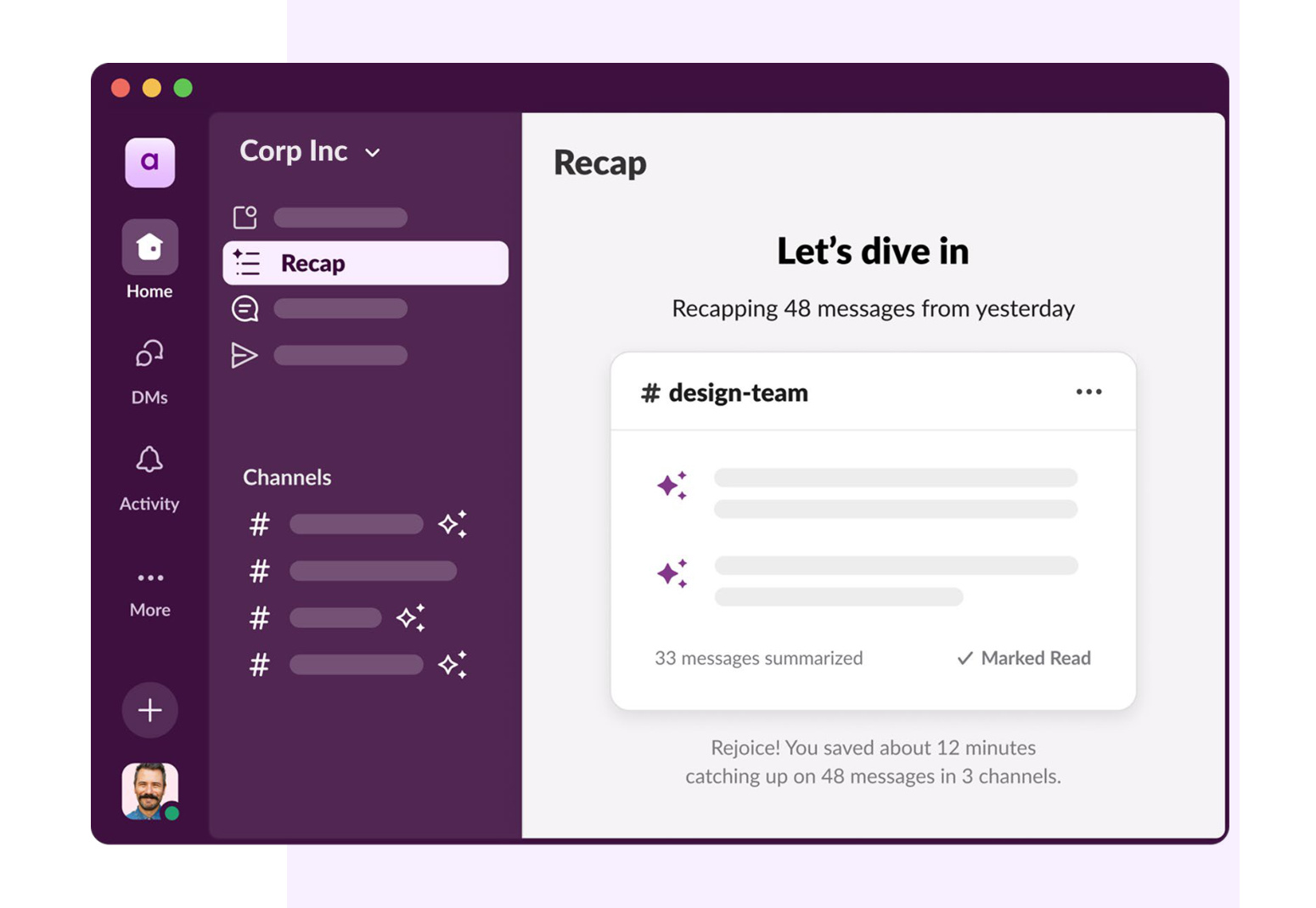
Because the context is already captured and summarized, new contributors, returning teammates, and cross-functional partners can join the conversation without slowing the team down. Meetings to “get everyone on the same page” become unnecessary.
“AI in Slack has been a win for me, our leaders, and our sales teams. It summarizes the latest notes or a deal’s status in seconds so we can focus on action steps.”
BILL SCHUH, CHIEF REVENUE OFFICER, ANAPLAN
06: Talk it out in huddles
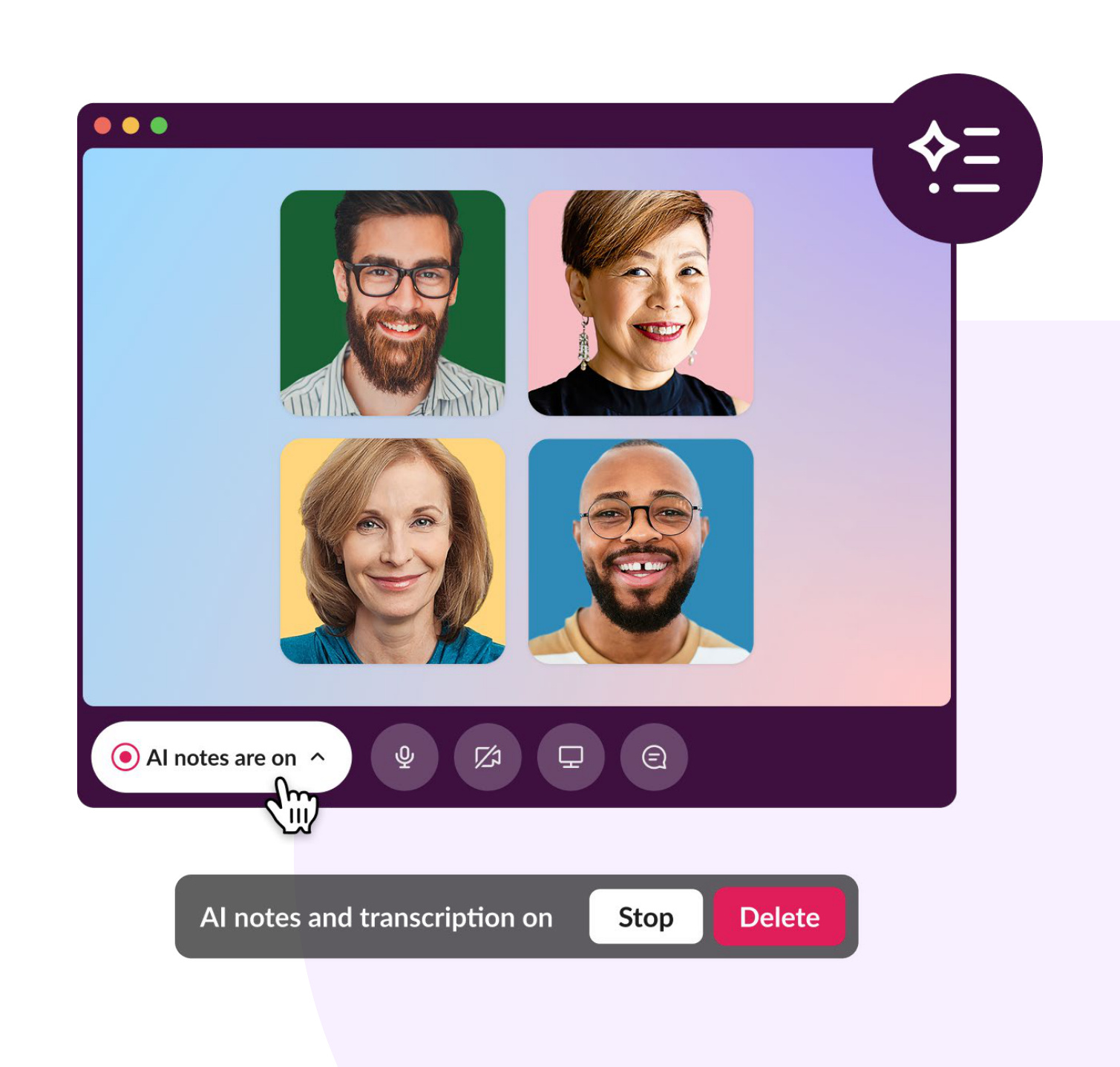
Getting dedicated time with teammates and working around calendar blocks isn’t always easy. If you have an urgent question or need feedback, you might normally stop by somebody’s desk to get their insight or opinion. Instead, you can instantly ping anyone in your channel to join a quick audio or video huddle.
Huddles feature multi-person screenshare capabilities and drawing and markup effects that empower teams to intuitively work together the same way they would in the office. The added benefit is you have a searchable record of the conversation, with all of the comments and notes that were created from the huddle, saving you the time it would take to recap the conversation and send it back to people you chatted with.
“Huddles make it easy for everyone to jump in and keep the conversation moving, plus multiple people can share their screen at the same time. It feels effortless.”
SIMON CHALIFOUX, IT DIRECTOR, DEVOLUTIONS
07: Update teams with clips
When you need to communicate something important, like walking executive leaders through quarterly results, timing is everything. But getting the right people into the same room at the same time isn’t always realistic, and waiting for calendars to align can slow momentum. Clips offer a flexible way to deliver clear, polished updates without delaying progress.
You can record yourself, share your screen, and walk through your insights directly in Slack, giving your audience the full context in a format they can watch on their own schedule. Leaders can review the material in advance, come prepared with questions, and use live meeting time for meaningful discussion instead of presentation.
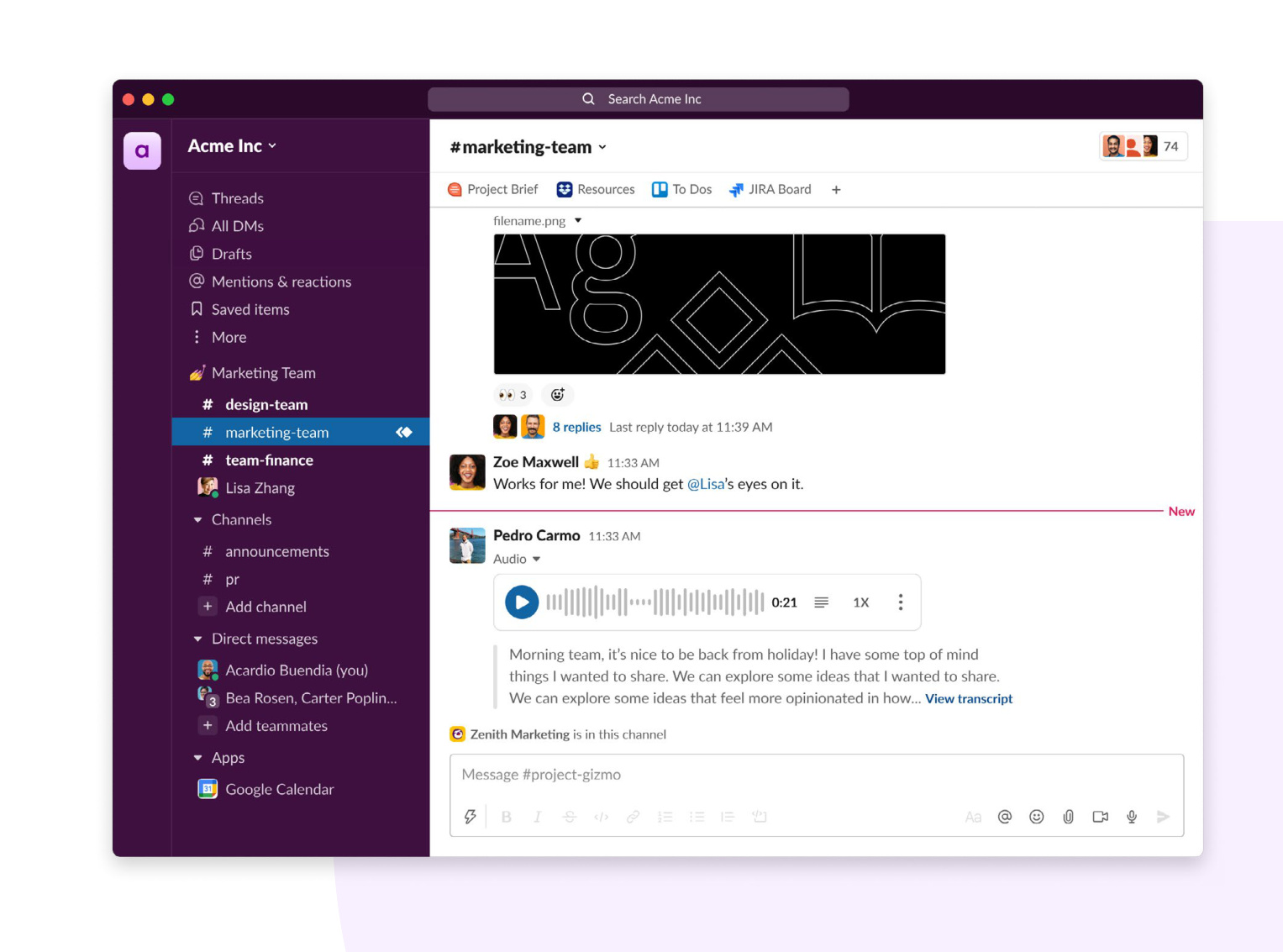
Clips are easy to create from any device, with built-in transcription, adjustable playback speed, and the ability to respond in-thread with questions or next steps. This turns an update into a shared, interactive artifact that everyone can revisit as needed. Teams stay informed, aligned, and ready to act, without being constrained by meeting schedules or time zones.
“As a leader, clips are extremely valuable to me. They provide a quick and easy way to learn so much about the person and the work behind product decisions. Seeing that progress is the most important ‘meeting’ of my week.”
ROBBIE BIRBECK, VICE PRESIDENT OF BUSINESS TECHNOLOGY, SALESFORCE
08: Get newcomers up to speed quickly with onboarding workflows
Onboarding is essential for setting new hires up for success, but it can be one of the most time-intensive parts of a manager’s role. Ensuring every teammate receives the same resources, background, and guidance often leads to a series of one-on-one walkthroughs or introductory meetings that are difficult to schedule, and even harder to repeat consistently.
Workflow Builder helps teams streamline this process by automating the steps that traditionally require live meetings. With user-friendly triggers and no-code building blocks, anyone can create workflows that welcome new hires, share essential information, and guide them through their first tasks, all inside Slack. Workflows can pull in files, channels, and integrations from the tools your team uses every day, reducing the need to hop between applications. You can also incorporate any of thousands of powerful app integrations and connectors to reduce the time it takes hopping in and out of various tools.
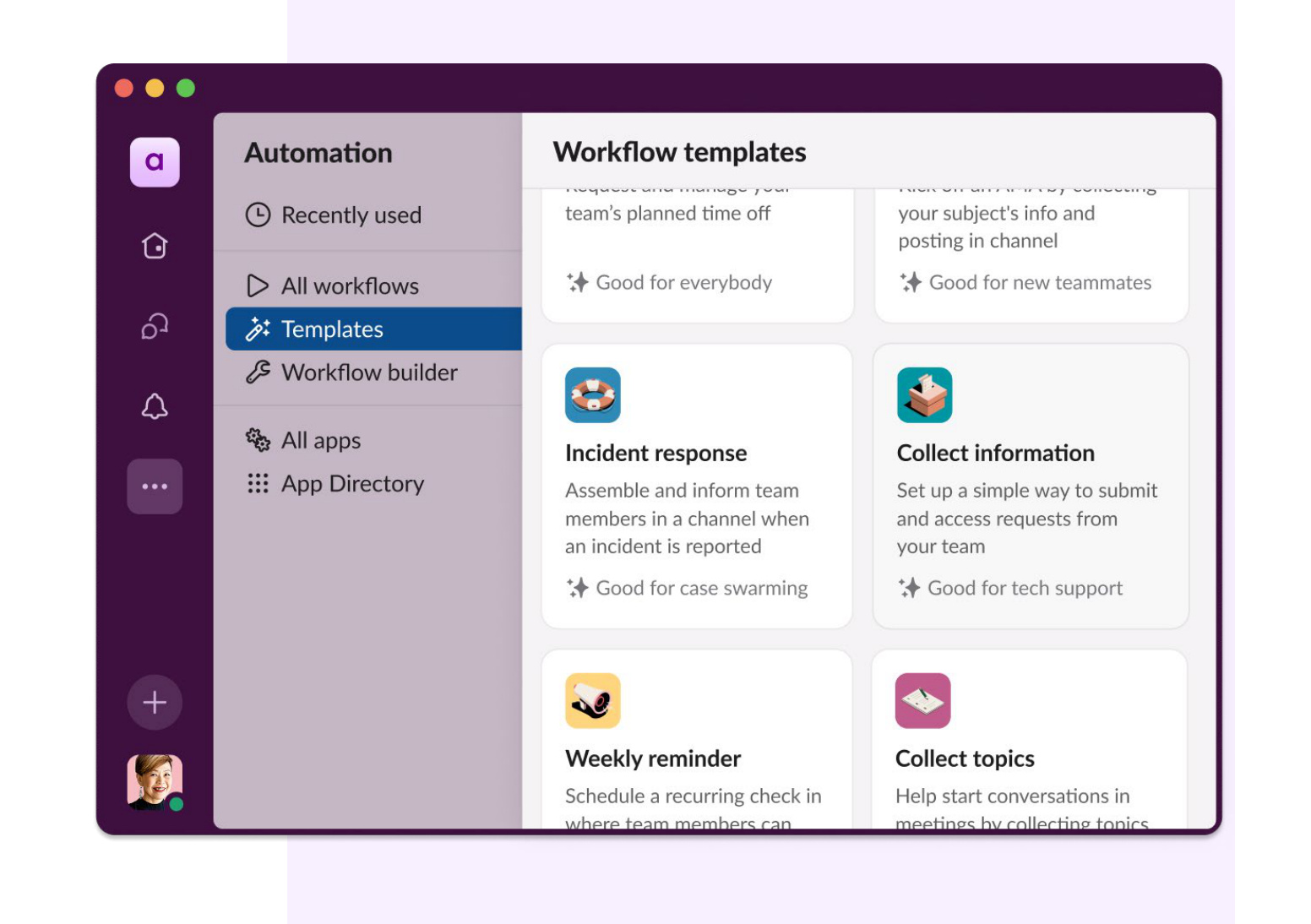
A welcome workflow might automatically add a new teammate to the right channels, share key documents, introduce them to important partners, and connect them with upcoming training sessions on Google Calendar. You can also bring in agents that answer common onboarding questions and help new hires understand processes without needing to book time with a manager.
This kind of automated onboarding gives new teammates the clarity they need from day one, while freeing managers from repetitive administrative work (that employees say currently accounts for 38% of their time). The result is a more consistent, efficient onboarding experience that accelerates a new hire’s path to contribution without adding meetings to everyone’s schedule.
How Asymbl Onboarded 100 People in 100 Days with Slack
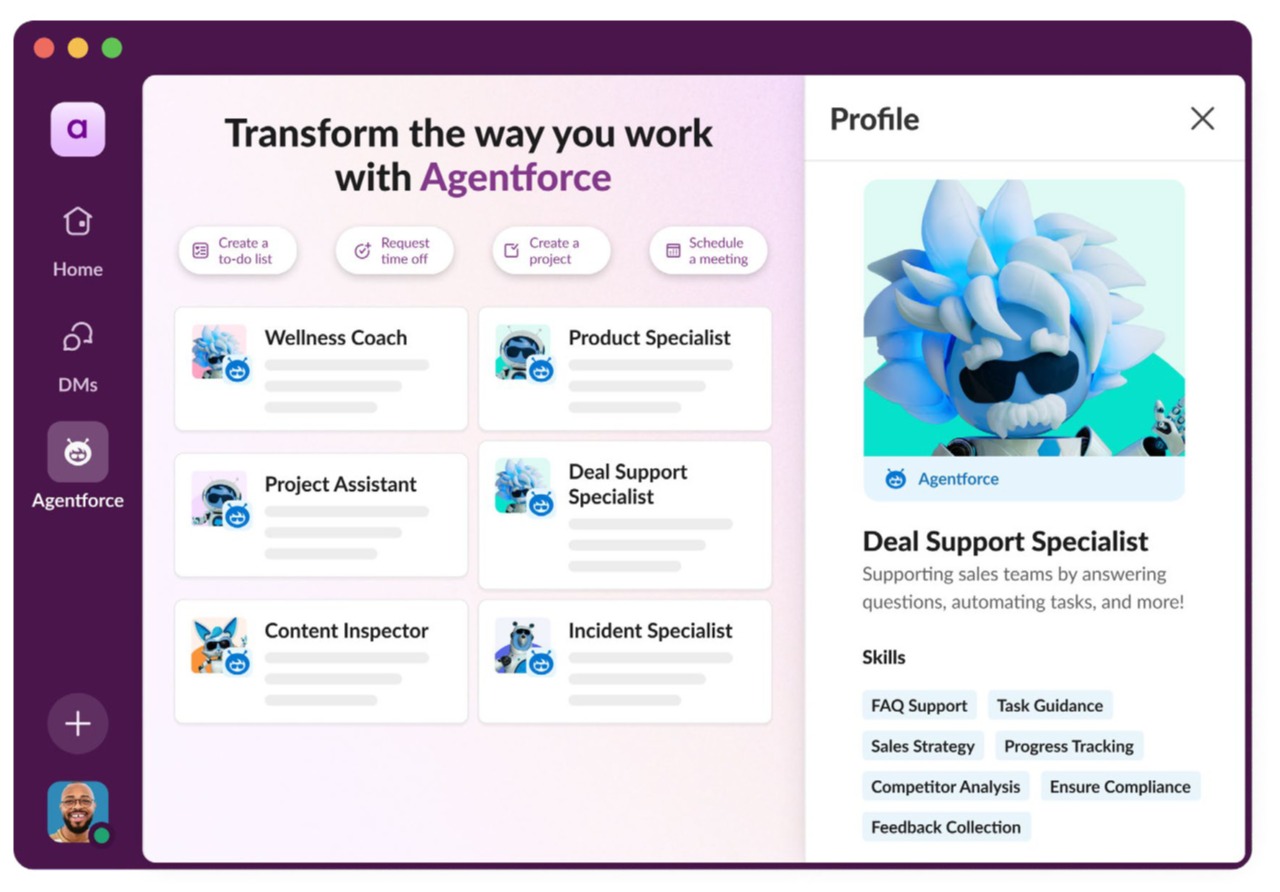
Asymbl’s recent hiring surge shows what’s possible when digital workers operate directly in Slack. By embedding their Recruiter Agent into the flow of work, the team removed the delays and handoffs that normally slow hiring.
The agent handled everything from candidate screening to approvals inside Slack, narrowing 17,000 resumes to 1,800 pre-screens and turning a potential bottleneck into a coordinated sprint. A canvas-driven workflow automates pre-boarding, IT setup, HR coordination, and resource distribution, cutting four hours of setup time and an hour of repetitive admin work per hire while reducing ramp-up time by more than 50%.
“We hired 100 people in 100 days with one and a half recruiters.”
MICHAEL CLARK, CHIEF REVENUE OFFICER, ASYMBL
“I still go back to my onboarding channel every day. It’s my single source of truth for everything from guidelines to compliance.”
SHIVANATH DEVINARAYANAN, CHIEF DIGITAL LABOR & TECHNOLOGY OFFICER, ASYMBL
09: Make decisions centered on customer data right in Slack
Teams often gather in meetings because the information they need — customer context, pipeline changes, account risks, support history — lives in different systems and requires someone to pull everything together. When data is fragmented, decision-making slows down and meeting time gets spent recreating the same visibility for every stakeholder.
Bringing Salesforce data and workflows directly into Slack with Salesforce channels changes that. With key account details, customer activity, opportunity updates, and service insights accessible inside the channels where teams already collaborate, decisions happen in the flow of work rather than waiting for the next scheduled review. Teammates can surface CRM data on demand, share insights in-thread, and align quickly on what actions to take next.
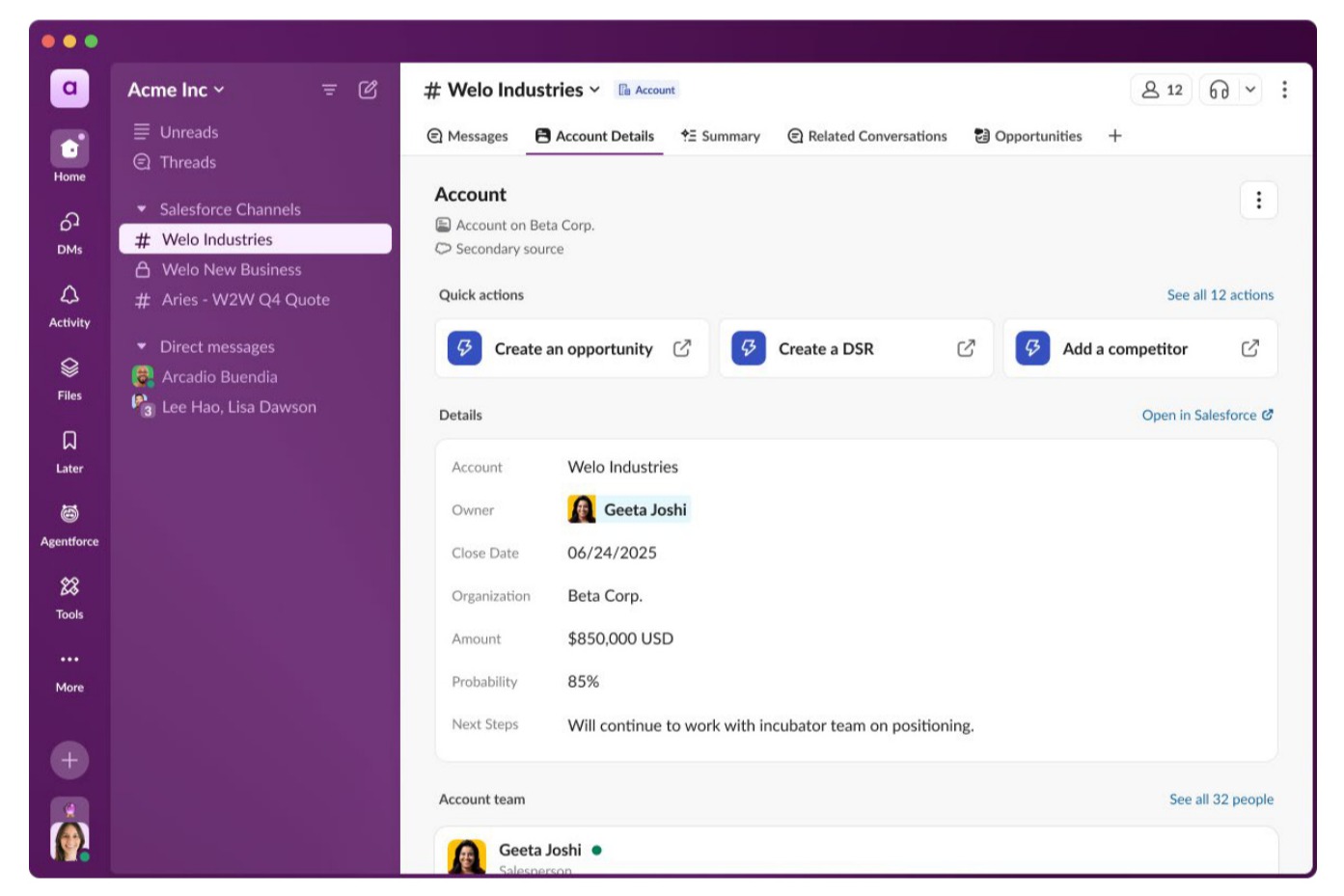
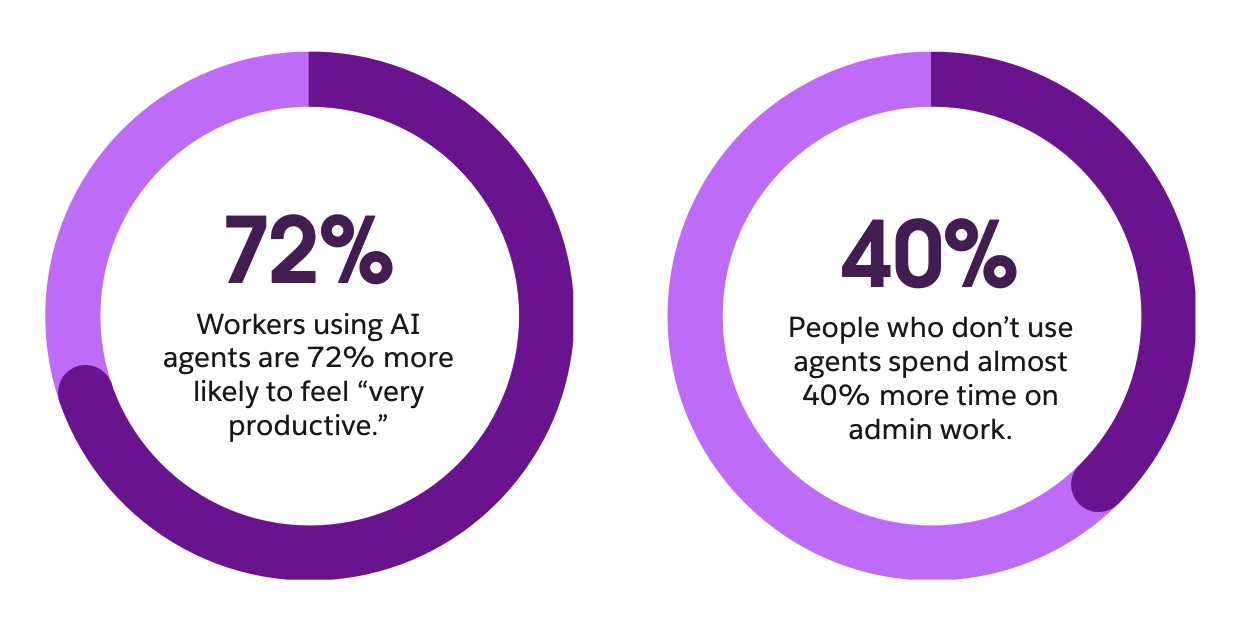
Slack also supports agents trained on trusted enterprise data, giving teams an on-demand partner that can prepare account briefs, summarize customer history, flag deal risks, or identify renewal opportunities, without a stand-up or status meeting. This is particularly meaningful in environments where workers report heavy administrative overhead; in fact, employees who don’t use agents spend almost 40% more time on admin tasks than those who do.
When customer data, cross-functional collaboration, and automated workflows converge in Slack, teams spend less time assembling context and more time moving deals forward, improving service quality, and making decisions rooted in real customer understanding.
“Salesforce channels make the day-to-day easier: They reduce context-switching, provide real-time visibility, and bring the right leaders in earlier to find new opportunities.”
CHRISTINE MCHONE, GLOBAL SLACK AND SALESFORCE TMT INDUSTRY LEADER, SLALOM
10: Collaborate with external organizations using Slack Connect
Cross-company work often requires a heavy load of coordination: scheduling meetings across time zones, navigating long email chains, and waiting for updates from external stakeholders. These constraints slow down joint projects and create friction that can halt progress until everyone can meet live.
Slack Connect removes that friction by extending channels to external partners, vendors, agencies, and customers. Instead of relying on periodic meetings to exchange updates or resolve issues, teams work together in real time. They can share files, review decisions, provide feedback, and ask questions in a shared, secure space that keeps everything organized.
Teams can also bring agents and workflows into Slack Connect channels. Agents can answer routine questions, collect required information, or surface documentation automatically, while workflows coordinate processes like approvals, onboarding, or shared project milestones. This transforms cross-organization collaboration into an active, continuous workflow instead of a sequence of meetings.
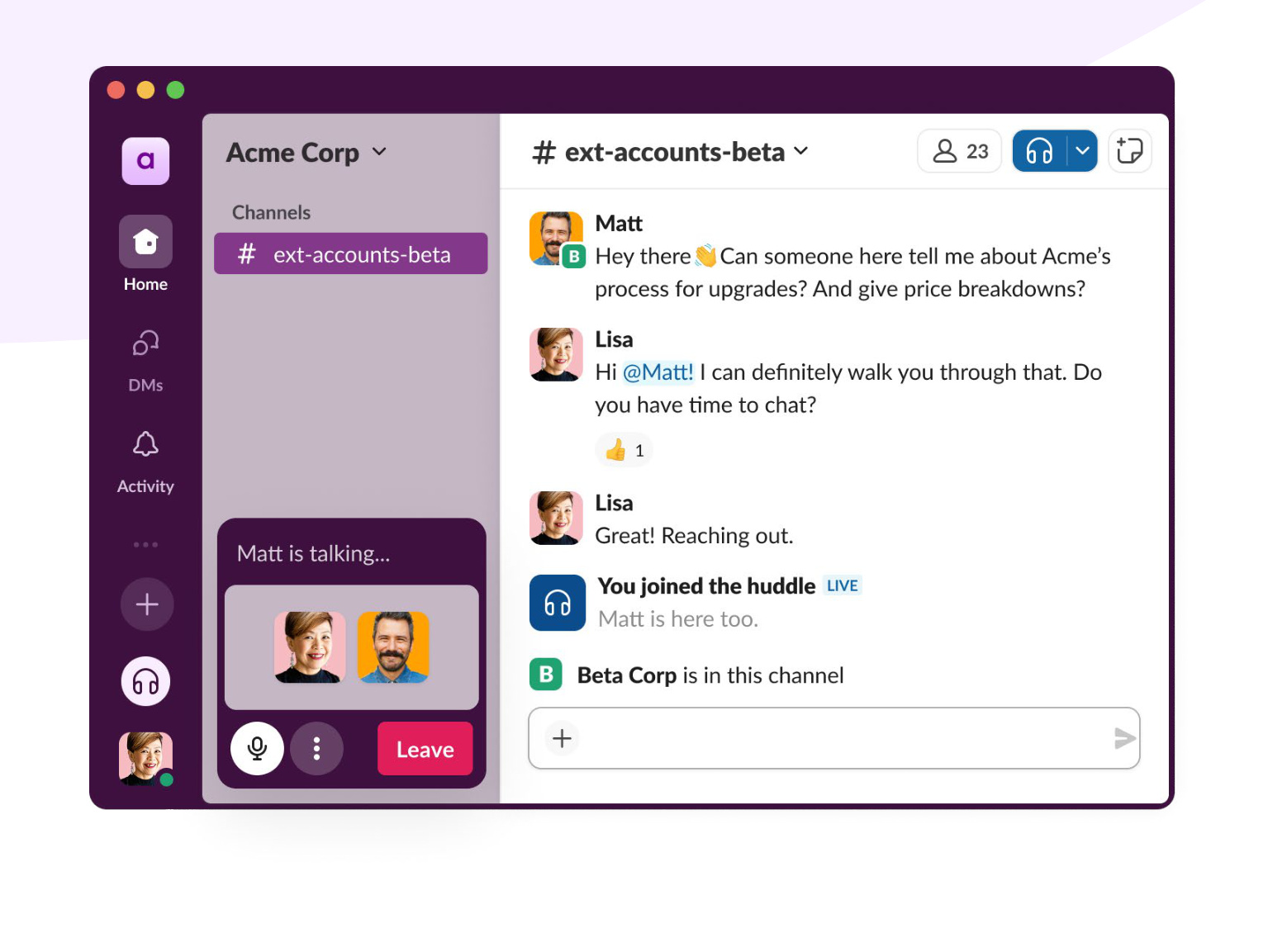
Because everything happens in one place — from discussion to documentation to decisions — organizations build stronger partnerships and move faster than email or scheduled check-ins allow. Everyone stays aligned, responsive, and empowered to act without waiting for the “next available meeting.”
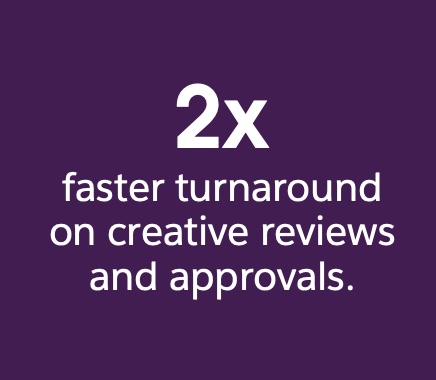
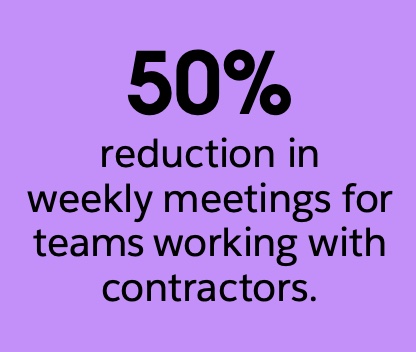
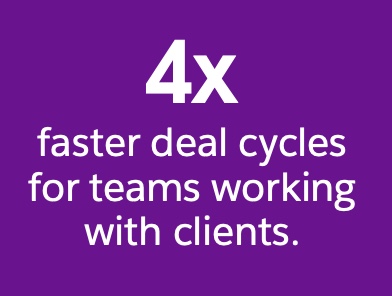
*Claims and figures based on specific teams using Slack Connect at their companies. Results may vary at your organization.
Fewer meetings, more productivity
We know that sometimes you just need to have a meeting, but be honest about when meetings are truly necessary. When they are, only hold meetings that are intentional and well-planned, with a clear agenda, goals, and input. The have-a-meeting-for-everything culture should become a relic of the past — and using Slack can help.
How to reduce meetings FAQs
 Ótimo!
Agradecemos seu feedback!
Entendi!
Agradecemos seu feedback.
Estamos com problemas. Tente novamente mais tarde.