An agentic OS is an operating layer for AI. It coordinates autonomous agents, connects them to your data and apps, and keeps humans in control of outcomes. It’s more than a collection of tools: it’s an infrastructure that enables agents to do real work.
As organizations seek smarter ways to manage information overload, agentic operating systems like Slack are emerging as a new approach to get more done in less time.
What is an agentic OS?
Agentic operating systems enable AI agents to work alongside people — planning tasks, making decisions, and acting on them — with built-in human oversight. Traditional software requires people to initiate every action: clicking buttons, filling out forms, switching between apps. Agentic AI flips that model. AI agents observe what’s happening, decide what needs to be done, and execute tasks. They pull information from multiple sources, reason through problems, and report results.
Advances in large language models (LLMs) have made it possible for AI to understand natural language, follow complex instructions, and learn from context. New orchestration tools allow companies to coordinate multiple agents simultaneously. As more enterprises adopt AI across their operations, it has become clear that they need a unified platform to manage it all. Agentic operating systems bring these pieces together, giving agents what they need to help and not just respond.
Key characteristics of an agentic OS
There are key differences between agentic systems and traditional workplace software. A few core components work together to make agentic OS practical and safe for business use.
- Agents. These AI-powered assistants reason, plan, and act. Unlike simple bots that follow scripts, agents adapt to new situations and learn from context.
- Orchestration layer. Think of this as a traffic controller — it routes requests, manages handoffs, and makes sure the right agent handles each task.
- Data access. Agents need information to be effective, so the platform integrates with CRM systems, documents, databases, and conversations to provide relevant context.
- Context and memory. The system remembers past interactions and understands who’s involved, what’s been decided, and what matters most at the moment.
- Workflow logic. Agents follow defined processes with clear triggers and outcomes, making their actions predictable and aligned with business goals.
- Governance and security. Built-in guardrails control what agents can access and do. Audit trails record every action, so teams know precisely what happened.
Unlike traditional operating systems that manage hardware and run applications, an agentic OS manages AI agents and their interactions with people, data, and tools.
How an agentic OS differs from generative AI chatbots
Generative AI chatbots answer questions and create content, but they stop there. You ask, they respond, and that’s the end of the interaction. Agentic systems go further. AI agents don’t just talk; they act. They update records, trigger workflows, schedule meetings, and coordinate with other agents while keeping you informed. Think of chatbots as helpful consultants who give advice. Agents are more like helpful teammates who roll up their sleeves and get work done.
How an agentic OS works
The platform routes tasks to AI agents and provides them with access to the data and tools they need. For example, when a sales rep preparing for a quarterly review asks an agent to pull together account updates, the agent identifies which accounts need attention, checks Salesforce for pipeline data, searches Slack for recent customer conversations, and pulls relevant documents from Google Drive. It then compiles a summary and posts it to the team channel. The rep never had to open multiple apps or copy information between windows.
Every agent task follows a similar pattern, and the best platforms include checkpoints where people can review progress and step in when needed.
The agent lifecycle
When an agent takes on a task, it moves through five stages: request, planning, action, verification, and reporting. It starts when someone asks the agent to do something or an automated trigger fires. The agent breaks the task into steps, determines what it needs, and then gets to work — pulling data, connecting to other tools, and coordinating with other agents. Once complete, it checks whether the results meet expectations and returns a summary to the team.
Slack as a collaboration layer
AI agents perform best when working with human teams. When they operate within a conversational work operating system, teams see what agents are doing through threaded updates, give instructions in natural language, and step in when human judgment matters most. That visibility turns agents from black boxes into trusted collaborators.
Slack as an agentic OS
Rather than bolting AI onto existing workflows, Slack integrates autonomous AI agents directly into the conversations where work already takes place. Because agents live within your team’s discussions, they understand priorities, project status, and communication style.
Slack AI: Reasoning, summarization, and workflow automation
Catching up on a busy channel shouldn’t take all morning. Slack AI summarizes long conversations so you can catch up in seconds, surfaces answers from across your connected apps via enterprise search, and generates recaps of huddles so no one misses key decisions.
With Agentforce in Slack, teams bring autonomous agents directly into the chat interface. Agentforce taps into Slack conversations and Salesforce CRM data, responds in real time, suggests next steps, and takes action on your behalf.
Slackbot: Your personalized agentic companion
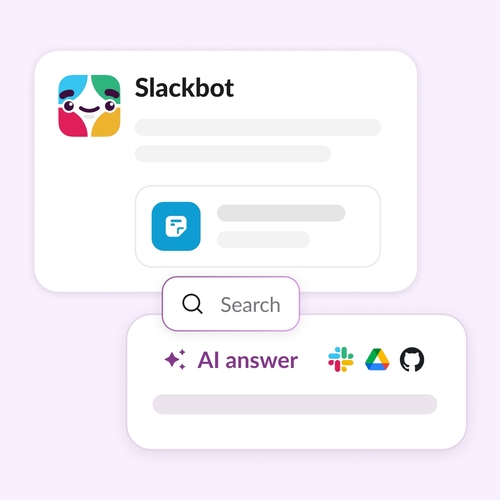
Slackbot has evolved into a personal AI assistant that lives right in your workspace. It summarizes threads so you can skip the scroll, highlights your daily priorities, and delivers instant answers when you need them.
Slackbot also integrates with tools such as Google Drive, Salesforce, and OneDrive, bringing insights from all your files and conversations into a single view. For example, if you need a project plan, Slackbot can draft one from a canvas or a meeting transcript.
Integrations and orchestration
Agents need connections to the tools teams already use. Slack integrates with thousands of apps, from project management and CRM to analytics, databases, and LLMs, so agents can access the data they need.
Workflow automation lets anyone build processes that span multiple apps, with no coding required. With human-in-the-loop controls and conversational guardrails, teams retain control of approvals and sensitive decisions while agents handle routine work.
Key benefits of an agentic OS for teams
Teams can work more efficiently by delegating routine tasks to agents and reducing friction when switching between tools. Agentic systems deliver a few key wins:
- Higher productivity. Agents handle repetitive work, such as summarizing threads, drafting updates, and pulling reports. That frees people to focus on tasks that require creativity, judgment, and human connection.
- Less tool-hopping. Instead of toggling among a dozen tools to find information, teams get answers and take action in a single workspace. When Slack serves as the operating layer, agents tap into your conversations, files, and connected apps without interrupting your workflow.
- Safer workflows. Built-in governance keeps agents within bounds. Clear audit trails show exactly what agents did and why, supporting compliance requirements and providing leadership with visibility into how work is done.
- Faster adaptation. Priorities shift. Agents adjust in real time, coordinating with one another to keep cross-functional processes moving. Teams respond to new information without rebuilding workflows from scratch.
Real examples of agentic workflows
Agentic workflows are already taking hold across departments. A few scenarios show what changes when agents step in:
Automated stand-ups
Managers used to pull everyone into a meeting or chase down updates via direct messages. Now, an agent gathers status updates from each team member in Slack, compiles a summary, and posts it to the channel. Managers gain visibility, and contributors regain their time.
Data analysis and reporting
A marketing team once spent hours pulling numbers from multiple dashboards. Now an agent gathers data from analytics tools, generates visualizations, and drops a weekly performance report into a shared Slack canvas for review.
Sales and ops support
During a customer call, a sales rep might have put someone on hold to search through documents. With an agent in Slack, the rep simply asks for the latest discount policy. The agent searches Slack history and Salesforce records, then delivers an answer in seconds. Ops teams use agents the same way to retrieve inventory levels, shipping timelines, or vendor details mid-conversation.
Cross-functional coordination
Operations, finance, and legal used to exchange emails for days to align on a single decision. Now multiple agents work together in a shared Slack channel, pulling data from each team’s systems and surfacing a unified status update so everyone stays on the same page.
Best practices for using an agentic OS
Successful teams treat agents as they would any new team member. They set clear expectations, check progress, and adjust based on results. A few best practices can help you get started with AI workflows:
- Use clear, natural-language commands. Agents perform better when requests are specific. Instead of “help with this,” try “”summarize last week’s messages in #project-launch and list open action items.” The more context you provide, the better the results.
- Monitor agent activity regularly. Check in on what agents are doing. Review their outputs for accuracy and watch for patterns that indicate they need better instructions.
- Keep humans in the approval loop. For high-stakes decisions such as budget approvals, customer commitments, or sensitive communications, make sure a person signs off before the agent acts. Automation speeds things up, but some calls still require a human touch.
- Use channels and threads for visibility. When agents post updates in shared spaces, everyone stays informed, trust builds, and issues are caught early. Keeping agent activity transparent also helps new team members learn how to work with them.
- Refine prompts based on feedback. Treat agent instructions like any other process. Review what works, adjust what doesn’t, and encourage team members to share tips. The best prompts evolve over time as your team learns what gets results. A quick win in one channel can become a template for the entire company.
Agentic OS adoption is accelerating
The shift toward agentic systems is already underway. Organizations that integrate AI agents into their workflows safely and transparently will move faster and free their people to focus on higher-value work. Business leaders who wait risk falling behind as competitors unlock new levels of speed and efficiency.
Slack is building the operating layer for this new era, where humans and agents collaborate side by side in the same conversations. Ready to see what’s possible? Watch what Slack can do, and discover how agentic systems can work for your team.
Agentic OS FAQs
 Parfait !
Merci beaucoup pour votre feedback !
Bien compris !
Merci pour vos commentaires.
Oups ! Nous rencontrons quelques difficultés. Veuillez réessayer plus tard.