Pensez aux cinq applications sans lesquelles vous ne pourriez pas travailler. Maintenant, comptez combien d’entre elles communiquent entre elles. Si vous travaillez dans la vente, vos négociations se trouvent dans un outil, vos contrats dans un autre, vos présentations dans un troisième. Si vous êtes développeur, vos tickets, vos incidents et vos revues de code sont répartis sur trois onglets différents. Chacune de ces applications a été dotée de son propre assistant IA cette année. Mais aucune ne s’est rapprochée des autres. Pendant que les entreprises continuent de payer pour une pile technologique toujours plus fragmentée, les équipes se retrouvent à transférer manuellement des données entre des systèmes isolés.
Le vrai coût ne se mesure pas seulement en heures perdues ou par un retour sur investissement logiciel négatif. Toutes ces connexions sont effectuées de façon isolée, dans des onglets privés, où les réponses essentielles finissent par se perdre dans des historiques isolés. Vos collègues répètent exactement les mêmes manipulations avec les mêmes applications, sans aucun moyen de partager les bonnes pratiques ou de capitaliser sur les avancées des uns et des autres.
Aujourd’hui, nous changeons la donne. Le client MCP de Slackbot est désormais disponible. Fondé sur le standard ouvert Model Context Protocol (MCP) adopté par l’ensemble du secteur, il connecte n’importe quelle application à Slackbot, qu’il s’agisse d’un produit Salesforce, d’un outil tiers ou d’une solution développée par votre propre équipe. Les entreprises peuvent ainsi enfin rentabiliser au maximum leurs investissements logiciels existants en unifiant leurs systèmes cloisonnés. Au lieu de jongler entre une dizaine d’outils IA isolés répartis sur autant d’onglets, vous disposez d’une interface conversationnelle unique où tout fonctionne ensemble. Posez simplement votre question à Slackbot en langage naturel : il identifiera instantanément le bon outil et coordonnera les étapes exactes pour accomplir la tâche.
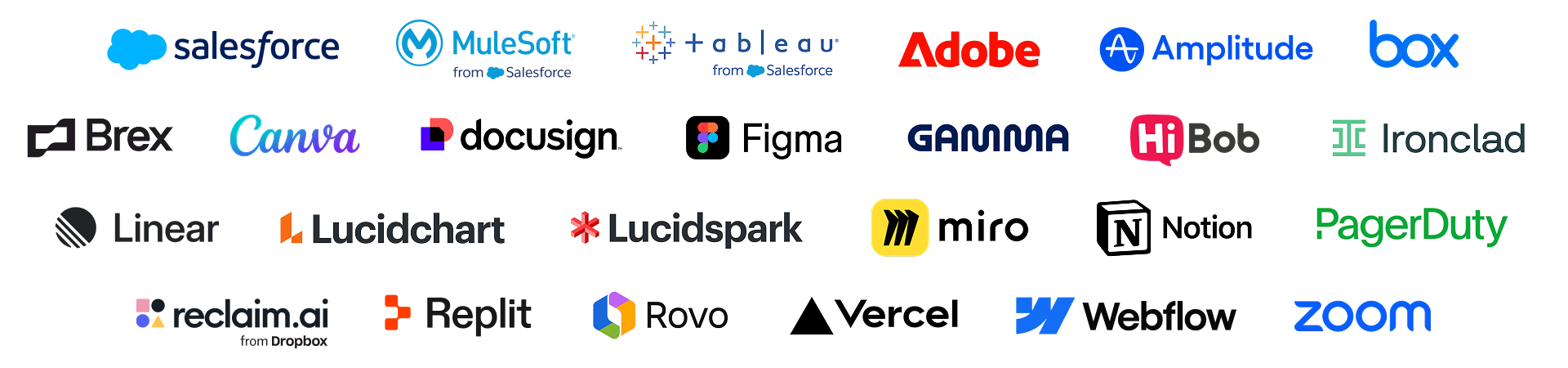
Pour concrétiser cette vision, nous lançons un écosystème de partenaires réunissant plus de 20 applications MCP, notamment Amplitude, Atlassian, Box, Canva, Docusign, Gamma, Linear, Miro, Notion, Replit, Webflow et Zoom, avec d’autres à venir. Mais vous ne travaillez pas seulement avec vos outils préférés dans une conversation privée : la véritable puissance se révèle lorsque vous partagez les résultats de Slackbot directement dans un canal d’équipe. Soudainement, tout le monde peut voir les mêmes données en temps réel et décider ensemble de la suite. Au lieu de basculer d’un outil à l’autre en solitaire, Slackbot réunit votre équipe, vos données et vos applications dans une seule conversation.
L’année dernière, chaque application a été équipée de sa propre IA, mais sans qu’aucun rapprochement ne soit opéré entre les outils, ni auprès de votre équipe. Le travail s’effectuait toujours de façon isolée, dans des onglets privés. Notre client MCP change la donne : Slackbot devient la couche de connexion de toute votre pile technologique, et parce qu’il est intégré à Slack, le travail est synergique dès le départ. C’est ce qui nous distingue.
Passer des silos à une dynamique de synergie avec le client MCP de Slackbot
Le client MCP de Slackbot fait de Slackbot un point de connexion universel, lui permettant de communiquer avec n’importe quelle application, qu’elle soit développée par Salesforce, des partenaires ou votre propre équipe, via une conversation naturelle. Slackbot n’est plus un agent à usage unique : il devient le coéquipier IA ultime qui centralise l’ensemble de votre écosystème IA dans une seule conversation.
Vous pouvez désormais connecter vos applications directement à Slackbot. Formulez simplement votre demande en langage naturel, et Slackbot s’occupe du reste : il l’achemine vers l’application spécialisée appropriée, coordonne les étapes et vous livre le résultat final. Plutôt que de jongler entre tous vos outils, vous disposez d’une interface conversationnelle qui accomplit réellement le travail à votre place.
Au-delà du texte, Slackbot intègre également une expérience riche et immersive de vos applications favorites directement dans votre conversation. Grâce au Model Context Protocol (MCP) et au framework Block Kit de Slack, ces applications peuvent afficher instantanément des tableaux de bord interactifs, des formulaires et des aperçus directement dans la conversation. Plutôt que de recevoir une simple notification unidirectionnelle vous obligeant à ouvrir un navigateur, Slackbot se connecte en toute sécurité à vos services tiers, récupère des données en temps réel et interactives, et vous permet d’agir directement, sans quitter la conversation.
- Des actions, pas seulement des réponses : grâce à la nouvelle expérience, propulsée par MCP, vous pouvez signer un document, mettre à jour un ticket ou consulter un tableau de bord en temps réel directement depuis votre conversation Slackbot.
- Prise en charge native de Block Kit (bientôt disponible) : les outils partenaires peuvent désormais afficher des composants visuels enrichis, notamment des tableaux de données et des carrousels interactifs, directement dans vos fils de discussion grâce au framework Block Kit. Et le meilleur dans tout ça ? Les données se mettent à jour en temps réel, sans aucune latence d’affichage.
- Exécution en synergie : lorsque vous partagez la réponse de Slackbot dans un canal d’équipe, les tâches individuelles deviennent un atout collectif. Chacun peut suivre l’avancement, valider les sources et orienter le résultat ensemble.
Votre pile technologique avec une intégration plug-and-play
Avant l’essor des standards ouverts, toute intégration personnalisée obligeait les équipes d’ingénierie à écrire du code API bas niveau et fragile pour connecter chaque point de terminaison de plateforme individuellement. Cette architecture générait des difficultés pour les développeurs, une maintenance constante et une dette technique considérable.
En adoptant le standard ouvert MCP, Slack supprime les goulets d’étranglement liés aux intégrations personnalisées. N’importe quel outil utilisé par votre équipe – qu’il s’agisse d’une base de données interne, d’un système hérité ou d’une application sur mesure – peut désormais se connecter à Slackbot via un serveur MCP. Plutôt que de passer des mois sur un développement complexe, vous disposez d’outils opérationnels dans Slackbot en quelques minutes.
Consulter la documentation développeur pour démarrer
Gouvernance et sécurité de niveau entreprise
Le déploiement de l’IA au sein d’une entreprise exige un contrôle strict des données. Le client MCP respecte nativement la conformité, l’infrastructure de sécurité et les contrôles d’accès de Slack, sans aucune configuration supplémentaire.
Le système applique en temps réel des périmètres de données propres à chaque utilisateur : si une personne ne dispose pas des accréditations requises pour accéder à une base de données restreinte ou à un projet tiers, Slackbot bloque automatiquement la demande. Les administrateurs informatiques bénéficient d’une interface unique et centralisée au sein de la console d’administration pour découvrir, installer, gérer et auditer les autorisations d’accès des utilisateurs et les périmètres de données, en toute sérénité.
Slackbot et vos applications fonctionnent ensemble
Grâce au nouveau registre MCP dans Slack Marketplace, vous pouvez connecter vos outils et services préférés à Slackbot et accomplir davantage sans quitter Slack. Parcourez le registre, trouvez les serveurs adaptés à votre environnement et donnez à Slackbot un accès sécurisé en temps réel aux données et systèmes que votre équipe utilise déjà. Visitez Slack Marketplace pour découvrir toutes les applications disponibles.
Voici ce qui est disponible aujourd’hui et ce qui arrive bientôt :
Produit et développement
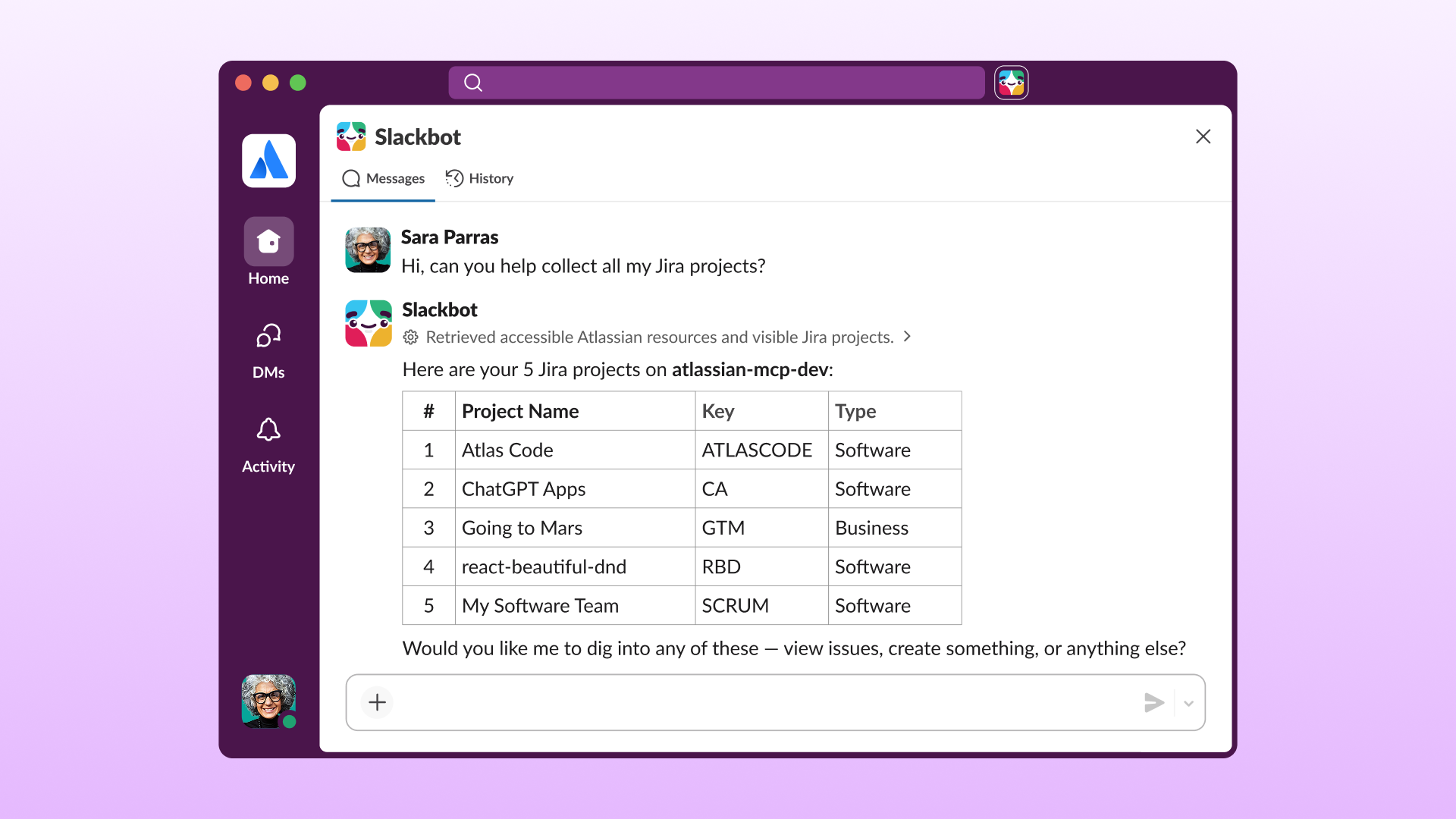
Accédez à vos applications d’IA spécialisées et à vos agents qui centralisent les logs système, suivent les bugs et gèrent les réponses aux incidents directement dans les canaux de triage. Par exemple, un responsable technique peut demander à Slackbot : « Quels tickets Linear bloquent notre mise en production, et y a-t-il des incidents PagerDuty actifs reliés ? » Slackbot affiche une vue unifiée des tickets qui bloquent et des incidents en cours directement dans le fil de discussion, ce qui permet aux développeurs de réassigner les tâches via des boutons interactifs.
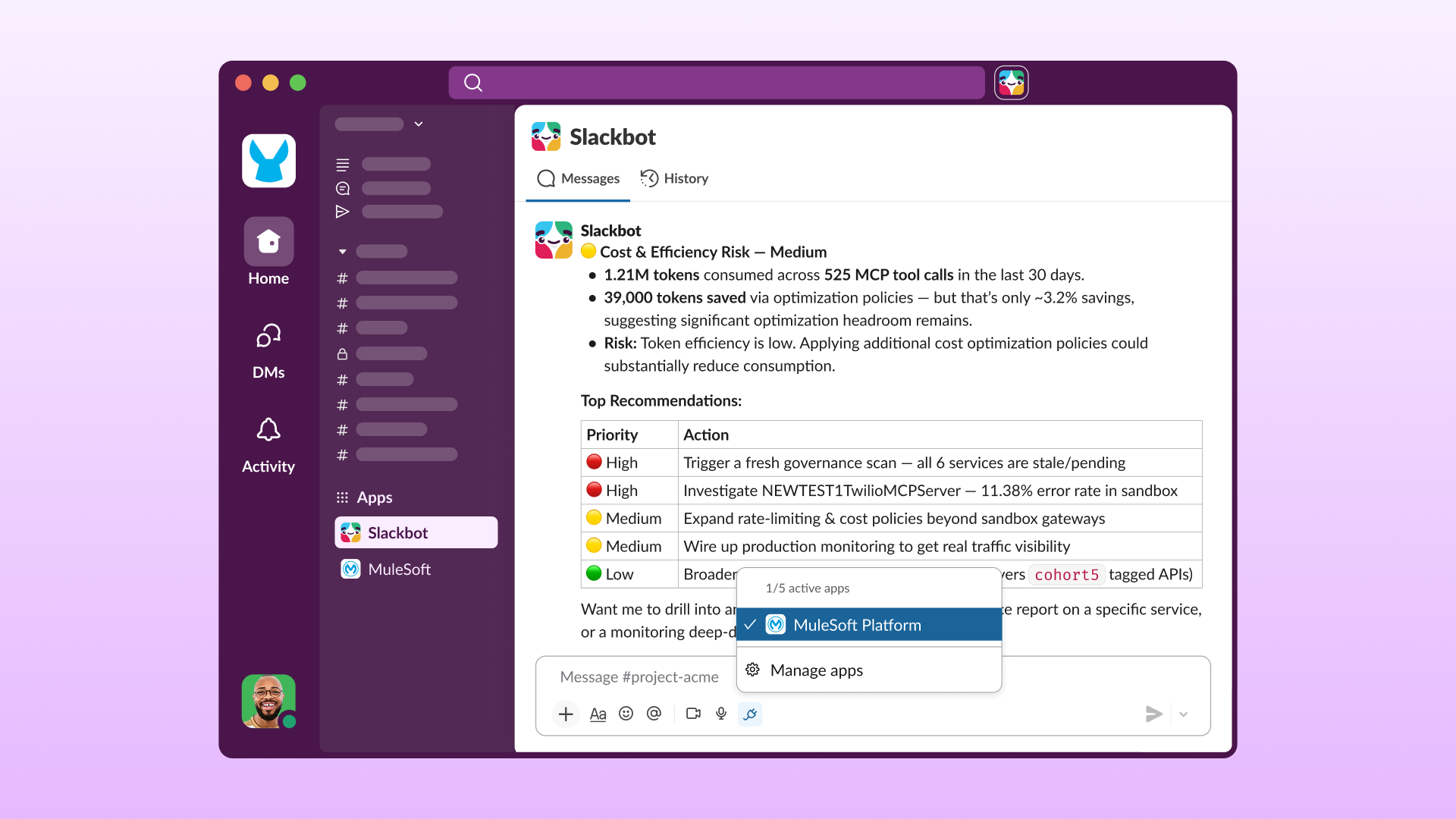
Applications disponibles : Atlassian Rovo, Linear, MuleSoft, PagerDuty (prochainement), Replit et Vercel
« L’avenir du travail ne repose pas sur un assistant IA unique, mais sur un écosystème d’outils intelligents interconnectés. Les équipes doivent pouvoir y accéder avec les outils de confiance qu’elles utilisent au quotidien. C’est ce qu’Atlassian et Slack construisent ensemble. Avec le Teamwork Graph d’Atlassian qui unifie les données de votre entreprise à travers tous les outils de votre équipe, et Slackbot qui apporte cette intelligence là où les équipes échangent et prennent leurs décisions, nous aidons chaque équipe à avancer plus vite, en parfaite synchronisation. »
Gestion des documents et du contenu
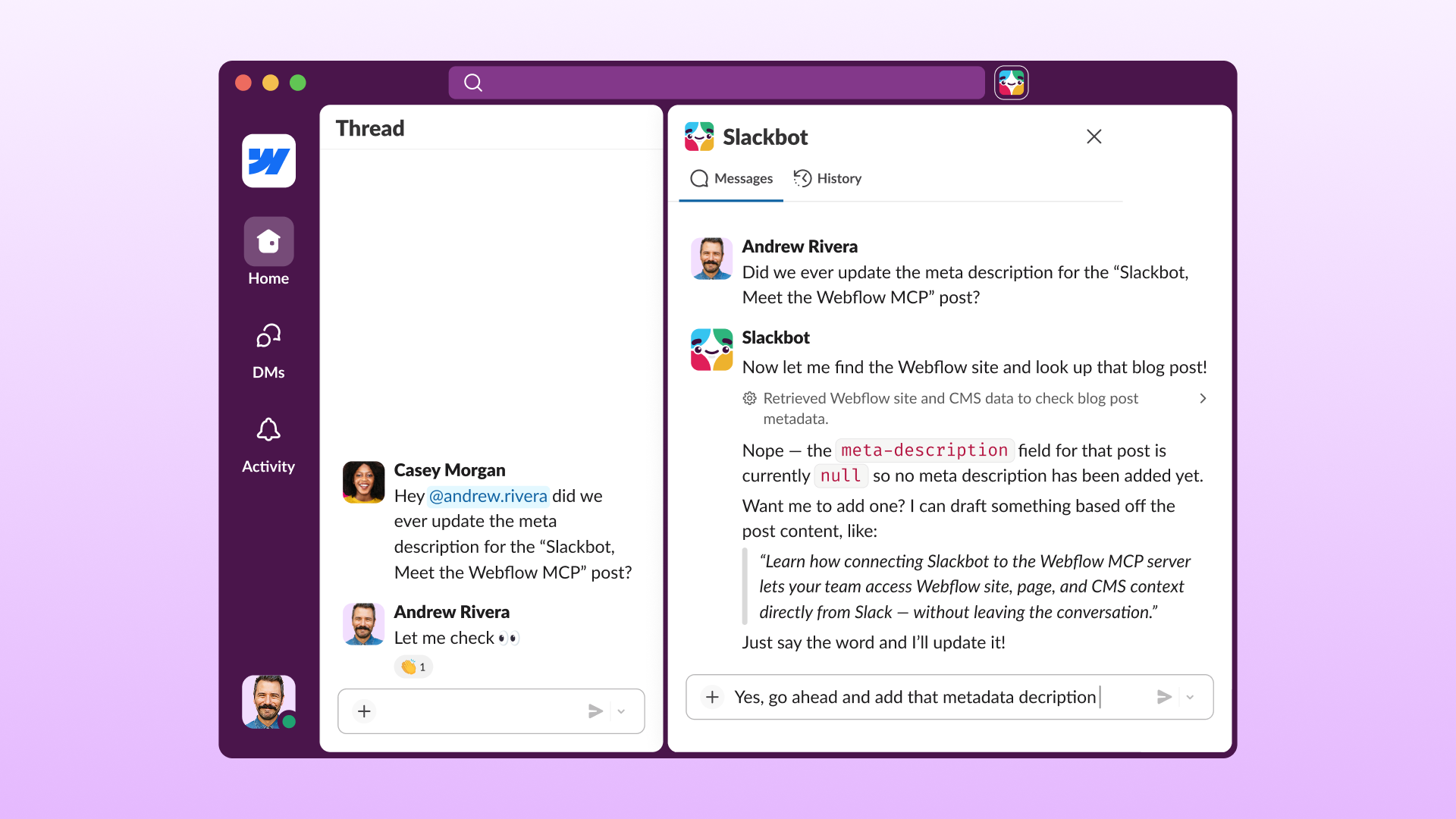
Connectez vos plateformes de stockage cloud et de documentation à Slackbot, et permettez à vos équipes de localiser, rechercher et vérifier des fichiers en toute sécurité sans quitter la conversation. Par exemple, un utilisateur peut demander à Slackbot : « Trouve la dernière présentation marketing Q2 dans nos fichiers d’entreprise. » Slackbot effectue une recherche simultanée sur toutes vos plateformes de stockage connectées et affiche les ressources correspondantes sous forme de vignettes visuelles interactives, directement dans le fil du canal.
Applications disponibles : Box, Gamma, Notion (bientôt disponible) et Webflow
“Depuis plus d’une décennie, nous voyons les équipes se heurter au même problème : une idée émerge au fil d’une conversation, puis l’élan retombe avant la moindre publication. Cette intégration place Webflow directement au cœur de la conversation. Désormais, des millions d’équipes peuvent passer de la discussion à la publication sans changer de contexte, réduisant ainsi l’écart entre l’idée et sa mise en ligne.”
Collaboration créative et design
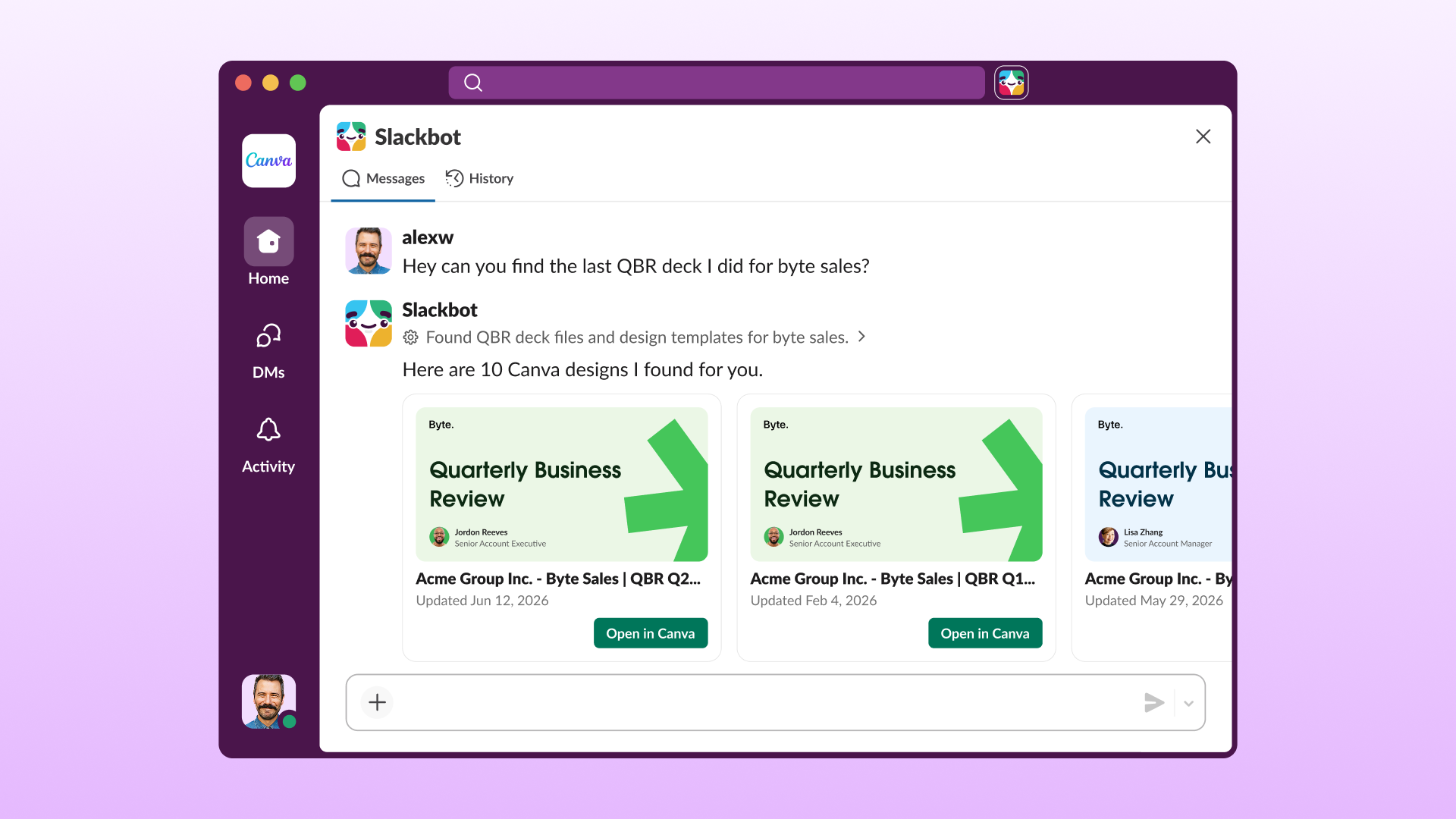
Utilisez vos outils de design et d’idéation visuelle directement dans Slackbot et importez des ressources créatives dans des canaux publics pour transformer les divers retours sur le design en validations rapides en équipe. Par exemple, un spécialiste marketing peut demander à Slackbot : « Affiche les dernières mises en page pour les réseaux sociaux depuis Canva et le moodboard de la campagne. » Slackbot récupère les visuels et les présente côte à côte sous forme de blocs visuels interactifs pour une validation instantanée par l’équipe.
Applications disponibles : Adobe (bientôt disponible), Canva, Figma et Miro
Parce que les grandes idées ne doivent pas être perdues à cause des outils et des flux de travail fragmentés. Slack est déjà connecté à Canva AI. L’intégration de Canva à Slackbot renforce ce partenariat et permet aux équipes de conserver plus facilement le contexte et les intentions dans chaque projet, dès le départ et sans perdre le fil de discussion, qu’il s’agisse d’un document de mise à jour ou d’une présentation interne. Notre objectif est de rendre l’IA et le design accessibles à tous en offrant des outils simples à utiliser qui aident chacun à concrétiser ses idées.
Opérations commerciales et accords
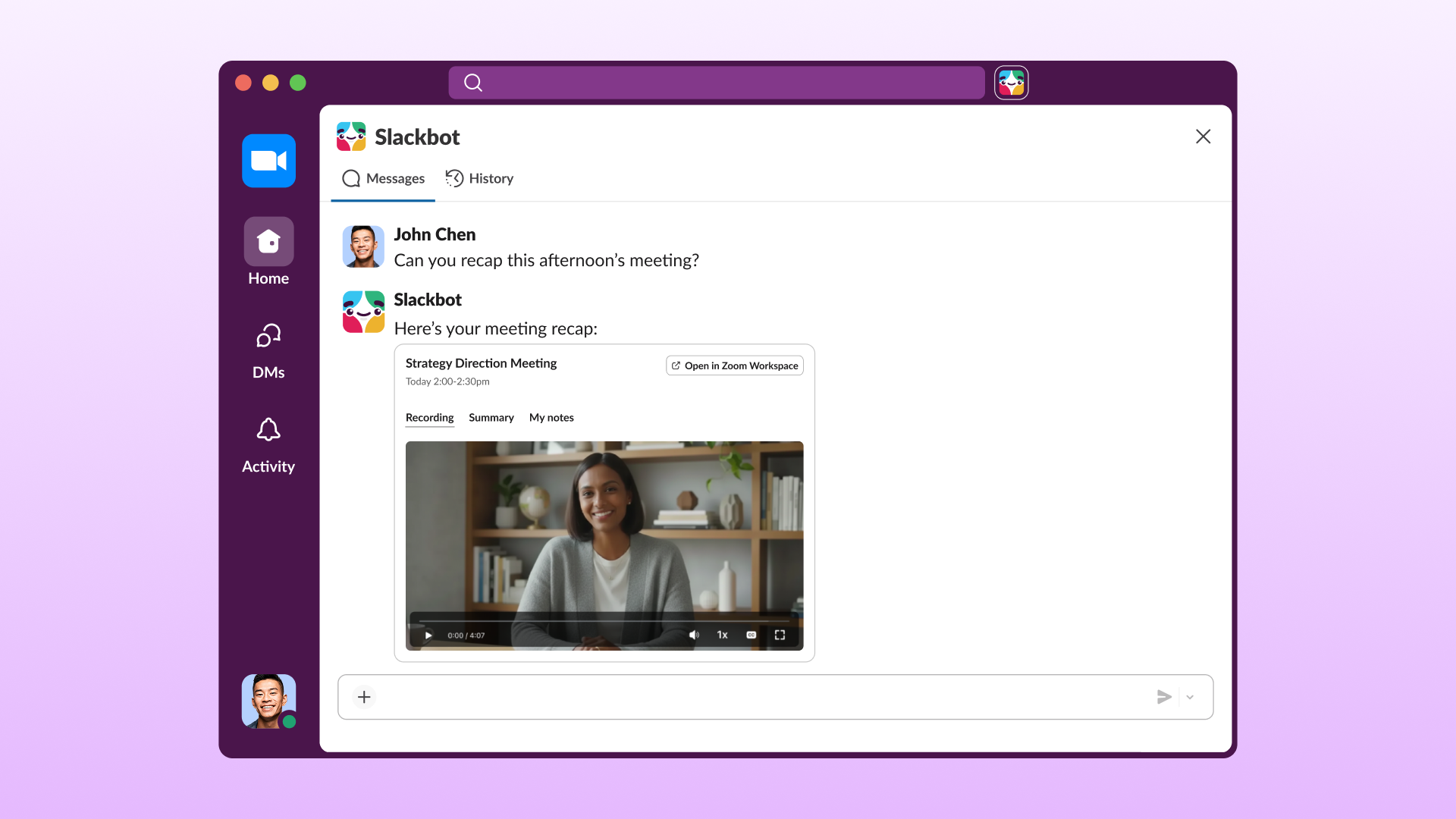
Intégrez les flux de travail opérationnels issus d’applications et d’agents transactionnels, RH et contractuels directement dans vos canaux de contrats. Par exemple, un commercial peut demander à l’application Docusign via Slackbot de rédiger un accord de direction. Les conditions clés du contrat et les lignes de signature s’affichent immédiatement dans le canal, permettant aux parties prenantes de modifier les conditions à l’aide de boutons interactifs.
Applications disponibles : Brex, Docusign, HiBob, Ironclad, Reclaim.ai by Dropbox et Zoom
« La plateforme ouverte de Zoom permet de rencontrer les clients là où ils travaillent. En intégrant notre serveur MCP à Slackbot, nous permettons à des millions d’utilisateurs d’accéder facilement aux informations de leur réunion Zoom via une conversation naturelle, sans changer de contexte. C’est ainsi que se présente l’avenir agentique du travail : une IA qui connecte vos outils et fait remonter la bonne information au bon moment. »
Collaboration visuelle et analyses des données
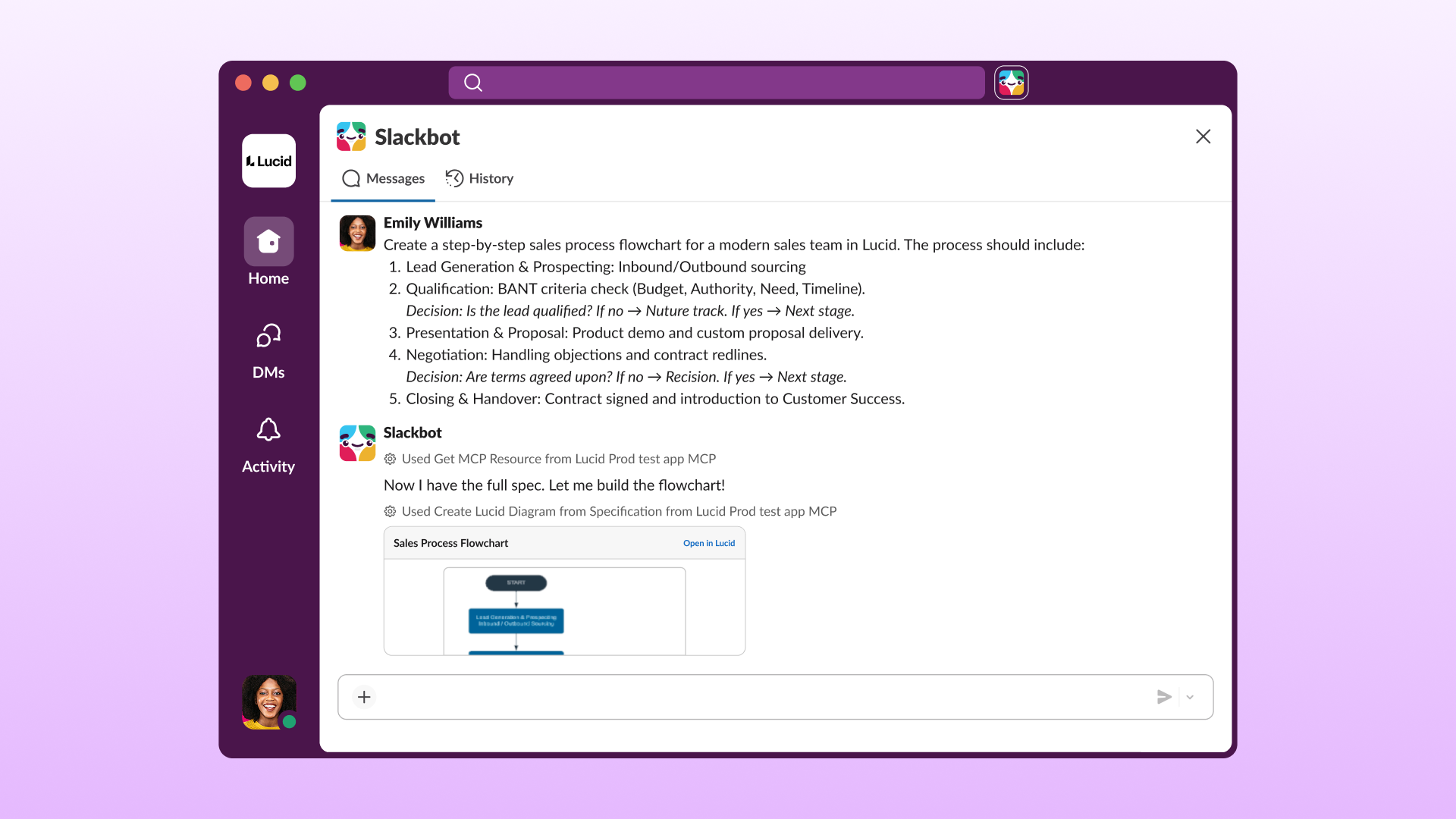
Faites le lien entre vos données brutes et la réflexion collective en connectant vos outils d’analyse des données et de cartographie visuelle directement à Slackbot. Par exemple, un chef de produit peut demander à Slackbot : « Montre-moi la tendance à la baisse du taux de conversion lors du paiement depuis Tableau Next et affiche notre diagramme de flux utilisateur Lucidchart pour que nous trouvions une solution. » Slackbot affiche le graphique d’analyses des données en temps réel aux côtés du schéma visuel sous forme de blocs interactifs côte à côte, permettant à toute l’équipe de diagnostiquer le problème et de trouver des solutions collectivement.
Applications disponibles : Tableau Next (bientôt disponible), Amplitude, Lucidchart et Lucidspark
« Le travail va trop vite pour que les équipes se permettent de perdre leur dynamique en jonglant entre les conversations et les outils de création. En combinant la puissance du serveur MCP Lucid et de Slackbot, nous rendons la collaboration plus immédiate, plus contextuelle et parfaitement intégrée dans la façon dont les équipes travaillent déjà. »
Tout votre espace de travail peut désormais utiliser Slackbot
Le travail passe par les conversations. Désormais,vos outils quotidiens sont intégrés aux discussions. Au lieu de constamment interrompre vos échanges pour vous connecter à cinq sites différents, Slackbot intègre directement vos tableaux de bord, documents et designs dans votre conversation.
Il est temps d’améliorer votre flux de travail quotidien et de découvrir ce que le travail en synergie signifie vraiment. Consultez le registre MCP dans Slack Marketplace pour connecter vos applications préférées à Slackbot, et observez à quelle vitesse vos journées avancent quand tout fonctionne ensemble.
 Parfait !
Merci beaucoup pour votre feedback !
Bien compris !
Merci pour vos commentaires.
Oups ! Nous rencontrons quelques difficultés. Veuillez réessayer plus tard.