Der März bringt frischen Schwung – und dieses Jahr verbessert er deine Produktivität.
Bei der Arbeit geht es nie nur darum, Aufgaben abzuhaken. Es geht darum, zur richtigen Zeit den richtigen Kontext, das richtige Wissen und die richtigen Tools zu haben, ohne Zeit damit zu verschwenden, zwischen Apps zu wechseln, E-Mail-Posteingänge zu durchforsten oder von Null anzufangen.
Diesen März haben wir Updates vorgenommen, die dir Zeit sparen. Dein CRM, deine KI-Agenten und dein E-Mail-Posteingang arbeiten jetzt alle in Slack zusammen, damit du nahtlos weiterarbeiten kannst.
Dein CRM wird zur Unterhaltung: Einführung von Slack CRM
In kleinen Unternehmen, die schnell agieren, bremst der Wechsel in eine separate App zur Verwaltung von Kundendaten die Arbeit. Was wäre, wenn dein CRM einfach eine Unterhaltung wäre?
Dein Team koordiniert sich bereits in Slack, trifft dort Entscheidungen und spricht dort über Kund:innen. Mit Slack CRM, das im Slack Business+ Abo ohne Aufpreis enthalten ist, verwandelt Slackbot diese Gespräche jetzt in strukturierte Kundendatensätze. Füge Kontakte hinzu, aktualisiere Geschäfte und halte Meeting-Notizen fest, ohne den Channel zu verlassen.
Kein lästiges Wechseln zwischen Apps und offenen Tabs. Kein Kopieren und Einfügen. Kein kompletter Neuanfang. Sag Slackbot einfach, was passiert ist – und er hält alles automatisch auf dem neuesten Stand.
Das kannst du mit Slack CRM machen:
- Jede Unterhaltung in einen Kundendatensatz verwandeln: Slackbot extrahiert relevante Details aus Threads und füllt Einträge automatisch aus.
- Dein ganzes Team auf dem gleichen Stand halten: Alle sehen dieselben Updates, Follow-ups und den Geschäftsstatus in Echtzeit.
- Alles Wichtige auf einen Blick: Deine Meetings, Highlights und Follow-ups – übersichtlich in einer einzigen Agenda-Ansicht.
- Zu jedem Meeting optimal vorbereitet erscheinen: Bitte Slackbot, frühere Gespräche und wichtigen Kontext zu Kund:innen bereitzustellen, bevor du dich einwählst.
- Neue Leads sofort erfassen, sobald sie reinkommen: Neue Leads fließen direkt in die Slack-Channels, in denen dein Team bereits zusammenarbeitet.
- In Sekunden bessere Nachrichten verfassen: Slackbot nutzt vorhandenen Kontext zu Kund:innen, damit du schneller die richtige Nachricht schreibst.
Und der größte Vorteil? Jeder Kontakt und jedes Update ist im Hintergrund mit Salesforce verknüpft. So kannst du noch heute ganz einfach loslegen – und wenn du bereit für mehr bist, kannst du mit Salesforce skalieren, mit allen deinen Kontakten und deiner gesamten Historie. Keine Migration, keine Wechselkosten, kein kompletter Neuanfang.
Die Leistungsfähigkeit von Salesforce – integriert in Slack
Über Slack CRM hinaus haben wir weiter die Interaktion von Teams mit Kundendatensätzen und -daten direkt in Slack und ihre Verwaltung verbessert – für nahtlose Workflows:
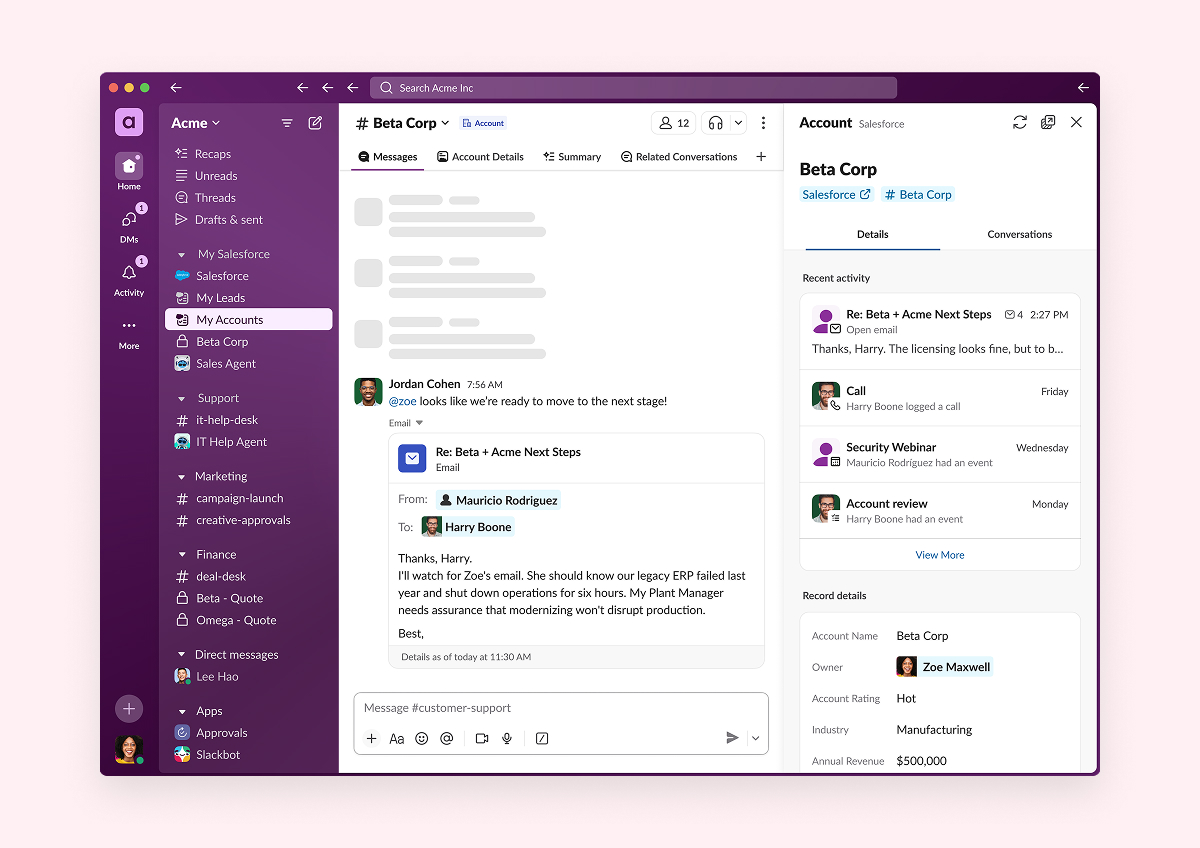
- Salesforce-Aktivitäts-Timeline in Slack
Schluss mit dem ständigen Wechsel zwischen Tabs, um das Gesamtbild zu verstehen. Die Salesforce-Aktivitäts-Timeline – einschließlich E-Mails, Aufgaben, Ereignissen, Calls und Video-Meetings – ist jetzt direkt in Slack verfügbar, sodass dein Team jeden Kundenkontakt dort vertiefen kann, wo es ohnehin schon arbeitet.
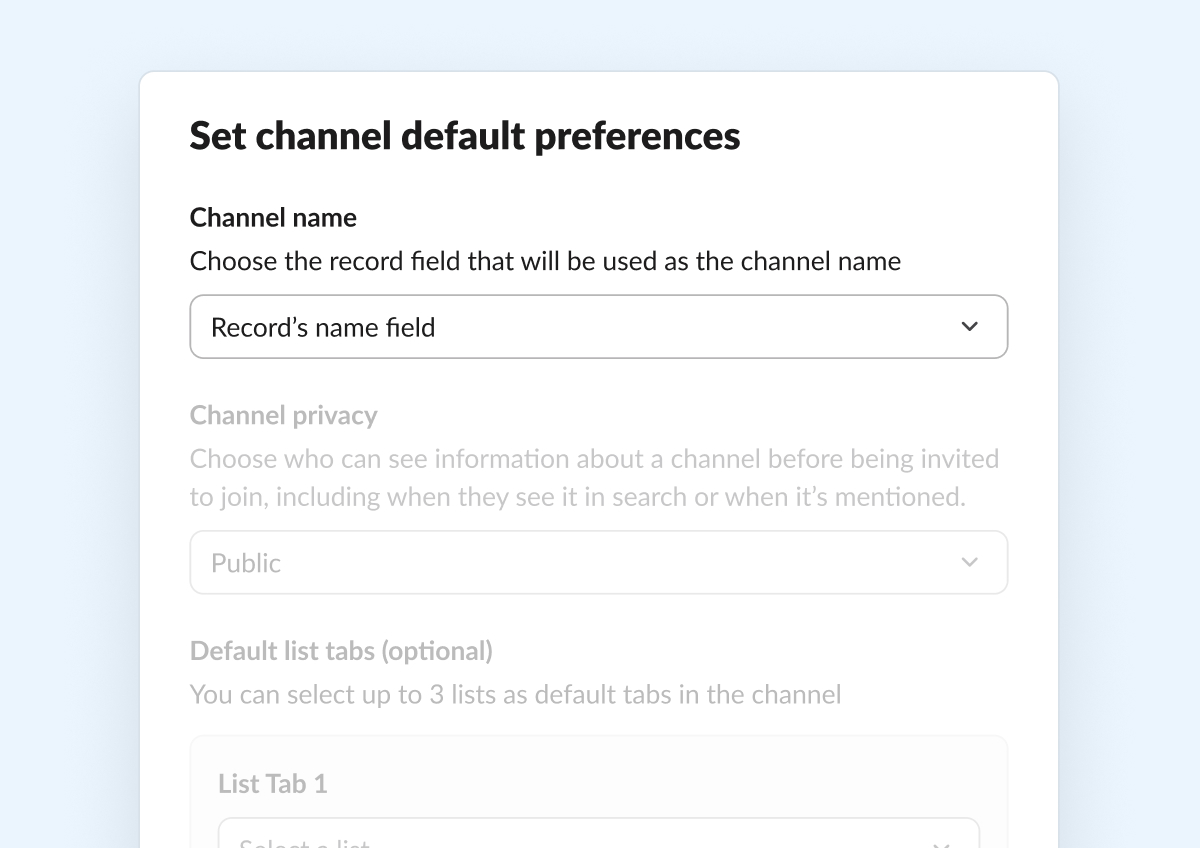
- Benutzerdefinierte Salesforce-Channel-Namen
Deine Salesforce-Channels sollten den Denkmustern deines Teams entsprechen. Administrator:innen können jetzt beliebige Datensatzfelder – einschließlich Formelfelder – auswählen, um einheitliche, aussagekräftige Channel-Namenskonventionen zu definieren, die die Auffindbarkeit verbessern und sensible Daten aus Channel-Namen heraushalten. Benutzer:innen kann außerdem die Flexibilität gegeben werden, Channels manuell umzubenennen, sodass jeder Channel einen klaren Sinn ergibt.![]()
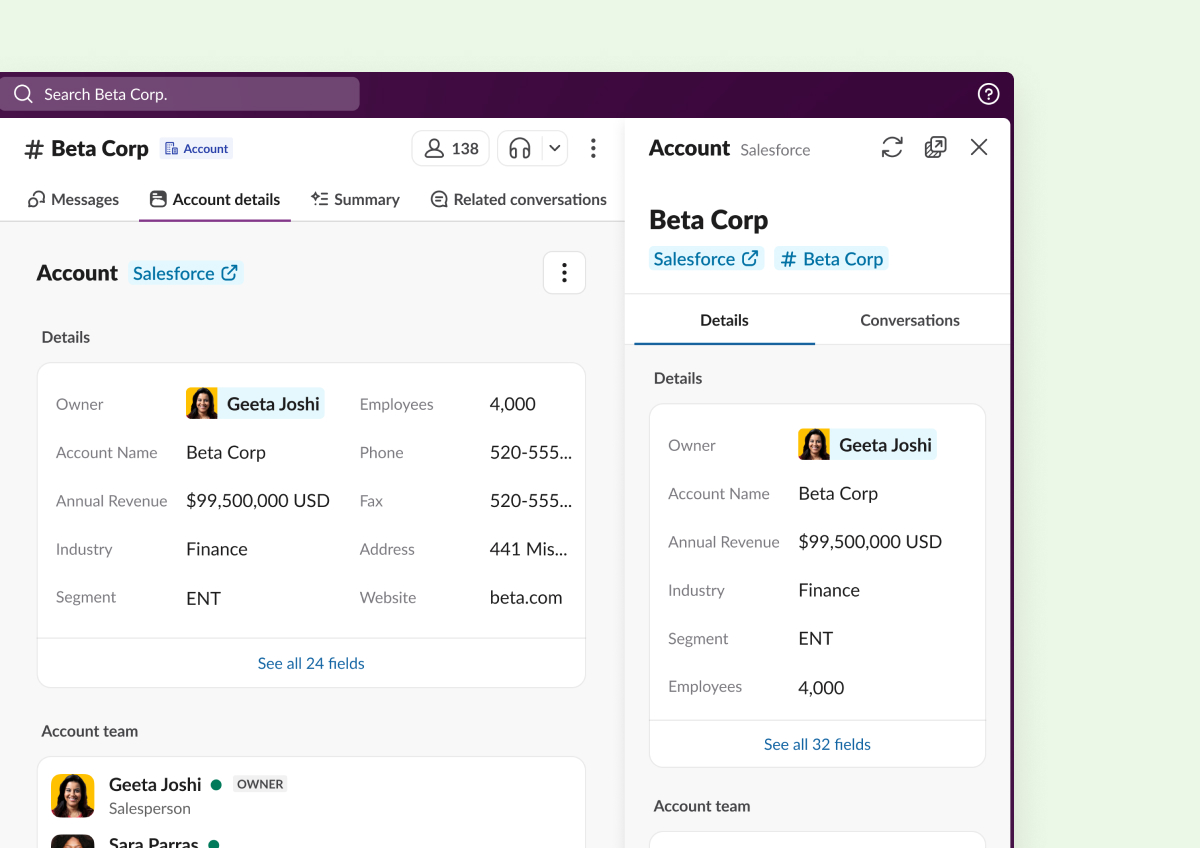
- Eine übersichtlichere Datensatzansicht
Weniger Unordnung, mehr Klarheit. Die neu gestaltete Salesforce-Datensatzansicht in Slack bereinigt Header, ordnet Schnellaktionen neu an und fügt erweiterbare Feld-Ordner hinzu – so kannst du alles schnell überblicken, handeln und ohne Ablenkungen weiterarbeiten.![]()
- CRM-Eintrag-Inhaber:innen ändern
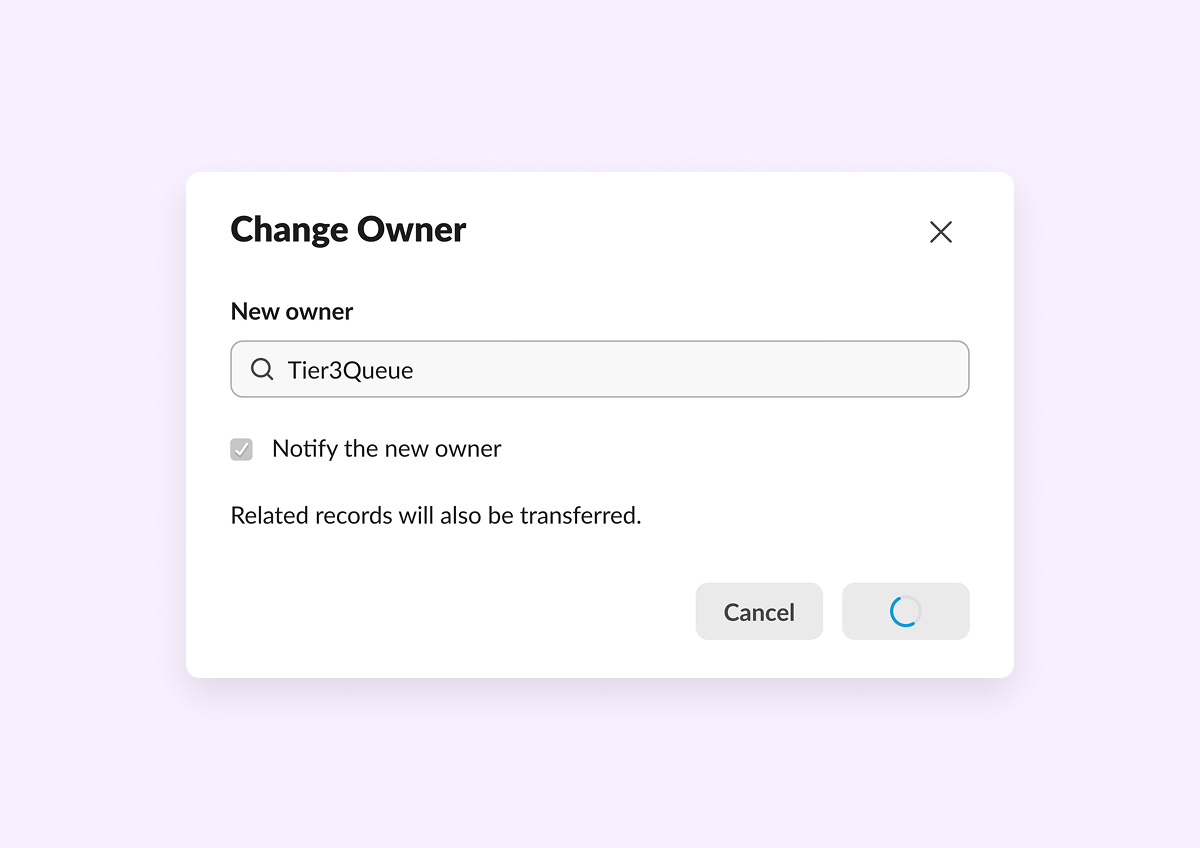
Übergaben sollten dich nicht bremsen. Du kannst jetzt Inhaber:innen von Salesforce-Leads, -Fällen oder Opportunitys ohne App-Wechsel direkt in Slack neu zuweisen – auf dem Desktop und auf dem Smartphone – mit der Option, sie sofort zu benachrichtigen. .![]()
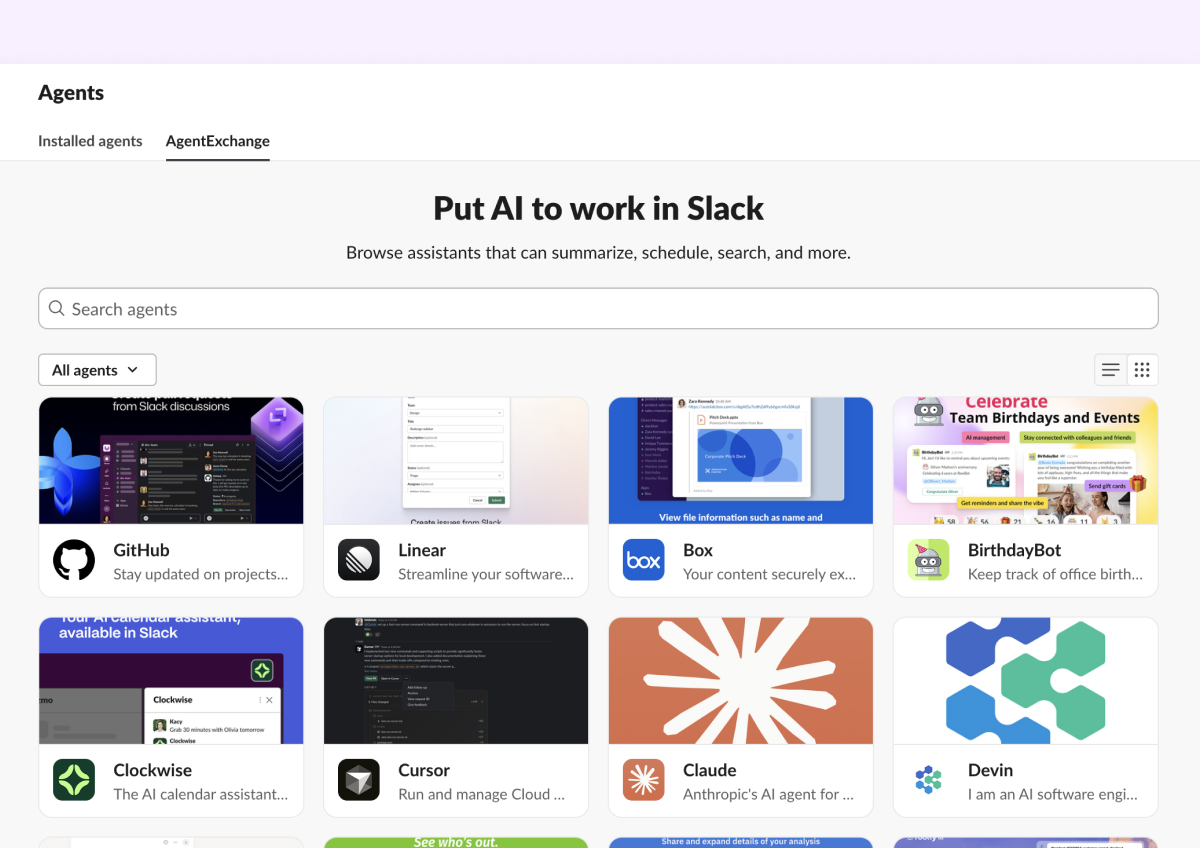
Alle deine Agenten an einem Ort
AgentExchange: deine zentrale Anlaufstelle für KI-Agenten
Die besten Ergebnisse entstehen, wenn alle Personen und alle Tools miteinander verbunden sind. AgentExchange ist jetzt dein zentrales Zuhause für alle deine KI-Agenten in Slack. Entdecke und vernetze dich mit KI-gestützten Apps aus dem Slack Marketplace, sieh all deine installierten Agenten auf einen Blick und knüpfe dort nahtlos an aktuelle Unterhaltungen mit Agenten an, wo du aufgehört hast. Kein lästiges Suchen mehr in verschiedenen Tools, um deine KI-Agenten zu finden, da du sie alle an dem Ort findest, an dem du bereits arbeitest.
Alles durchsuchen, alles finden
Gmail und Outlook in der Enterprise-Suche
Du kannst ab sofort deinen E-Mail-Posteingang durchsuchen. Gmail und Outlook sind mit der Enterprise-Suche verknüpft (verfügbar für Kund:innen mit Enterprise-Plänen), sodass E-Mail-Ergebnisse direkt neben deinen Slack-Inhalten erscheinen – in der Suche, in KI-generierten Antworten und bei Slackbot-Abfragen. Kein Rätseln mehr, ob die Antwort in deinen E-Mails oder in Slack zu finden ist.
Und sobald du etwas gefunden hast, stellt Slack E-Mails jetzt ansprechend und übersichtlich direkt in deinem Arbeitsablauf dar. E-Mails in Slack erscheinen nun mit klarerem Formatierungsstil – Absender:in und Empfänger:in werden als bekannte Personen angezeigt, wenn sie deiner Org. zugeordnet sind, Anhänge werden als Dateien angezeigt, die du direkt öffnen kannst, und eine übersichtliche Dateidetailansicht ist nur einen Klick entfernt.
Arbeitsobjekte in der Suche
Wir wissen, dass sich deine Arbeit auf viele Tools verteilt, aber jetzt kannst du deine Aufgaben durchsuchen und einsehen, ohne Slack zu verlassen. Arbeitsobjekte sind Aufgaben, Tickets und Probleme, die sich in Tools wie OneDrive, Asana und Jira befinden, und sie werden jetzt als aussagekräftige, eigenständige Ergebnisse direkt in der Slack-Suche angezeigt. Und sie sind übersichtlich in eigenen Tabs nach App geordnet. Jedes Ergebnis enthält Titel, Status, Priorität, die zugewiesene Person und verknüpfte Unterhaltungen, damit du schnell findest, was du brauchst, und direkt handeln kannst – ohne zwischen Tools hin- und herzuwechseln.
KI-Suchfilter
Die Slack-Suche ist jetzt noch transparenter. Wenn du in natürlicher Sprache suchst, formuliert Slack deine Anfrage im Hintergrund um und zeigt dir genau an, welche KI-Filter und Keywords dabei extrahiert wurden, damit du immer im Bilde bist. Und wenn die Umformulierung nicht ganz passt, klicke einfach auf das „X”, um zu deiner ursprünglichen Suchanfrage zurückzukehren, und versuche es erneut.
Reibungslosere Abläufe für alle
Manchmal bringen dich kleine Änderungen noch besser voran.
- Drag-and-Drop für Channel-Tabs: Für alle, die gerade im Frühjahrsputz-Modus sind: Ein gut organisierter Channel bringt dein Team schneller voran. Du kannst Tabs jetzt per Drag-and-Drop entlang der oberen Leiste deiner Channels verschieben und deine Inhalte genau so anordnen, wie du es möchtest – damit nichts Wichtiges untergeht.
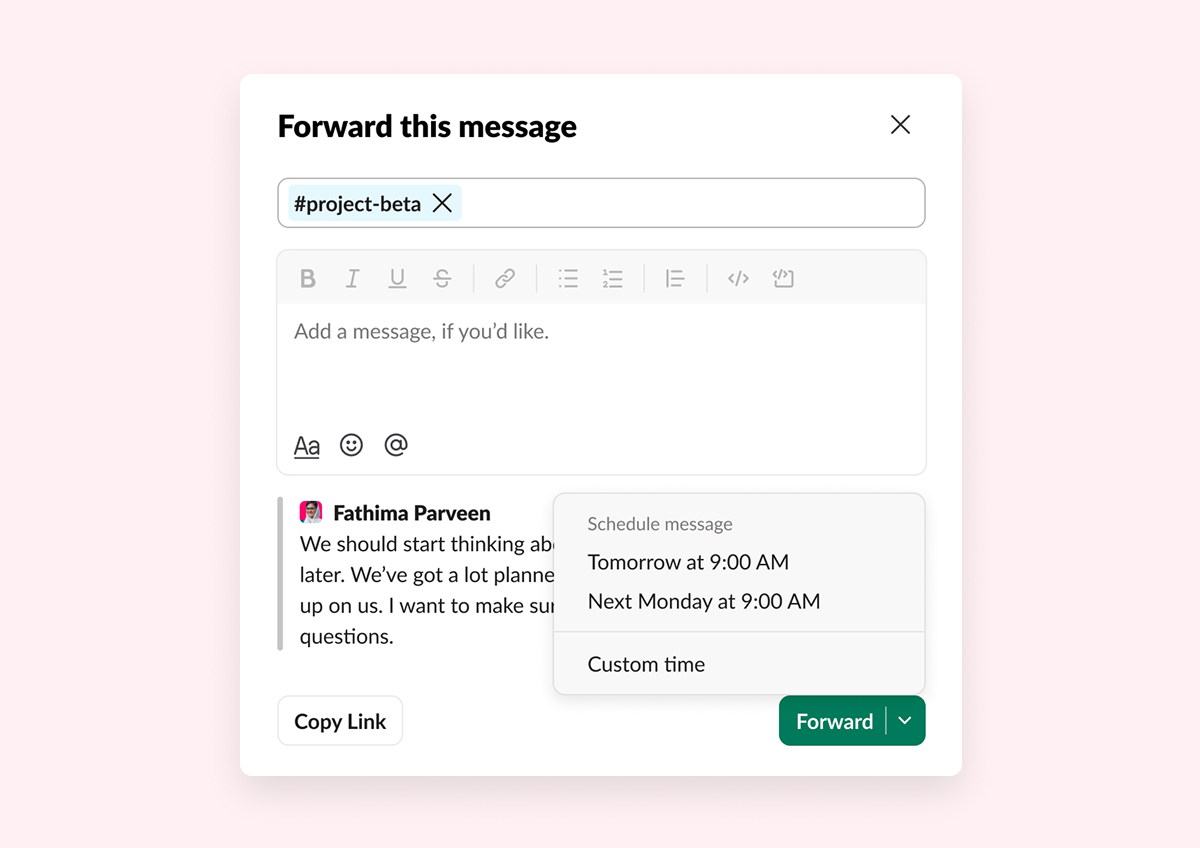
- Geplanter Nachrichtenversand für weitergeleitete Nachrichten: Nicht jede Nachricht sollte um 23 Uhr versendet werden. Du kannst Nachrichten jetzt weiterleiten und genau festlegen, wann sie ankommen – damit die richtigen Informationen zur richtigen Zeit die richtige Person erreichen.
![]()
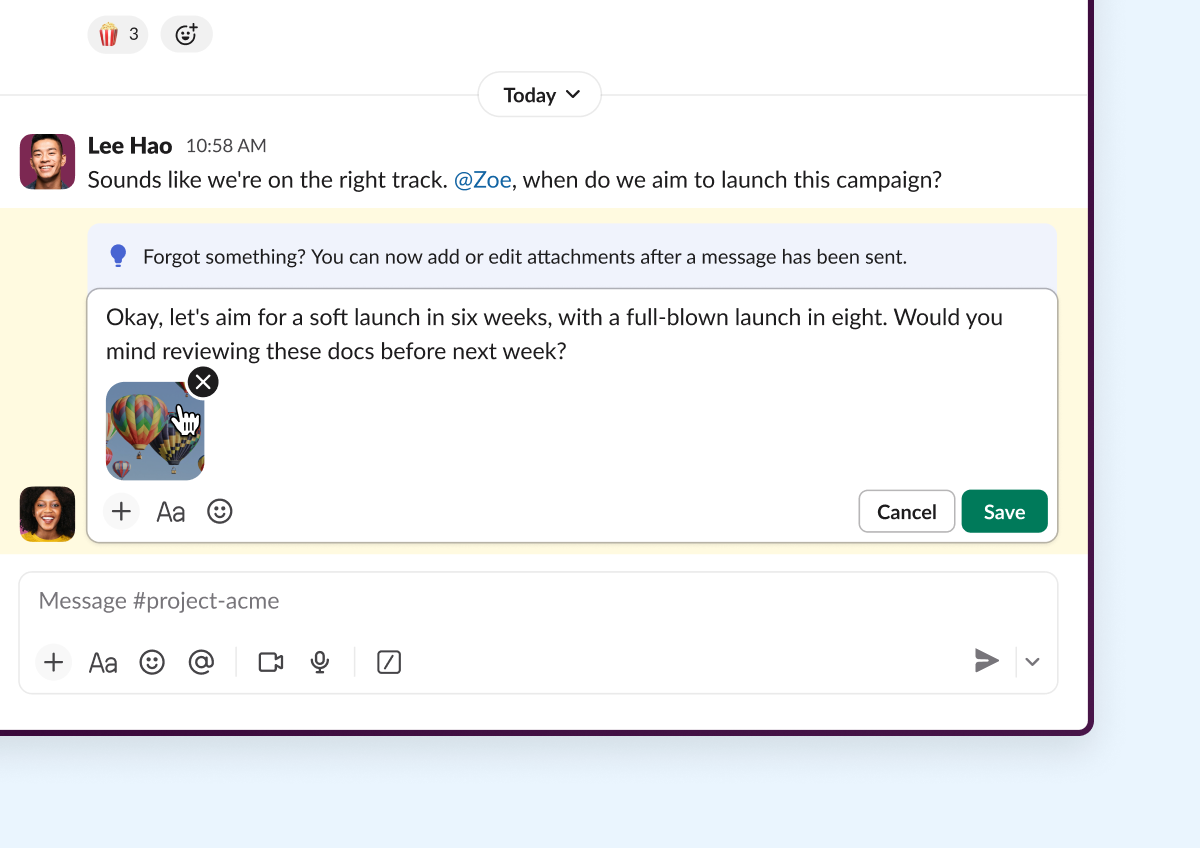
- Anhänge nach dem Senden bearbeiten: Ab sofort kannst du Dateianhänge nach dem Senden bearbeiten. Füge Dateianhänge wie Fotos, Videos, Dokumente und Canvases hinzu, entferne oder sortiere sie um, wenn du eine gesendete Nachricht bearbeitest. (Pro, Business+, Enterprise)
![]()
Bereit, alles in die Praxis umzusetzen?
Sieh dir unsere Innovations-Webseite mit früheren Slack-Neuheiten an.
Bitte beachte, dass einige Funktionen in deinem Workspace je nach Veröffentlichungszeitplan, deinem Slack-Lizenzplan oder zusätzlichen Lizenzanforderungen möglicherweise nicht sofort verfügbar sind. Um mehr über die Verfügbarkeit von Funktionen zu erfahren, wende dich an deine:n Administrator:in bezüglich der Lizenzpläne für deinen Workspace.
Möchtest du mehr erfahren? Kontaktiere uns.
 Super!
Vielen Dank für dein Feedback!
Okay!
Vielen Dank für dein Feedback.
Hoppla! Wir haben gerade Schwierigkeiten. Bitte versuche es später noch einmal!