En été, les priorités sont remises dans le bon ordre. Pour profiter au maximum du soleil, pas question de perdre son temps à jongler entre différentes applications afin de faire son travail.
En ce mois de juin, nous avons fait évoluer Slack à tous les niveaux. Slackbot a appris à se souvenir de vous, à accéder à l’ensemble de votre pile technologique, à s’exprimer dans votre langue et à transformer vos données en diagrammes exploitables. Les messages directs et la barre latérale sont plus faciles à parcourir. Et la plateforme s’est ouverte pour que les applications sur lesquelles votre équipe s’appuie déjà puissent s’intégrer directement dans vos conversations, non plus comme de simples notifications, mais comme de véritables espaces de travail.
Le fil conducteur ? Moins de changements de contexte, moins de recherches et plus besoin de tout réexpliquer chaque matin.
Voici tout ce qui est arrivé ce mois-ci.
Slack connecte l’ensemble de votre pile technologique
Le problème du changement de contexte appartient (presque) au passé. Désormais, Slack devient le lieu où vos outils communiquent vraiment entre eux, et pas seulement pour vous envoyer des notifications.
Le client MCP de Slackbot utilise le Model Context Protocol pour connecter votre assistant IA aux outils que votre équipe utilise au quotidien : Google, Atlassian, Box, Notion, DocuSign, et bien d’autres. Une seule conversation peut désormais puiser dans l’ensemble de votre pile technologique. Inutile de quitter Slack pour obtenir une réponse, Slackbot va chercher l’information là où le travail se passe.
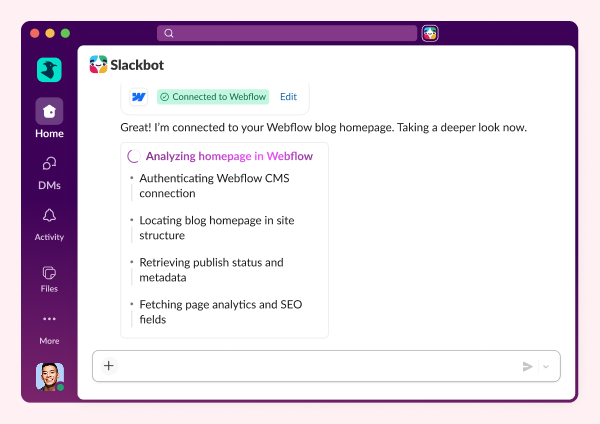
Et ce n’est pas seulement Slackbot qui prend les devants. Avec les applications partenaires MCP, les outils qu’affectionne votre équipe peuvent désormais s’intégrer directement dans Slack. Box, Figma, DocuSign, Linear : plutôt que d’envoyer une simple notification et de s’arrêter là, ces applications peuvent afficher des données en temps réel, des formulaires interactifs, des tableaux de bord et des panneaux d’action directement dans vos conversations. Signez un document, mettez un ticket à jour, récupérez un design, le tout sans jamais quitter Slack.
Slackbot apprend à vous connaître, puis se fait discret
Les assistants IA souffrent d’un problème de mémoire à court terme. Vous expliquez votre fonction, votre équipe, vos préférences, et à la prochaine conversation, vous recommencez à zéro. Plus maintenant.
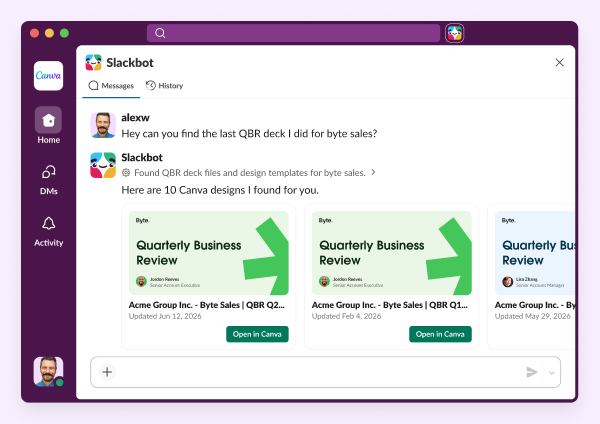
La mémoire de Slackbot lui permet d’apprendre véritablement comment vous travaillez : pas seulement ce que vous lui avez dit, mais ce qui s’est réellement passé. Les canaux dans lesquels vous êtes actif, les décisions prises par votre équipe, les projets qui ont façonné votre contexte. La première semaine, il connaît votre nom. La huitième, il connaît vos parties prenantes, votre ton, et ce que « urgent » signifie pour vous. Plus vous l’utilisez, plus il devient utile. Aucune formation manuelle requise.
Et Slackbot est de plus en plus simple à utiliser, quelle que soit votre façon de travailler :
- Actions vocales – Pour tous ceux qui n’ont jamais ouvert Slackbot parce que taper du texte était une contrainte de plus, vous pouvez désormais simplement exprimer à voix haute vos besoins.
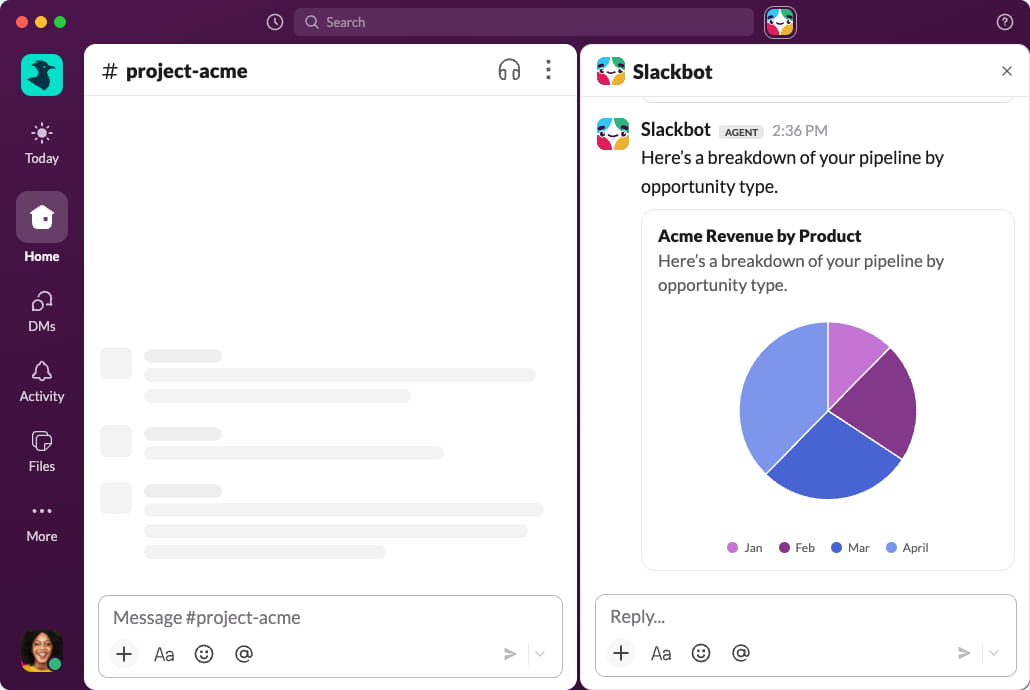
- Diagrammes natifs – Slackbot peut désormais transformer vos données brutes en diagrammes visuels directement dans la conversation. Fini les tableaux croisés dynamiques. Fini les outils tiers. Posez une question et obtenez une analyse là où les décisions se prennent.
Un meilleur espace de travail pour tous
Les améliorations apportées à Slackbot font beaucoup parler d’elles, mais la mise à jour de ce mois-ci améliore aussi les fondamentaux, c’est-à-dire les interfaces que tout le monde utilise au quotidien.
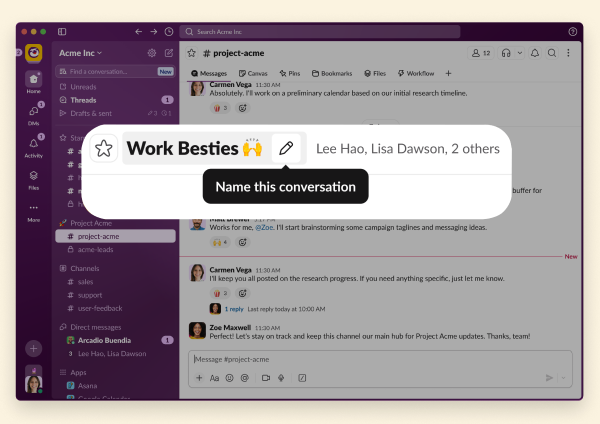
Le nommage des messages directs de groupe est (enfin !) disponible. Les messages directs de groupe n’avaient pas de nom depuis leur lancement en 2015. Onze ans de « vous, Sarah, Mike et les autres ». Maintenant, il vous suffit de survoler, de cliquer sur le crayon et de lui assigner un nom ou un émoji. Finis les messages envoyés aux mauvaises personnes.
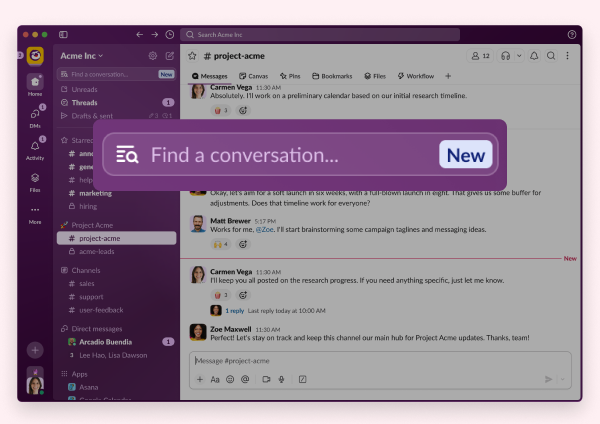
Le filtre de la barre latérale vous permet de trouver facilement ce dont vous avez besoin, sans faire défiler. Il vous suffit de saisir du texte pour filtrer votre barre latérale en temps réel. Correspondance approximative, tri par pertinence récente, compatibilité avec les messages directs de groupe : il fonctionne dans les onglets Accueil et Messages directs, avec un basculement vers la Recherche en l’absence de résultats.
Prêt à tout mettre en œuvre ?
Consultez notre page web Innovations pour découvrir les versions précédentes.
Veuillez noter que certaines fonctionnalités peuvent ne pas être immédiatement disponibles dans votre espace de travail en fonction du calendrier de déploiement, de votre forfait Slack ou d’exigences de licence supplémentaires. Pour en savoir plus sur la disponibilité des fonctionnalités, renseignez-vous auprès de votre administrateur sur les forfaits de licence de votre espace de travail.
Vous souhaitez en savoir plus ? Contactez-nous.
 Parfait !
Merci beaucoup pour votre feedback !
Bien compris !
Merci pour vos commentaires.
Oups ! Nous rencontrons quelques difficultés. Veuillez réessayer plus tard.