Todo mundo já passou por isso. Você está no meio do seu trabalho mais importante quando uma notificação interrompe seu fluxo de trabalho. Um líder de projeto precisa de uma atualização de status. Um cliente está perguntando sobre um tíquete. Encontrar a informação no Slack é fácil, mas reunir tudo e redigir uma resposta clara leva um tempo que você não tem.
No Slack, acreditamos que tornar os fluxos de trabalho automatizados acessíveis a todos é a chave para desbloquear a verdadeira produtividade organizacional. Passamos anos aprimorando o Criador de fluxo de trabalho para que qualquer pessoa possa automatizar as partes rotineiras do seu trabalho da forma mais simples possível. Mas mesmo as automações mais avançadas ainda precisavam de uma pessoa para interpretar os dados: resumir atualizações, identificar padrões ou decidir o que fazer a seguir. Até agora.
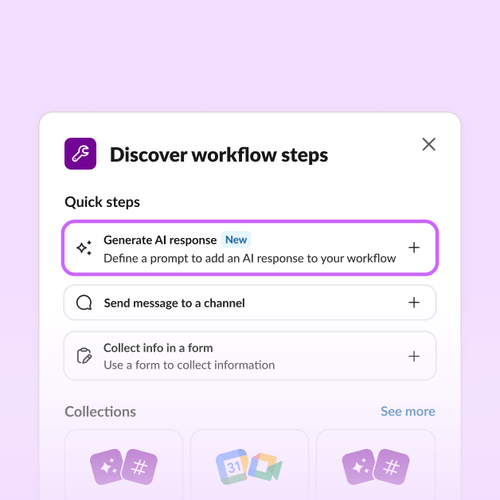
Hoje, estamos expandindo as capacidades de IA do Criador de fluxo de trabalho com a nova etapa Gerar resposta com IA. Agora, você pode criar fluxos de trabalho com uma etapa gerada por IA que pode resumir, traduzir e redigir por você a partir de um único prompt. Agora a automação é para todos, não apenas para quem sabe programar.
O que é a etapa Gerar resposta com IA?
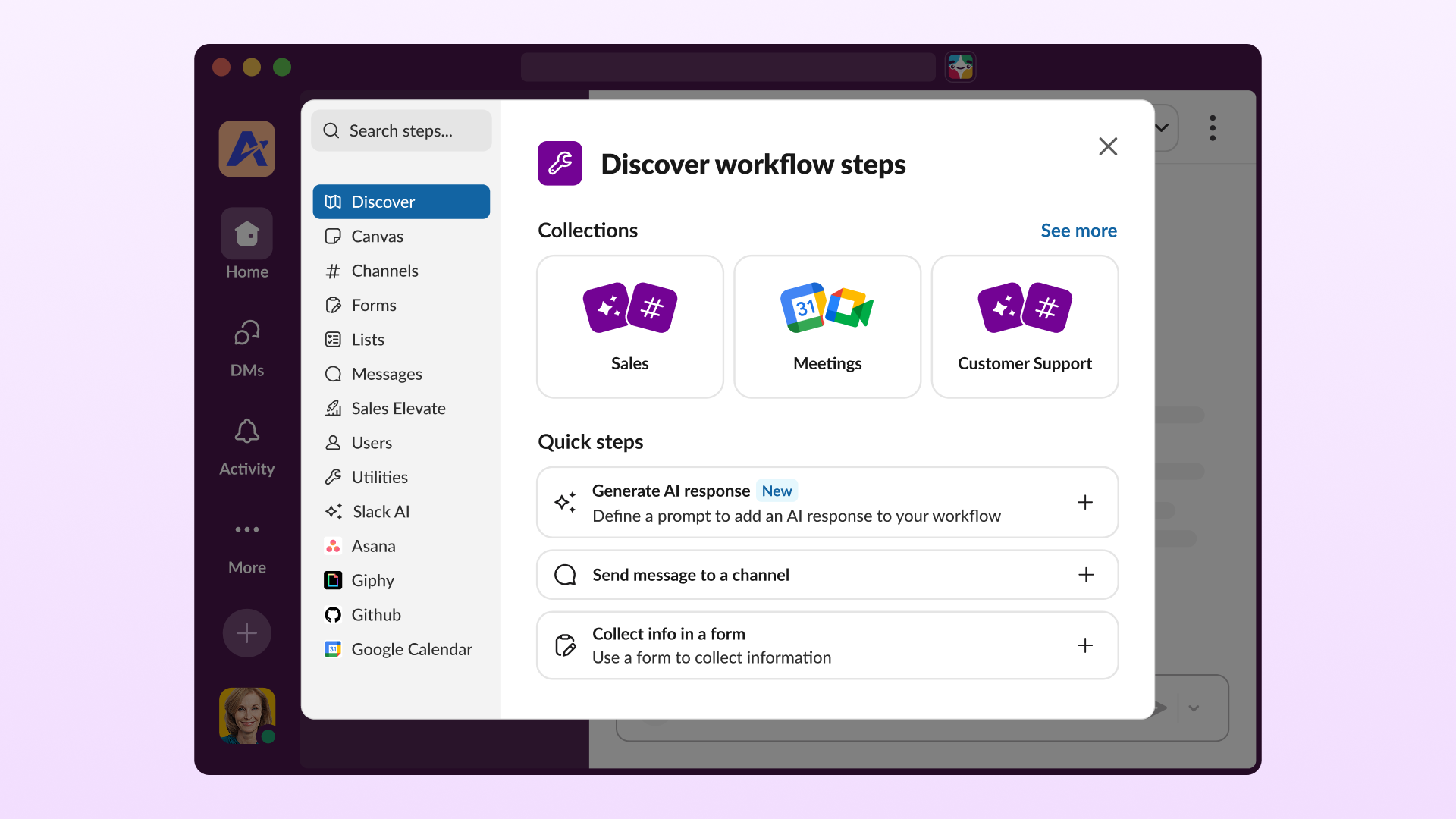
O Criador de fluxo de trabalho sempre foi a central de automação sem código do Slack, ajudando as equipes a criar fluxos de trabalho que eliminam tarefas repetitivas sem escrever uma única linha de código. Com a IA integrada, você pode criar fluxos de trabalho automatizados em poucos cliques — basta descrever o que precisa e a IA cuida do resto. Agora, a nova etapa Gerar resposta com IA vai ainda mais longe. Basta adicionar a etapa ao seu fluxo de trabalho, escrever um prompt, escolher suas fontes de conhecimento (canais, canvas, listas e arquivos) e a IA consegue gerar resumos, extrair decisões importantes e itens de ação, classificar textos não estruturados, transformar dados em um formato padrão, e muito mais.
- Adicione a etapa Gerar resposta com IA a qualquer fluxo de trabalho: prompts avulsos não são escaláveis. Fluxos de trabalho, sim. Quando a IA faz parte de um fluxo de trabalho, o resultado é consistente e automático.
- Baseie a IA no seu conhecimento: o desempenho da IA só será bom se o contexto que ela receber também for. Esta etapa utiliza conteúdo real de canais e documentos do Slack — os lugares onde sua equipe realmente trabalha.
- Mantenha o controle com governança de nível empresarial: os administradores podem restringir quem cria fluxos de trabalho com a etapa e controlar quais dados ela acessa, tudo respaldado pelas diretrizes de IA do Slack.
Como funciona: apenas cliques, sem código
A etapa Gerar resposta com IA foi criada para ser simples, porque você não deveria precisar de um engenheiro para deixar suas ferramentas mais inteligentes:
- Selecione a etapa: procure por “Gerar resposta com IA” na biblioteca de etapas — ela se encaixa no seu fluxo de trabalho como qualquer outra etapa.
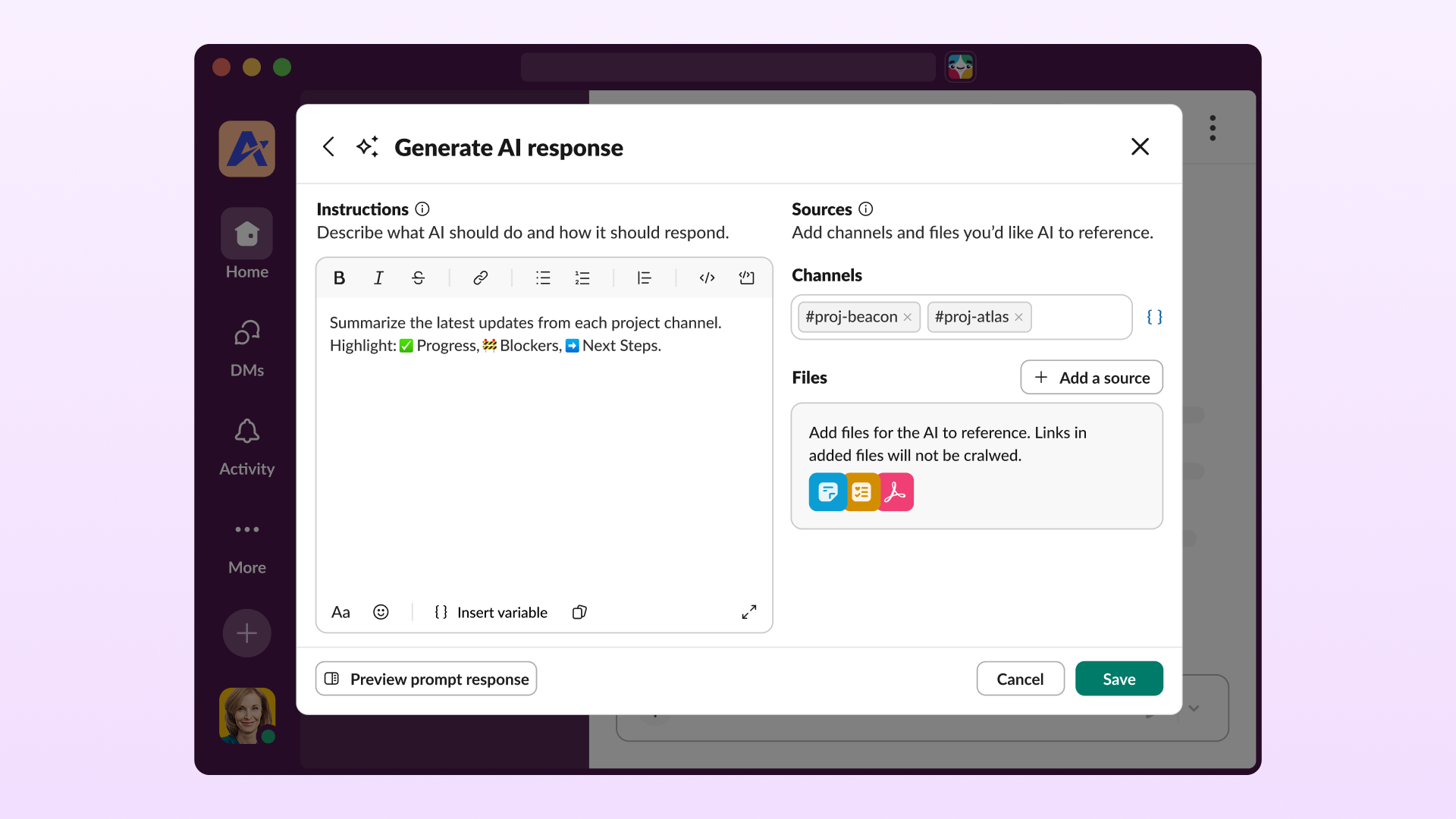
- Escreva um prompt: descreva em linguagem simples o que a IA deve fazer.
- Adicione fontes de conhecimento: direcione a IA para conteúdos do Slack ou variáveis de etapas anteriores. Ele consegue lidar com múltiplas fontes simultaneamente, até mesmo documentos longos ou canais muito movimentados.
- Teste antes de publicar: teste seu prompt com o modo de visualização interativa antes de colocar em produção.
- Deixe rodar: independentemente de ser acionada por agendamento ou por um evento, a etapa retorna uma resposta baseada em dados todas as vezes.
Todo esse processo libera o poder total da IA dentro do seu fluxo de trabalho, com capacidade de:
- Resumir conversas complexas ou documentos longos para que todos fiquem alinhados.
- Traduzir mensagens automaticamente para que suas equipes globais fiquem sincronizadas.
- Redigir respostas baseadas em dados das suas fontes de conhecimento, transformando dados brutos em conversas acionáveis.
Basta definir seu prompt, conectar suas etapas e deixar seu fluxo de trabalho cuidar do resto.
Veja na prática
Imagine um gerente de projetos que passa uma hora toda sexta-feira coletando atualizações de cinco canais para redigir um resumo executivo. Com a etapa Gerar resposta com IA, isso vira um fluxo de trabalho:
- O gatilho: um fluxo de trabalho programado é configurado para ser executado toda sexta-feira de manhã, às 8h.
- A lógica de IA: o núcleo da automação é a etapa de IA, configurada com um prompt como: “Resuma as atualizações mais recentes de cada canal de projeto. Destaque os progressos, impedimentos e próximos passos” e vinculada aos cinco canais de projeto designados como fontes de conhecimento.
- O resultado: o fluxo de trabalho executa essa instrução automaticamente, gerando um resumo claro e objetivo baseado em dados reais do canal, que é então publicado diretamente no canal #atualizacoes-exec. Uma hora de trabalho repetitivo resolvida automaticamente toda semana.
Mais formas de usar
A etapa Gerar resposta com IA funciona para qualquer equipe e qualquer processo. Mais alguns exemplos:
- Suporte ao cliente: faça a triagem dos tíquetes recebidos resumindo o histórico da conversa e sugerindo uma resposta antes mesmo de o agente abrir o caso.
- Resposta a incidentes: quando um alerta é disparado, o fluxo de trabalho reúne o contexto relevante e elabora uma atualização de status inicial para que sua equipe comece com um rascunho pronto, não com uma página em branco.
- Vendas (em breve): gere automaticamente resumos de negócios a partir de dados do CRM e da atividade dos canais, para que os representantes entrem em cada chamada totalmente preparados.
Crie seu primeiro fluxo de trabalho com IA
Com a etapa Gerar resposta com IA, o Criador de fluxo de trabalho oferece a maneira mais fácil de trazer o poder da IA para o seu dia a dia. Automatize as partes do seu processo que consomem mais tempo e guarde o seu foco para o trabalho que só você pode fazer.
Pronto para começar? Acesse o Criador de fluxo de trabalho e adicione a etapa Gerar resposta com IA ao seu próximo fluxo de trabalho.
Saiba mais sobre o Criador de fluxo de trabalho.
 Ótimo!
Agradecemos seu feedback!
Entendi!
Agradecemos seu feedback.
Estamos com problemas. Tente novamente mais tarde.